
 Repository
Current collected state Current
Observed since 20 Oct, 22:39 UTC
No superseded metadata states collected. Unchanged observations do not create new revisions.
A single pure component for drop-down/combobox in react native
A single pure component for drop-down/combobox in react native
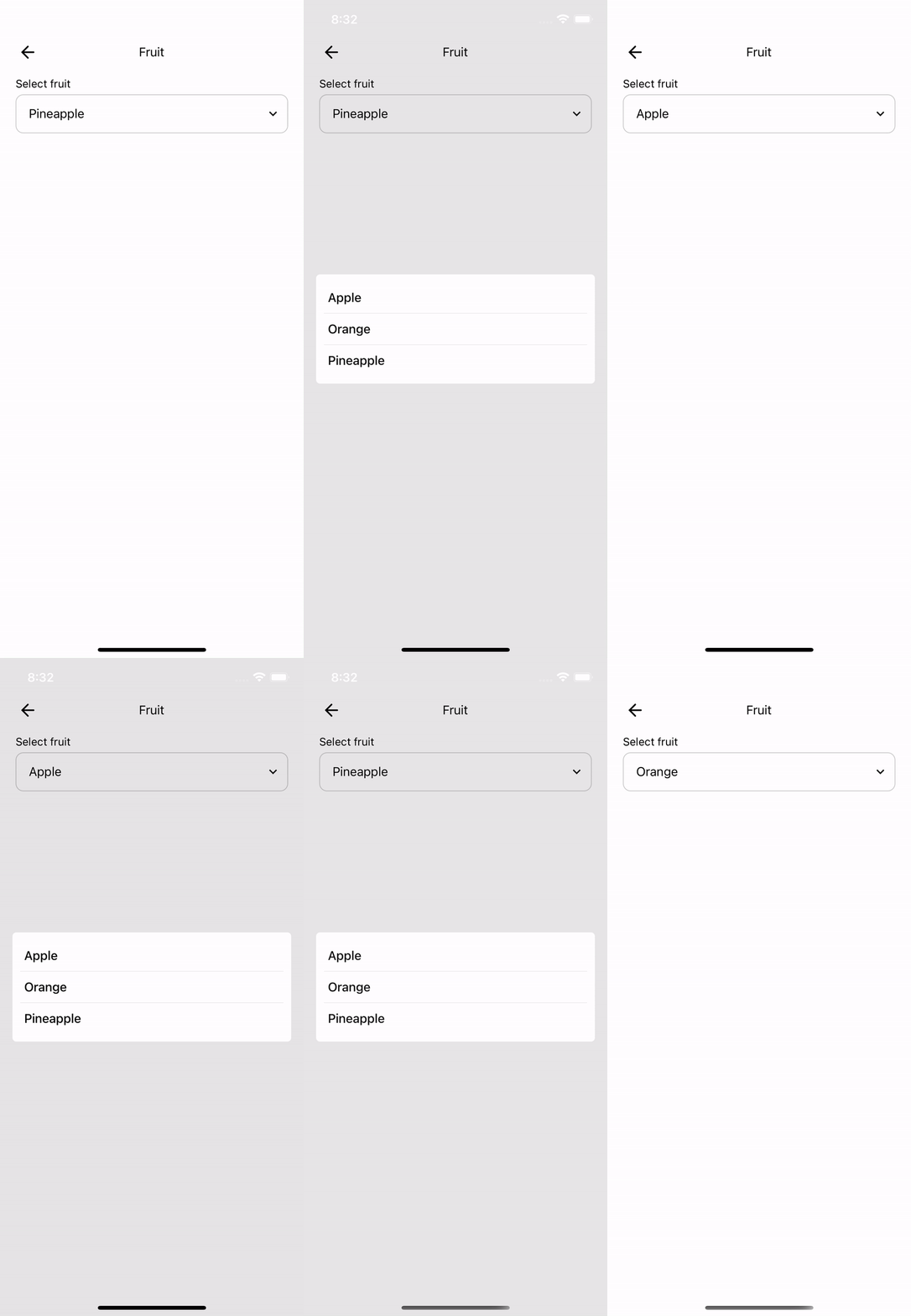
Please install react-native-vector-icons
yarn add @febfeb/react-native-dropdown
import Dropdown from '@febfeb/react-native-dropdown';

let fruits = [
    { id: 1, label: 'Apple'},
    { id: 2, label: 'Orange'},
    { id: 3, label: 'Pineapple'},
];

const [fruit, setFruit] = useState(1);

return (
    <Dropdown
        label='Select fruit'
        value={fruit}
        data={fruits}
        onChange={(val) => {
            setFruit(val);
        }}/>
);
import Dropdown from '@febfeb/react-native-dropdown';

let fruits = [
    { id: 1, label: 'Apple'},
    { id: 2, label: 'Orange'},
    { id: 3, label: 'Pineapple'},
];

const [fruit, setFruit] = useState(1);

const theme = {
    boxStyle: {
        borderColor: 'blue',
    },
};

return (
    <Dropdown
        label="Select fruit"
        theme={{
            containerStyle: {
                backgroundColor: '#000',
            },
            boxStyle: {
                backgroundColor: '#000',
                borderColor: '#fff',
            },
            labelStyle: {
                color: '#fff',
            },
            textContentStyle: {
                color: '#fff',
            },
            rightIconStyle: {
                color: '#fff',
            },
            modalRootStyle: {
                backgroundColor: 'rgba(255,255,255,0.5)',
            },
            modalContentStyle: {
                backgroundColor: '#000',
            },
            searchWrapperStyle: {
                backgroundColor: '#222',
            },
            searchIconStyle: {
                color: '#fff',
            },
            searchInputStyle: {
                color: '#fff',
            },
            listStyle: {
                backgroundColor: '#000',
            },
            listTextStyle: {
                color: "#fff",
            },
        }}
        placeholderTextColor={'rgba(255,255,255,0.8)'}
        value={fruit}
        data={fruits}
        onChange={(val) => {
            setFruit(val);
        }}
    />
);
| Prop | Type | Description |
|---|---|---|
| value | string/number | This is mandatory for selecting the default value |
| data | array of object with id and label attribute | Used as array of source data |
| label | string | Title |
| onChange | function | This event will be triggered after user click the list item |
| renderDisplay | function | Use this function to custom render your dropdown |
| showSearchBar | boolean | Use this to show search bar (default false) |
| theme | Object | This is if you want to customize the appearance |
| placeholderTextColor | string color | This is if you want to customize the placeholderTextColor props in TextInput |
Download counts and popularity will appear here as the collector receives them.
| Version | Published | Direct dependencies | Open version |
|---|---|---|---|
| 1.0.2Registry latest | 8 Apr 2025 | 5 |
This describes our collected data; it is not a security assessment.
Shared repository data · GitHub
Observed since 20 Oct, 22:39 UTC
No superseded metadata states collected. Unchanged observations do not create new revisions.
package:7482d3b4a77a7d4f07994c7e24641eb774ed1bf14503d6693faeb2b14fb50540