

 Repository
Current collected state Current
Observed since 20 Oct, 19:37 UTC
No superseded metadata states collected. Unchanged observations do not create new revisions.
React bindings for 3d-spinner: a lightweight 3D spinner, loader, and progress indicator as a component and a hook.


React bindings for 3d-spinner - a
zero-dependency 3D spinner, loader, and progress indicator that draws to a
canvas. You get a <Spinner> component and a useSpinner hook for mounting,
cleanup, and progress. Import the animations and prefabs you need from
3d-spinner; only what you import ends up in your bundle.
Live demo - the prefabs and common React patterns, each shown with the complete component it runs.
npm install 3d-spinner-react 3d-spinner react
3d-spinner (1.1 or later) and react (18+) are peer dependencies.
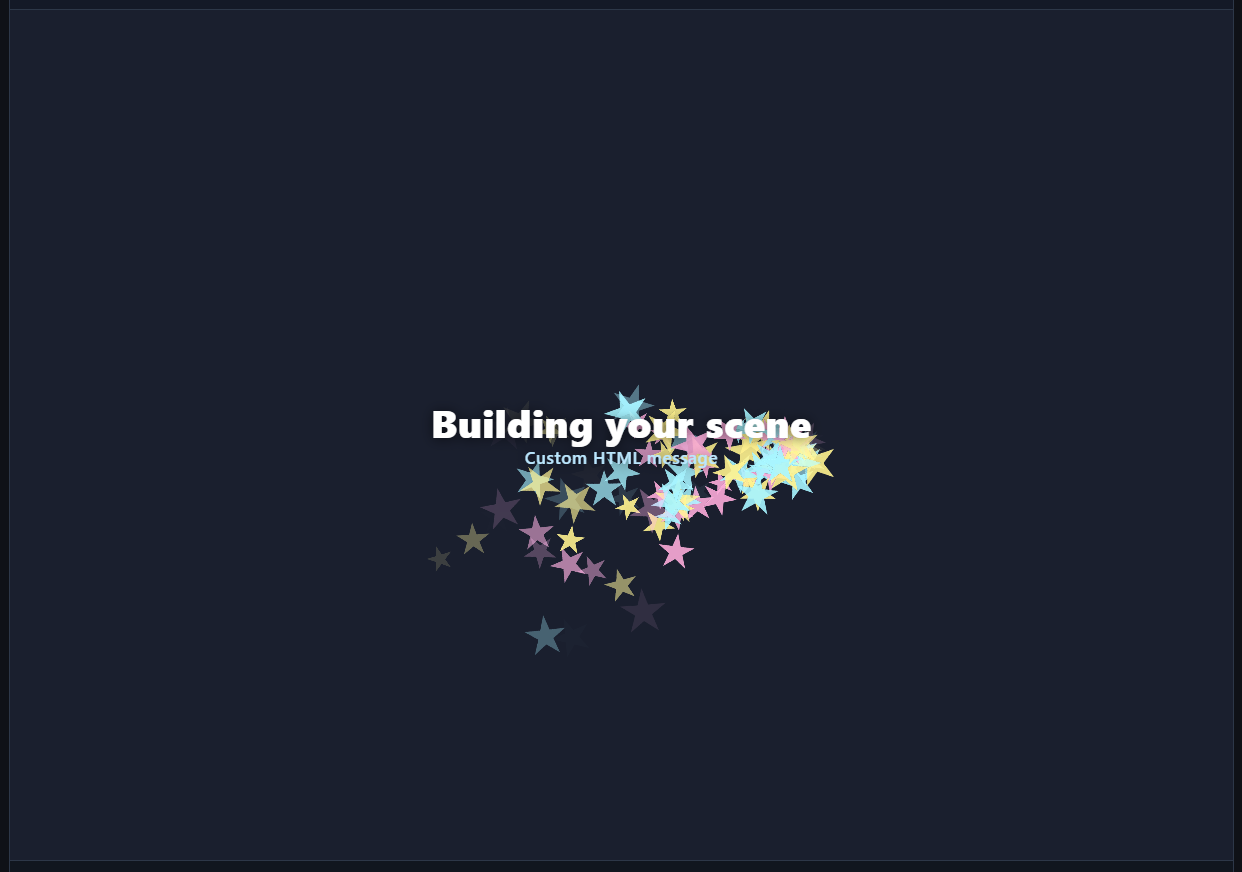
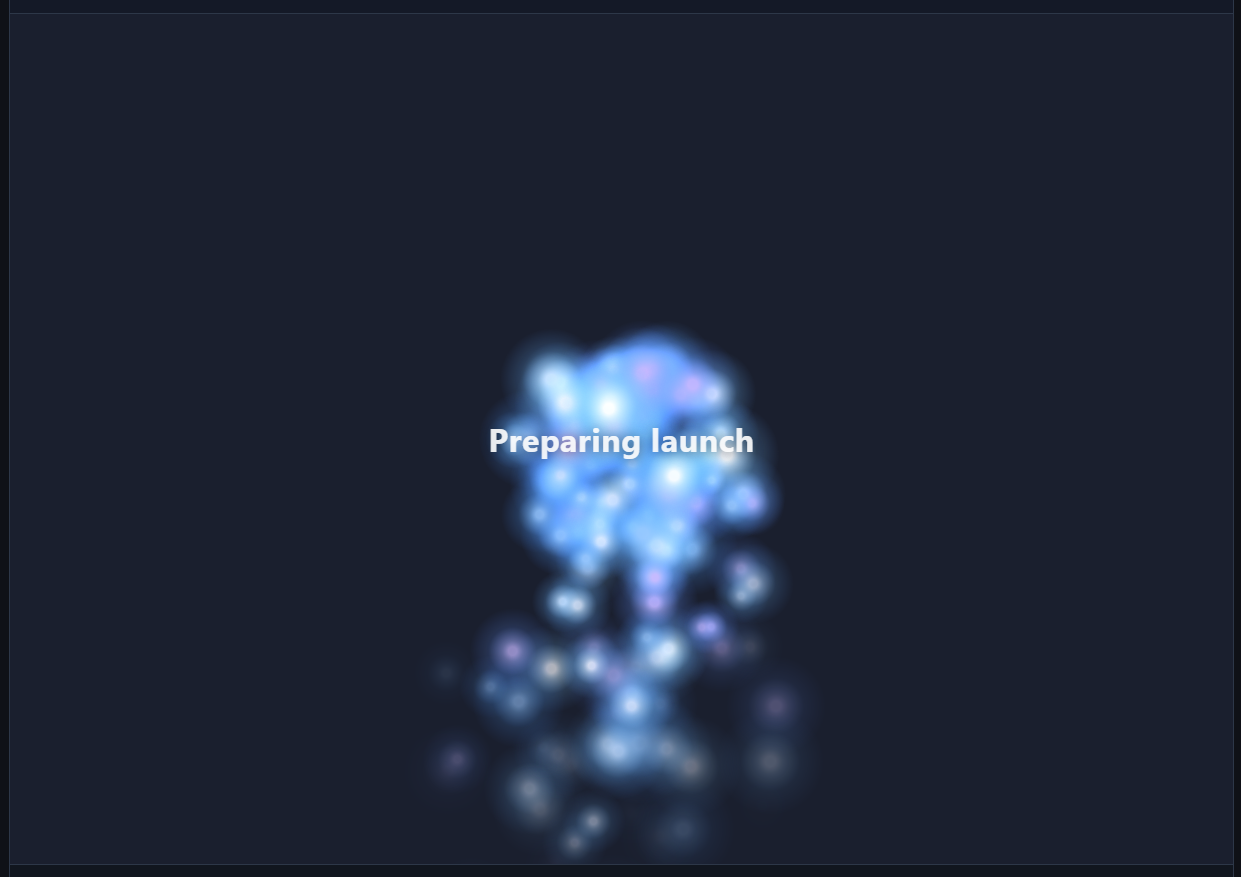
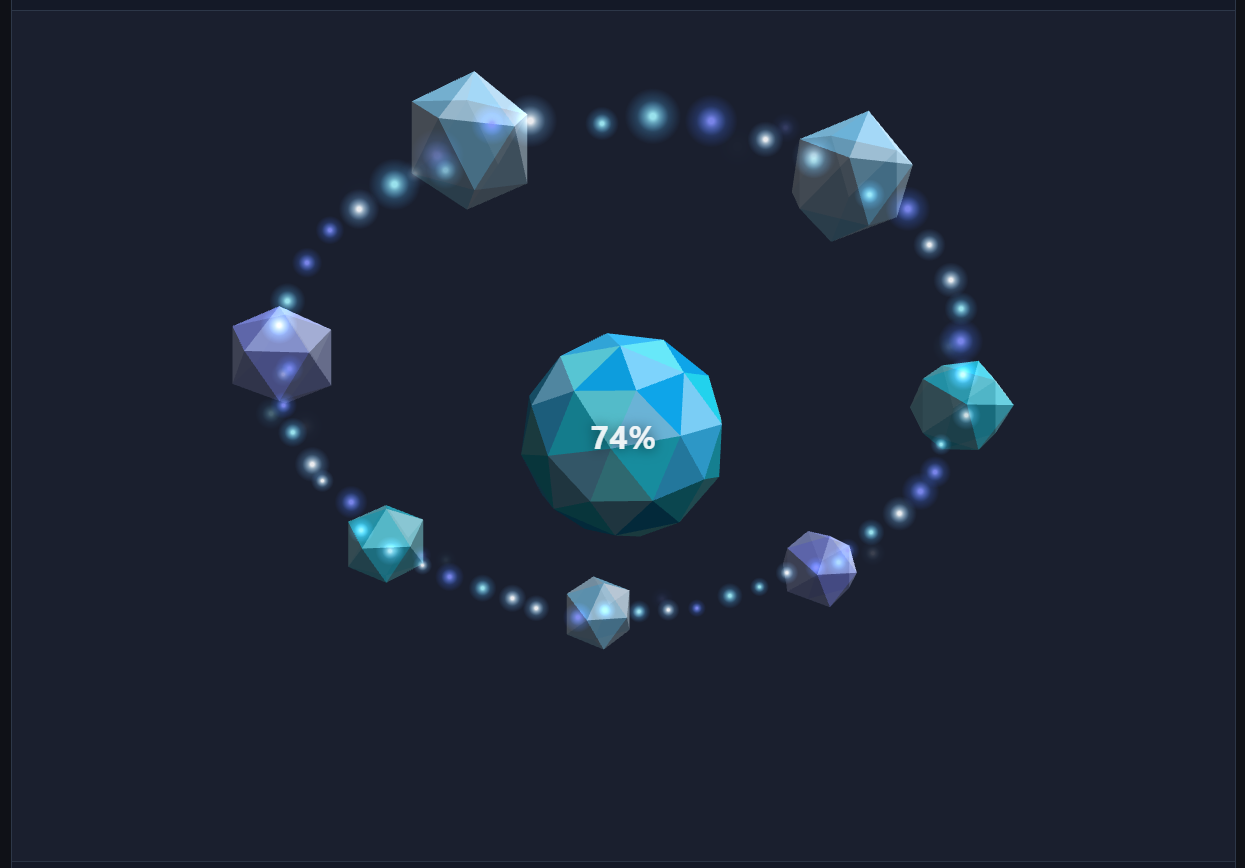
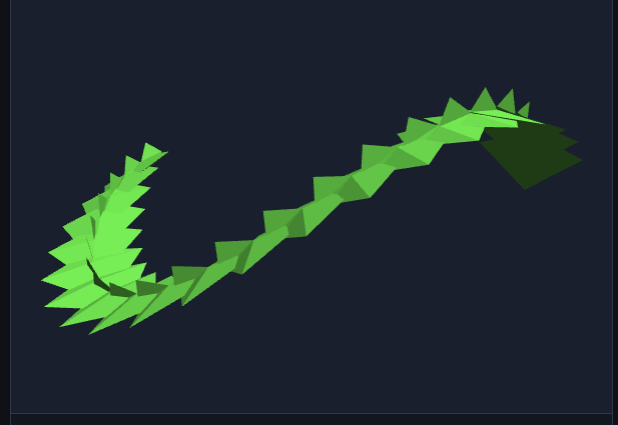
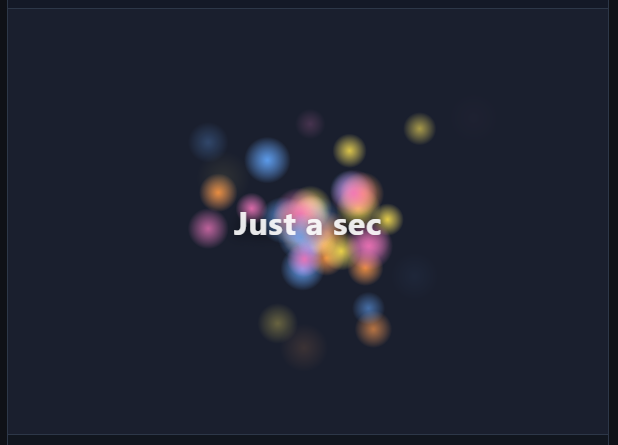
Some ready-made prefabs from 3d-spinner/prefabs, shown here through <Spinner>:
starSwarm with custom HTML | pulsingStarfield | chargedOrb at 74% |
|---|---|---|
 |  |  |
ghostTrain progress prefab | ParticlesAnimation with glow texture |
|---|---|
 |  |
3d-spinner/prefabs ships complete setups - layered animation, labels, and
sensible defaults already picked. Import one, pass its animation into
<Spinner>, and give the container a width and height.
Pass
animationas a factory (() => prefab().animation), not a bare instance. Each mount gets a fresh animation - that is what keeps things working under StrictMode and when props change.3d-spinnerthrows if the same animation instance is mounted twice.
Indeterminate prefab:
import { Spinner } from "3d-spinner-react";
import { starSwarm } from "3d-spinner/prefabs";

function Loading() {
  return (
    <Spinner
      type="indeterminate"
      animation={() => starSwarm({ label: "Just a sec" }).animation}
      style={{ width: 240, height: 240 }}
    />
  );
}
Progress prefab - set progress from state; at 1 the outro plays:
import { useState } from "react";
import { Spinner } from "3d-spinner-react";
import { chargedOrb } from "3d-spinner/prefabs";

function Upload() {
  const [progress, setProgress] = useState(0.74);
  return (
    <Spinner
      progress={progress}
      animation={() => chargedOrb({ label: "Uploading" }).animation}
      style={{ width: 240, height: 240 }}
    />
  );
}
You can override backend, label, and fadeLabel on the prefab. Labels fade
with the intro and outro by default; set fadeLabel: false to keep one fully
visible. Motion prefabs also take object and particles options. A label can
be plain text or an HTMLElement. If your factory closes over a prop, add it to
deps so the spinner rebuilds when it changes.
Only the prefab's animation reaches <Spinner>, so spinner options such as
periodMs, loop, timeoutMs, and ariaLabel go on <Spinner> itself.
import { Spinner } from "3d-spinner-react";
import { planeStarTrail } from "3d-spinner/prefabs";

function LaunchPreview({ rate }: { rate: number }) {
  return (
    <Spinner
      type="indeterminate"
      animation={() =>
        planeStarTrail({ label: "Preparing preview", particles: { rate } }).animation
      }
      deps={[rate]}
      style={{ width: 280, height: 280 }}
    />
  );
}
Available prefabs (each at 3d-spinner/prefabs):
| Export | Mode | Description |
|---|---|---|
starSwarm | indeterminate | Bright star particles around a centered message. |
pulsingStarfield | indeterminate | High-shine particles around a slowly pulsing label. |
planeStarTrail | indeterminate | A small plane looping through a star-particle stream. |
monochromeStreak | indeterminate | Minimal streak motion with particles. |
crystalComet | indeterminate | Comet with a particle tail. |
rocketLaunch | progress | Rocket launch with exhaust particles. |
chargedOrb | progress | Orb that grows satellites as progress climbs. |
ghostTrain | progress | Ice-cube train on a tilted track with a star trail. |
gridAssembly | progress | Grid pieces assemble as progress advances. |
See 3d-spinner's docs for how prefabs
are built, plus custom animations, shapes, motion paths, and rendering backends.
An indeterminate spinner runs until you hide it. Give the container a width and height - the canvas fills that box.
import { Spinner } from "3d-spinner-react";
import { SpinAnimation } from "3d-spinner/animations/spin";

function Loading({ loading }: { loading: boolean }) {
  return (
    <Spinner
      show={loading}
      type="indeterminate"
      animation={() => new SpinAnimation({ color: "#3b82f6" })}
      style={{ width: 120, height: 120 }}
    />
  );
}
When show turns false, the spinner plays its outro and then removes itself.
Unmounting a spinner stops it at once, which is what you want for a fast page
transition but looks abrupt otherwise. To let it finish gracefully, keep
<Spinner> rendered and switch show instead:
| You write | What happens |
|---|---|
{loading && <Spinner ... />} | The spinner vanishes the moment loading turns false. |
<Spinner show={loading} ... /> | The outro plays first, then the host div is removed. |
onFinish runs when the outro has finished, just before the div is removed,
so you can move on only after the animation ends. It also runs when a progress
spinner reaches 1 and its finale has played:
<Spinner
  progress={progress}
  animation={() => chargedOrb().animation}
  onFinish={() => navigate("/results")}
  style={{ width: 240, height: 240 }}
/>
Showing it again mounts a fresh spinner with its intro. With the hook, you
remove the element yourself, so wait for the outro with the promise that
stop() returns:
await spinner.stop(); // resolves once the outro has finished
setVisible(false);
Leave out type (it defaults to "progress") and update progress from state.
Changes call setProgress without rebuilding the spinner; at 1 the outro plays.
Add progressAnimation to SpinAnimation if you want it to pop in and scale with
progress.
import { useState } from "react";
import { Spinner } from "3d-spinner-react";
import { SpinAnimation } from "3d-spinner/animations/spin";

function Upload() {
  const [progress, setProgress] = useState(0);
  return (
    <Spinner
      progress={progress}
      animation={() => new SpinAnimation({ progressAnimation: {} })}
      style={{ width: 160, height: 160 }}
    />
  );
}
This wrapper does not bundle the 3D engine - import shapes and animations from
3d-spinner yourself.
import { Spinner } from "3d-spinner-react";
import { SpinAnimation } from "3d-spinner/animations/spin";
import { tetrahedron } from "3d-spinner/engines/little-3d-engine";

function Themed({ color }: { color: string }) {
  return (
    <Spinner
      type="indeterminate"
      animation={() => new SpinAnimation({ shape: tetrahedron(), color })}
      deps={[color]}
      style={{ width: 120, height: 120 }}
    />
  );
}
Each animation is imported from its own subpath:
| Import | Class | Description |
|---|---|---|
3d-spinner/animations/spin | SpinAnimation | A spinning 3D shape, a cube by default. |
3d-spinner/animations/object-motion | ObjectMotionAnimation | A mesh that follows a motion path, with an intro/outro you choose. |
3d-spinner/animations/particles | ParticlesAnimation | Camera-facing billboard particles: burst, fountain, snow, confetti. |
3d-spinner/animations/charged-orb | ChargedOrbAnimation | Progress-driven orb with satellite pop-outs. |
3d-spinner/animations/ghost-train | GhostTrainAnimation | Progress story: translucent train gains a car per 2%, then blasts off. |
3d-spinner/animations/grid-assembly | GridAssemblyAnimation | Grid pieces that assemble with progress. |
3d-spinner/animations/rocket-launch | RocketLaunchAnimation | Progress story: rockets line up on the pad, then blast off at 100%. |
3d-spinner/composite-animation | CompositeAnimation | Several animations as layers (how the prefabs combine effects). |
Shapes exported from 3d-spinner/engines/little-3d-engine include cube,
tetrahedron, octahedron, pyramid, quad, planeMesh, and several spheres
(uvSphere, icosphere, octaSphere, cubeSphere).
useSpinner hookUse the hook when you already have a container ref or want to call
stop() / setProgress() from code. It returns a stable handle.
import { useRef } from "react";
import { useSpinner } from "3d-spinner-react";
import { starSwarm } from "3d-spinner/prefabs";

function ManualControl() {
  const ref = useRef<HTMLDivElement>(null);
  const spinner = useSpinner(ref, {
    type: "indeterminate",
    animation: () => starSwarm().animation,
  });

  return (
    <>
      <div ref={ref} style={{ width: 240, height: 240 }} />
      <button onClick={() => spinner.stop()}>Stop</button>
    </>
  );
}
The <Spinner> component forwards a ref to the same handle:
const ref = useRef<SpinnerHandle>(null);
<Spinner ref={ref} animation={() => new SpinAnimation()} /* ... */ />;
ref.current?.stop();
<Spinner>A div that hosts the spinner. Takes the options below plus normal div props
(className, style, aria-*, ...). Defaults to position: relative and
needs a size - with no height, you get a blank 0x0 canvas.
useSpinner(targetRef, config, deps?)Mounts a spinner into targetRef.current and keeps it in sync. Returns a
SpinnerHandle.
SpinnerConfig)| Option | Type | Description |
|---|---|---|
animation | SpinnerAnimation | () => SpinnerAnimation | The visual to play. Prefer a factory. Required. |
type | "progress" | "indeterminate" | Mode. Default "progress". |
progress | number | Progress 0..1 (progress mode). Reactive. |
timeoutMs | number | Auto-complete after this many ms (progress mode). |
until | Date | Auto-complete at this time (progress mode). |
loop | "bounce" | "restart" | Loop style (indeterminate mode). Default "bounce". |
periodMs | number | Ms for one sweep (indeterminate mode). Default 2000. |
ariaLabel | string | Accessible name of the spinner's progress bar. Default "Loading". |
onFinish | () => void | Runs when the spinner stops animating on its own: its outro finished, it was stopped before its intro, or it could not start. Not on unmount or rebuild. |
deps | DependencyList | Extra rebuild triggers for values captured in an animation factory. Default []. |
show | boolean | <Spinner> only. false plays the outro, then removes the host div; true again mounts a fresh spinner. Default true. |
Structural options (type, loop, periodMs, timeoutMs, until, ariaLabel)
rebuild the spinner automatically when they change. progress is applied without
a rebuild.
ariaLabel names the progress bar that screen readers announce. An aria-label
prop on <Spinner> goes on the host div like any other div attribute.
SpinnerHandle| Method | Description |
|---|---|
setProgress(target) | Advance progress toward target (0..1). No-op when indeterminate. |
stop() | Play the outro, then stop. Keeps the element. Returns a promise that resolves once the outro has finished (at once if already stopped). |
destroy() | Stop now and remove the element. Called automatically on unmount. |
React 18+. The spinner draws to a canvas, so it only runs in the browser - not during SSR. It mounts in a client effect after hydration.
The package is marked "use client", so in Next.js App Router you can import
<Spinner> without adding your own client wrapper.
npm install
npm run build      # compile src/ to dist/ (ESM + type declarations)
npm run typecheck  # type-check without emitting
npm test           # build, then run the unit tests
The live demo is a separate Vite app in demo/ that runs the source in src/:
cd demo
npm install
npm run dev        # http://localhost:5173/3d-spinner-react/
MIT (c) Rune Laang
Download counts and popularity will appear here as the collector receives them.
This describes our collected data; it is not a security assessment.
Shared repository data · GitHub
Public sponsor counts have not been collected. These signals belong to the repository owner.
github · 1 observations shown. Missing days are unknown.
| Date / source period | Value | Observed at |
|---|---|---|
| 2026-10-21 | 0 | 2026-10-21T15:09:05.9111141Z |
Observed since 20 Oct, 19:37 UTC
No superseded metadata states collected. Unchanged observations do not create new revisions.
package:808487dbb9bfd460cb75c25dadbb8833f1991bdde308045575cec3d88b42b352