
 Repository
Current collected state Current
Observed since 20 Oct, 15:25 UTC
No superseded metadata states collected. Unchanged observations do not create new revisions.
Play a .2dx file.
Play konami 2dx files from the command line.
Install with pip and run it from anywhere.
pip install 2dxPlay
2dxplay infile.2dx
If the file contains more than one wav, it will play all tracks sequentially.
Press Ctrl+C to pause and enter a track number to jump to, or q to quit.
###Tip: Play any 2dx file just by double clicking on it:
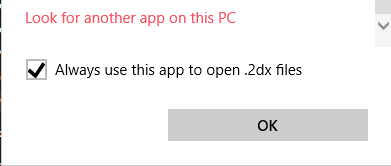
Right click on a 2dx file, choose Open With > Look for another app on this PC.
Navigate to your python installation where 2dxPlay.exe is installed. (I use python 3.7, so pip
installed it in %appdata%\Local\Programs\Python\Python37\Scripts).
Check the "Always use this app" box and profit.
Download counts and popularity will appear here as the collector receives them.
| Version | Published | Direct dependencies | Open version |
|---|---|---|---|
| 1.0.1 | 13 Apr 2022 | 2 |
This describes our collected data; it is not a security assessment.
Observed since 20 Oct, 15:25 UTC
No superseded metadata states collected. Unchanged observations do not create new revisions.
package:f6f56367f54ee01b4589880179b0a1f47af79aa0beb00aced1c5fa204b885beb