
 Repository
Current collected state Current
Observed since 20 Oct, 18:02 UTC
No superseded metadata states collected. Unchanged observations do not create new revisions.
It's pronounced accura-see. For spaCy models.

It's pronounced "accura-see". For spaCy models.
The goal of this project is to generate reports for spaCy models.
The goal of accuraCy is to offer static reports for spaCy models that
help users make better decisions on how the models can be used. At the
moment the project supports reports for threshold values for classification.
Here's a preview of what to expect:
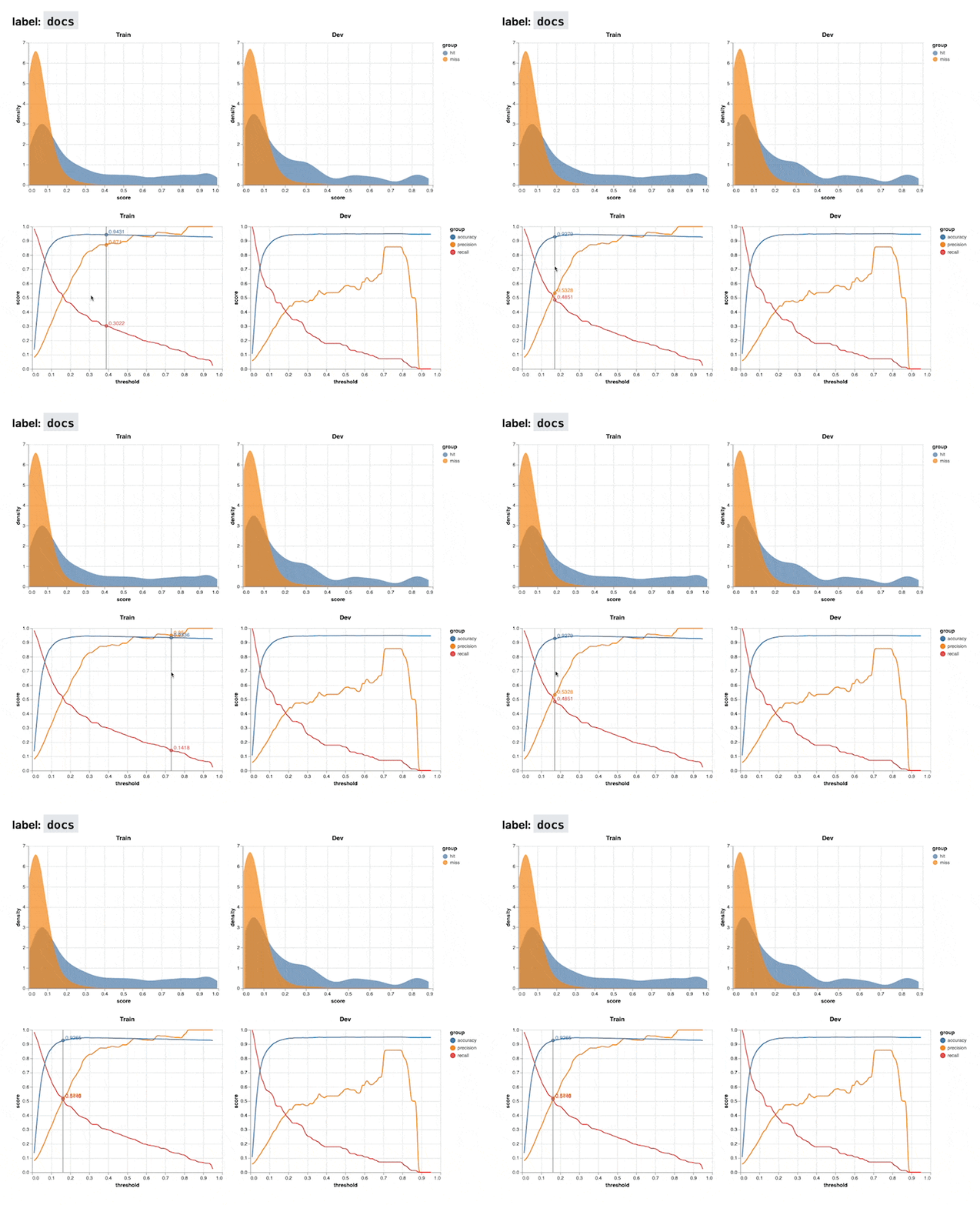
There are two kinds of charts.
You can install the latest version from git.
python -m pip install "accuracy @ git+https://github.com/koaning/accuracy.git"
The accuracy project provides a command line interface that can
generate reports. The full CLI can also be explored via the --help flag.
> python -m accuracy --help

Usage: python -m accuracy [OPTIONS] COMMAND [ARGS]...

  It's pronounced 'accura-see'. For spaCy models.

Options:
  --help  Show this message and exit.

Commands:
  report   Generate a model report.
  version  Show version number.
accuracy reportThe most important command is the report command. You'd typically use it via
a command similar to:
> python -m accuracy report training/model-best/ corpus/train.spacy corpus/dev.spacy

Loading model at training/model-best
Running model on training data...
Running model on development data...
Generating Charts ━━━━━━━━━━━━━━━━━━━━━━━━━━━━━━━━━━━━━━━━ 100% 0:00:00
Done! You can view the report via;

python -m http.server --directory reports PORT
This will generate a folder, typically called "reports", that contains a full
dashboard for the trained spaCy model found in training/model-best.
The CLI has a few configurable settings:
Arguments:
  [MODEL_PATH]  Path to spaCy model
  [TRAIN_PATH]  Path to training data
  [DEV_PATH]    Path to development data
  [FOLDER_OUT]  Output folder for reports  [default: reports]

Options:
  --classes TEXT  Comma-separated string of classes to use
  --help          Show this message and exit.
Download counts and popularity will appear here as the collector receives them.
| Version | Published | Direct dependencies | Open version |
|---|---|---|---|
| 0.1.1 | 28 Apr 2022 | 12 |
This describes our collected data; it is not a security assessment.
Observed since 20 Oct, 18:02 UTC
No superseded metadata states collected. Unchanged observations do not create new revisions.
package:d62c5caab98c671ee0f0924eb3ea96fade31321f4df2634fb2aa9790e8d0e010