
 Repository
Current collected state Current
Observed since 20 Oct, 18:37 UTC
No superseded metadata states collected. Unchanged observations do not create new revisions.
A graphical user interface for brightway2





[!IMPORTANT] Activity Browser 3 (beta) is the version we recommend for new installs. It is already far ahead of the AB2 (soon legacy) version.
It runs on Brightway 2.5 and adds multifunctionality and a refreshed UI. Please try it and report issues.
Full beta notes: Activity Browser 3 Beta
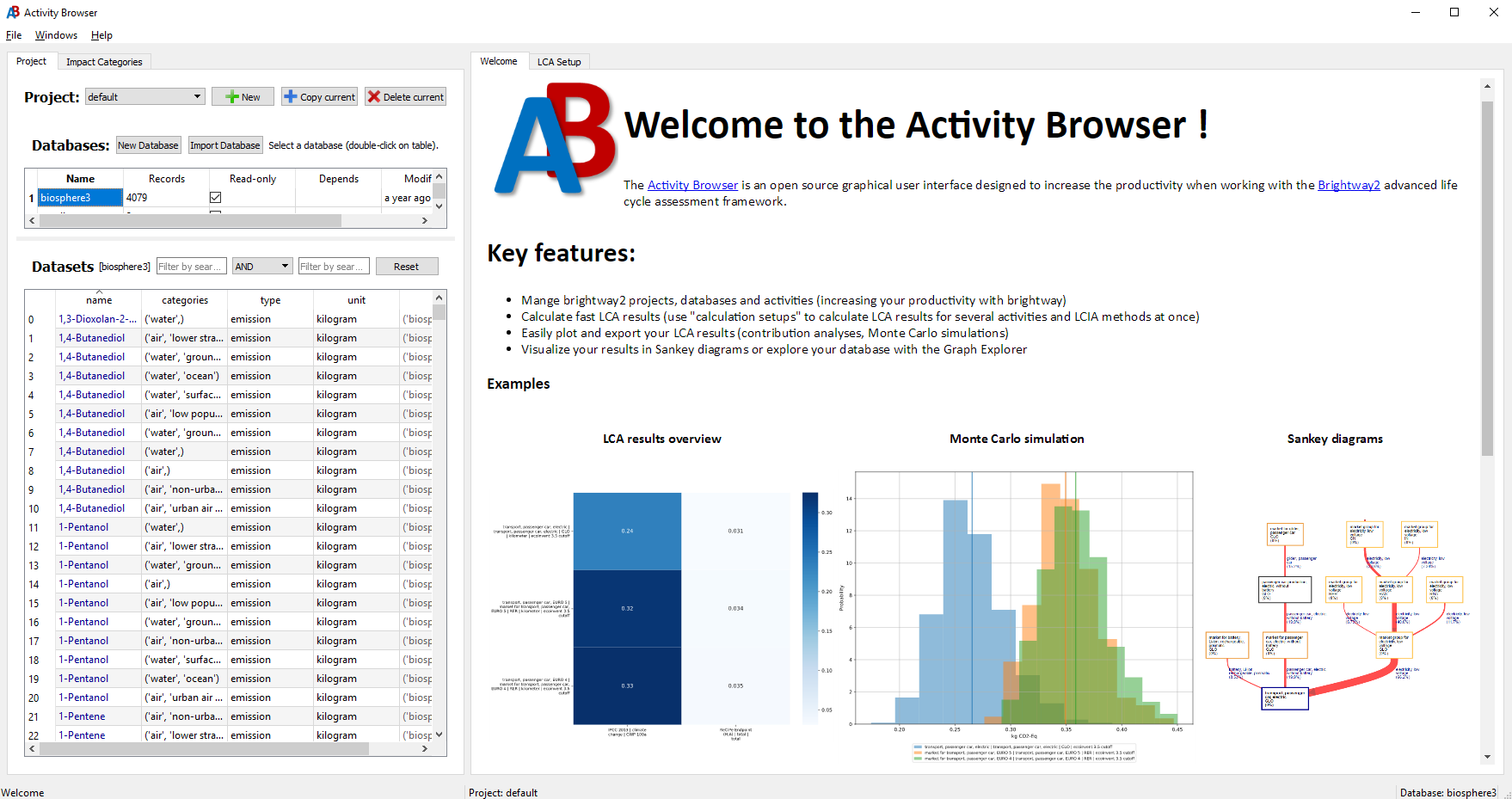
The Activity Browser (AB) is an open-source GUI for Life Cycle Assessment on Brightway.
See the Installation Guide for a step-by-step walkthrough (PyPI or Anaconda).
# CREATE the virtual environment (in directory you can remember,
# a good default is ...user\virtualenvs\):
python -m venv ab-beta

# ACTIVATE the virtual environment:
# on Windows:
ab-beta\Scripts\activate

# on macOS/Linux:
source ab-beta/bin/activate

# INSTALL the Activity Browser:
pip install activity-browser

# RUN the Activity Browser:
activity-browser
conda create -n ab_beta -c conda-forge lca::activity-browser
conda activate ab_beta
activity-browser
Note: For AB3 beta, install the
lcapackage (lca::activity-browser). The olderconda-forgeactivity-browserpackage is Activity Browser 2 — see Activity Browser 2 (legacy).
See our Getting Started wiki page to learn how to get started using Activity Browser.
The Activity Browser is a community project. Your contribution counts!
If you have ideas for improvements to the code or documentation or want to propose new features, please take a look at our contributing guidelines and open issues and/or pull-requests.
If you experience problems or are suffering from a specific bug, please raise an issue here on github.
Activity Browser 2 is the previous stable version, but not actively maintained anymore (Brightway2). Prefer AB3 beta for new work.
Installation (see also: Installation Guide (wiki)):
conda create -n ab -c conda-forge activity-browser
conda activate ab
activity-browser
This project is licensed under the terms of the GNU Lesser General Public License (LGPL v3 or later), see license file.
Download counts and popularity will appear here as the collector receives them.
| Version | Published | Direct dependencies | Open version |
|---|---|---|---|
| 3.0.0b202610120209 | 12 Oct 2026 | 30 |
This describes our collected data; it is not a security assessment.
Shared repository data · GitHub
Observed since 20 Oct, 18:37 UTC
No superseded metadata states collected. Unchanged observations do not create new revisions.
package:5b69ab0f59698d770ea6b3e15df40d7d3c198d20e090bcc71af83a73d89142cf