
 Repository
Current collected state Current
Observed since 20 Oct, 19:13 UTC
No superseded metadata states collected. Unchanged observations do not create new revisions.
Pair Android devices for wireless ADB by QR code -- discovery via adb's own mDNS, so it works even in WSL2, containers and VMs
Pair your Android phone for wireless debugging by scanning a QR code in your terminal — like Android Studio's "Pair device with QR code", but for the CLI. No typing pairing codes, no looking up IPs and ports.
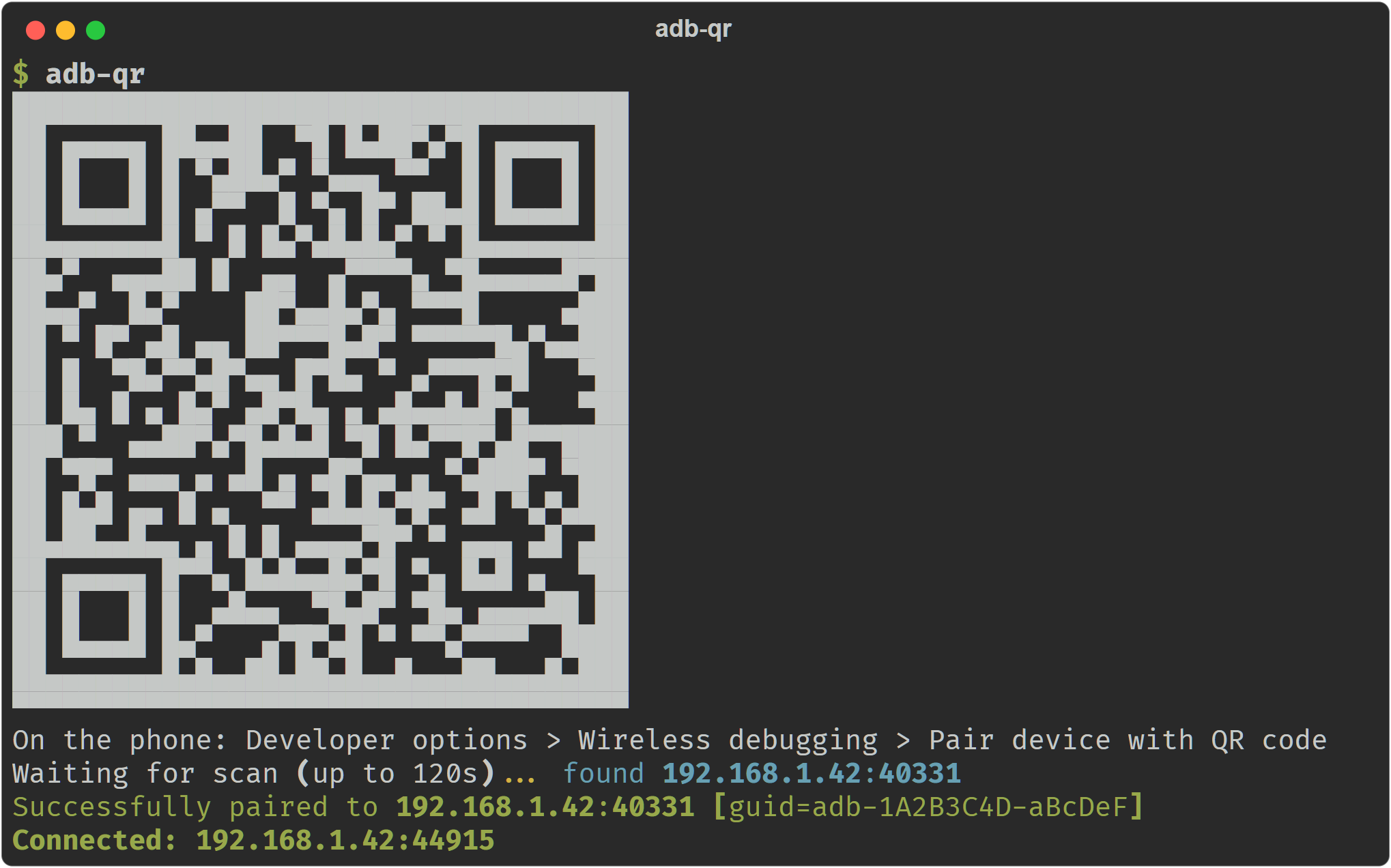
Existing tools (adb-wireless, adb-qr, and friends) run their own mDNS listener to discover the phone after it scans the QR. That works on a native host — and silently fails inside WSL2, containers, and VMs, where LAN multicast never reaches the virtualized network. The QR renders, the phone scans it, and then... nothing.
adb-qr doesn't listen for mDNS at all. It asks the adb server itself
what it sees (adb mdns services), so discovery happens wherever the server
runs. On WSL2, point it at the Windows adb.exe (it does this automatically)
and the Windows side — which can see your LAN — does the discovery. The
same trick means zero networking dependencies on any platform: if adb
works, adb-qr works.
With uv (recommended):
uv tool install git+https://github.com/aleixrodriala/adb-qr
With pipx:
pipx install git+https://github.com/aleixrodriala/adb-qr
Or run it once without installing anything:
uvx --from git+https://github.com/aleixrodriala/adb-qr adb-qr
adb-qr finds adb.exe by itself)uv/pipx)adb-qr # show QR, wait for scan, pair, connect
adb-qr --pair-only # stop after pairing (adb usually auto-connects anyway)
adb-qr --timeout 300 # wait longer for the scan
adb-qr --no-invert # flip QR colors if your phone won't scan it
adb-qr --adb /path/to/adb # explicit adb binary (env var ADB works too)
On the phone: Settings → Developer options → Wireless debugging → Pair device with QR code, and point the camera at your terminal.
The QR encodes WIFI:T:ADB;S:<name>;P:<password>;; — the same payload
Android Studio generates. When the phone scans it:
_adb-tls-pairing._tcp mDNS service
whose instance name is the <name> from the QR.adb-qr polls adb mdns services until that service shows up, then runs
adb pair <ip>:<port> <password>._adb-tls-connect._tcp service is used to
adb connect (recent adb versions often auto-connect on their own —
adb-qr detects that too and gets out of the way).--no-invert; some terminal color schemes render
the QR with polarity a given camera dislikes.adb mdns check fails — adb-qr force-enables the openscreen mDNS
backend (ADB_MDNS_OPENSCREEN=1) and restarts the server once; if it still
fails, update platform-tools.adb connect <ip>:<port> with the port
shown on the phone's Wireless debugging screen (it differs from the
pairing port).The pair-by-QR flow was pioneered for the terminal by
teamclouday/adb-wireless.
adb-qr exists because none of the existing tools survive WSL2's NAT — and
delegating discovery to the adb server turned out to make the whole thing
simpler, too.
MIT
Download counts and popularity will appear here as the collector receives them.
| Version | Published | Direct dependencies | Open version |
|---|---|---|---|
| 0.1.0 | 12 Jun 2026 | 1 |
This describes our collected data; it is not a security assessment.
Observed since 20 Oct, 19:13 UTC
No superseded metadata states collected. Unchanged observations do not create new revisions.
package:7c467da252dc4b0c39f3f611f793486e1438f23d33cc1e5414a86cf29813972a