
 Repository
Current collected state Current
Observed since 20 Oct, 19:11 UTC
No superseded metadata states collected. Unchanged observations do not create new revisions.
Better version of adb-sync for Python3

A rclone like program to copy files between a computer and an Android device
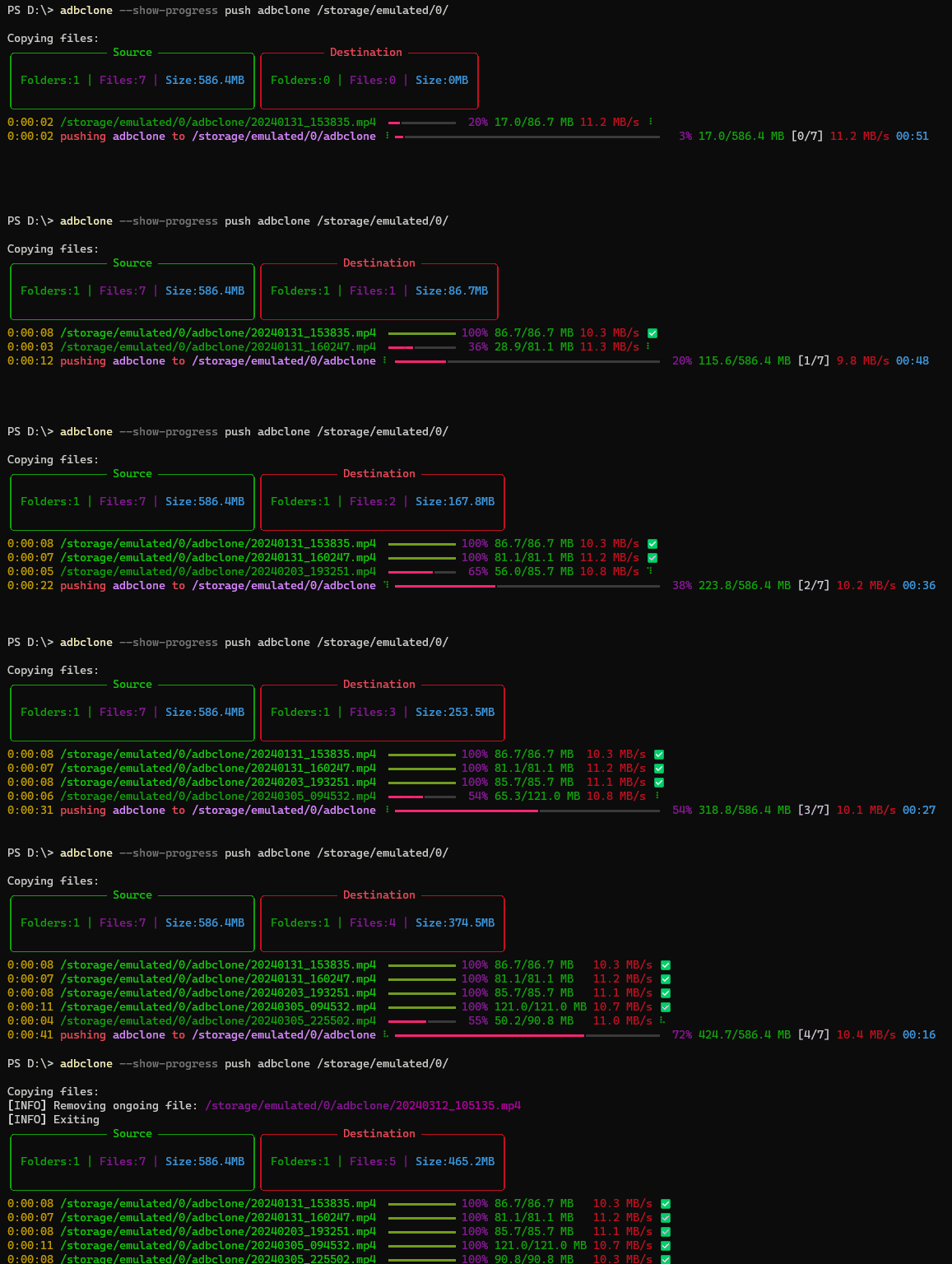
adbclone offers significantly faster and more reliable file transfers for larger files compared to traditional MTP (Media Transfer Protocol)
Available on PyPI
pip install adbclone
To push from your computer to your phone use
adbclone --show-progress push LOCAL ANDROID
To pull from your phone to your computer use
adbclone --show-progress pull ANDROID LOCAL
Full help is available with $ adbclone --help
--show-progress Show progress of transferring files--copy-to-new-folder updated files will be copied to a new folder to work on later and can be merged--show-tree Show tree of source and destination--del will delete files and folders on the destination end that are not present on the source end. This does not include exluded files.--delete-excluded will delete excluded files and folders on the destination end.--exclude can be used many times. Each should be a fnmatch pattern relative to the source. These patterns will be ignored unless --delete-excluded is specified.--exclude-from can be used many times. Each should be a filename of a file containing fnmatch patterns relative to the source.An rsync-like program to sync files between a computer and an Android device
Available on PyPI
$ pip install BetterADBSync
To push from your computer to your phone use
$ adbsync push LOCAL ANDROID
To pull from your phone to your computer use
$ adbsync pull ANDROID LOCAL
Full help is available with $ adbsync --help
This is a (pretty much from scratch) rewrite of Google's adbsync repo.
The reason for the rewrite is to
--exclude, --exclude-from, --del, --delete-excluded like rsync has (this required a complete rewrite of the diffing algorithm)--del will delete files and folders on the destination end that are not present on the source end. This does not include exluded files.--delete-excluded will delete excluded files and folders on the destination end.--exclude can be used many times. Each should be a fnmatch pattern relative to the source. These patterns will be ignored unless --delete-excluded is specified.--exclude-from can be used many times. Each should be a filename of a file containing fnmatch patterns relative to the source.I am satisfied with my code so far, however a few things could be added if they are ever needed
--backup and --backup-dir-local or --backup-dir-android to move outdated / to-delete files to another folder instead of deleting---BEGIN ORIGINAL README.md---
adb-sync is a tool to synchronize files between a PC and an Android device using the ADB (Android Debug Bridge).
Before getting used to this, please review this list of projects that are somehow related to adb-sync and may fulfill your needs better:
First you need to enable USB debugging mode. This allows authorized computers (on Android before 4.4.3 all computers) to perform possibly dangerous operations on your device. If you do not accept this risk, do not proceed and try using go-mtpfs instead!
On your Android device:
git clone https://github.com/google/adb-synccd adb-synccp adb-sync /usr/local/bin/To get a full help, type:
adb-sync --help
To synchronize your music files from ~/Music to your device, type one of:
adb-sync ~/Music /sdcard
adb-sync ~/Music/ /sdcard/Music
To synchronize your music files from ~/Music to your device, deleting files you removed from your PC, type one of:
adb-sync --delete ~/Music /sdcard
adb-sync --delete ~/Music/ /sdcard/Music
To copy all downloads from your device to your PC, type:
adb-sync --reverse /sdcard/Download/ ~/Downloads
This package also contains a separate tool called adb-channel, which is a convenience wrapper to connect a networking socket on the Android device to file descriptors on the PC side. It can even launch and shut down the given application automatically!
It is best used as a ProxyCommand for SSH (install
SSHelper
first) using a configuration like:
Host sshelper
Port 2222
ProxyCommand adb-channel tcp:%p com.arachnoid.sshelper/.SSHelperActivity 1
After adding this to ~/.ssh/config, run ssh-copy-id sshelper.
Congratulations! You can now use rsync, sshfs etc. to the host name
sshelper.
Patches to this project are very welcome.
Before sending a patch or pull request, we ask you to fill out one of the Contributor License Agreements:
This is not an official Google product.
---END ORIGINAL README.md---
Download counts and popularity will appear here as the collector receives them.
| Version | Published | Direct dependencies | Open version |
|---|---|---|---|
| 0.0.5 | 1 May 2026 | 1 |
This describes our collected data; it is not a security assessment.
Observed since 20 Oct, 19:11 UTC
No superseded metadata states collected. Unchanged observations do not create new revisions.
package:b1ee17411ab38539c546e23e5829e926686cd000653769fed0df2186e20d28ed