
 Repository
Current collected state Current
Observed since 20 Oct, 19:13 UTC
No superseded metadata states collected. Unchanged observations do not create new revisions.
PyQt5 desktop workspace for Android ADB, SSH/serial terminals, SFTP/FTP file transfer, and screen mirroring (scrcpy).
One desktop workspace for Android debugging, remote shells, and file operations.
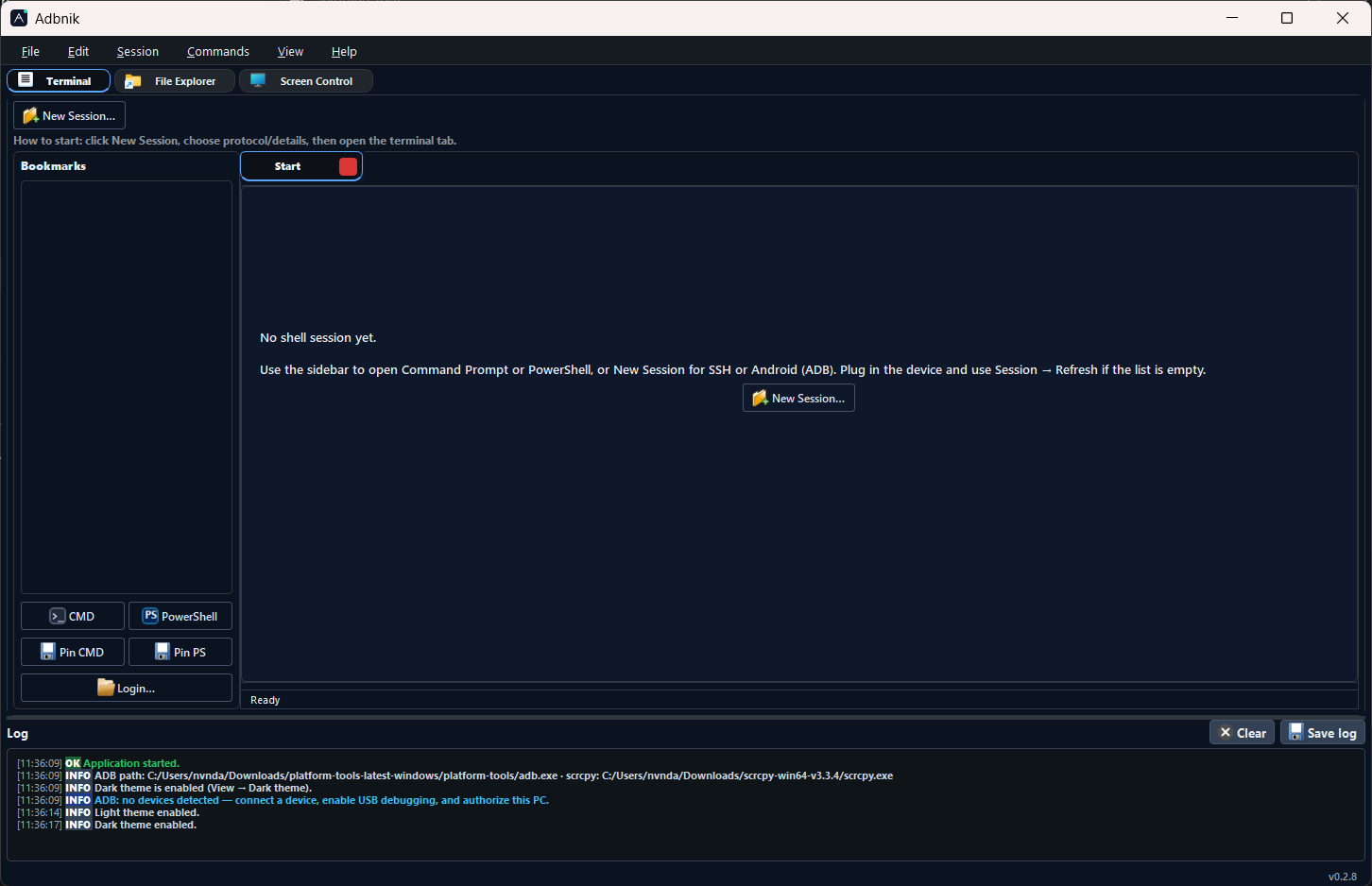
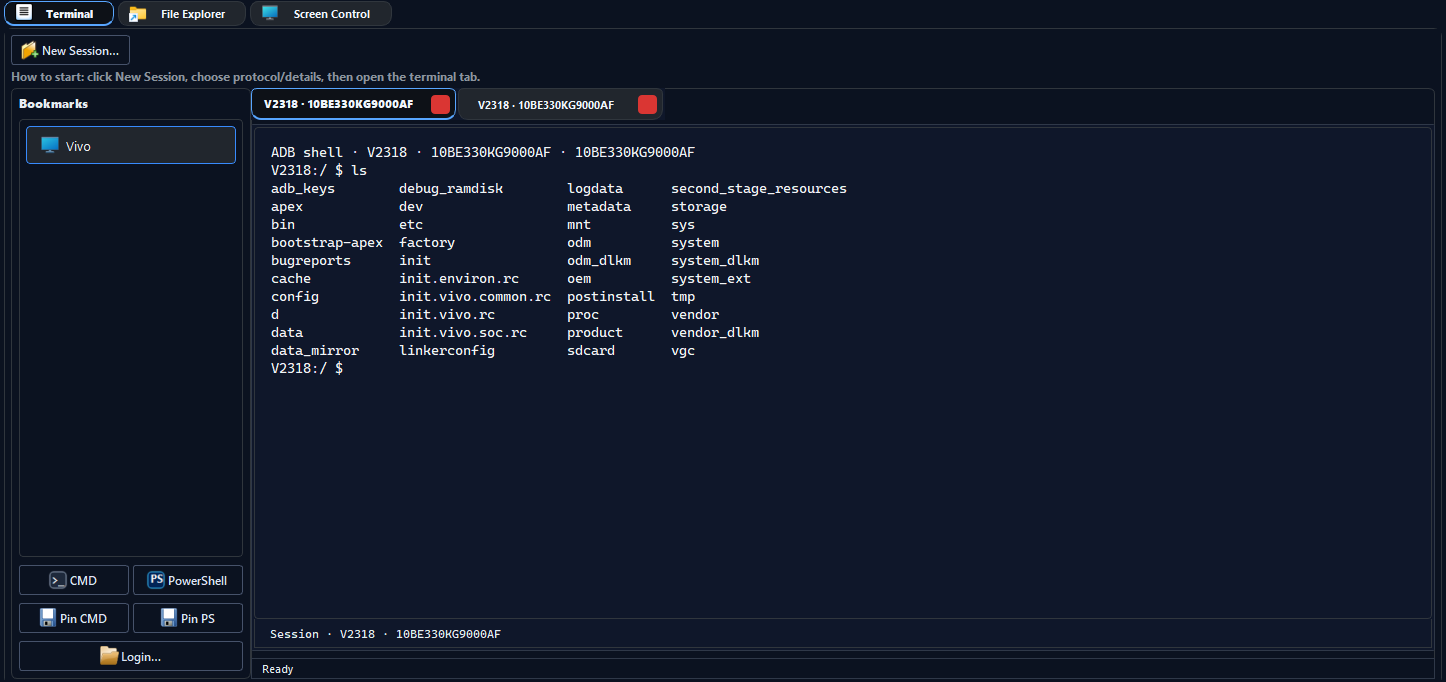
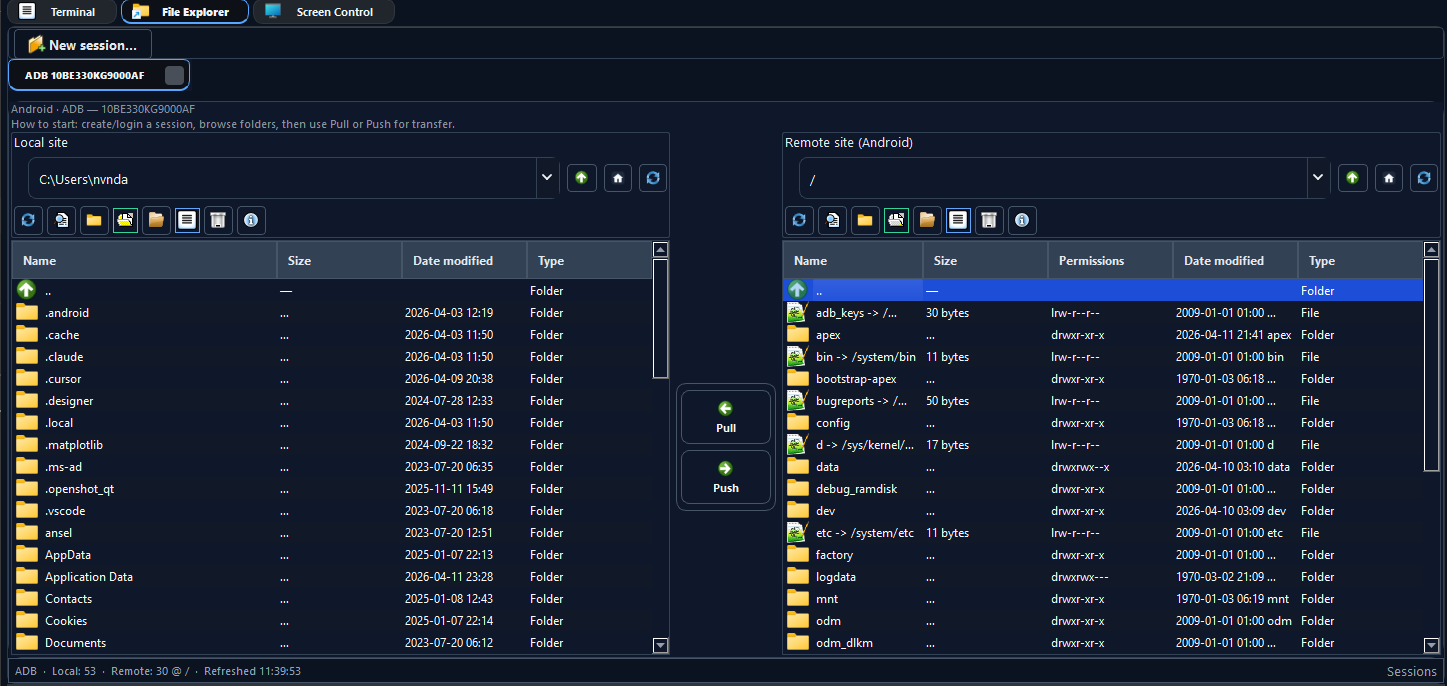
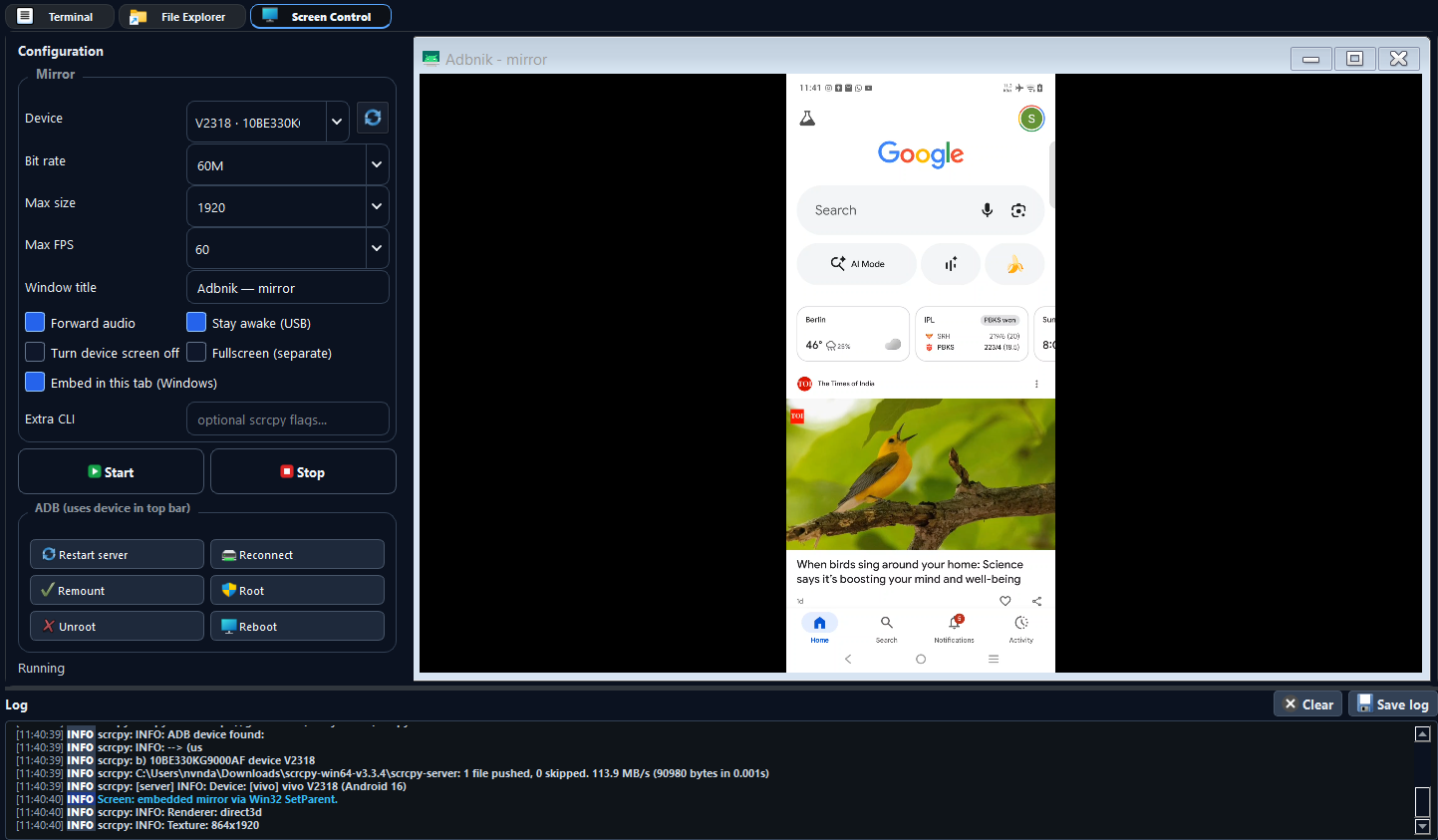
Adbnik is a PyQt5 application that brings ADB workflows, SSH and serial terminals, local ↔ remote file management (Android device, SFTP, FTP), and screen mirroring launchers (e.g. scrcpy) into a single tabbed window. External tools—adb, ssh, scrcpy—are used from your system: install them separately and, if needed, set paths under File → Preferences.
Platforms: The same PyPI package installs on Windows, Linux, and macOS where PyQt5 runs. Windows is the primary, tested target: optional Inno installer from GitHub Releases, adbnik-setup for a desktop shortcut, optional embedded scrcpy in a tab, and local CMD/PowerShell terminal tabs. On Linux and macOS, use your system shells in the terminal area and run mirroring in a separate window—those Windows-only conveniences are not available there.
Development and releases use this public repository github.com/nvnkennedy/adbnik. Work happens on naveen (full application tree). Branch main holds a trimmed snapshot for GitHub Pages, installers, and top-level changelog files (see BRANCHING.md). PyPI uploads run from naveen via the Publish to PyPI workflow (manual dispatch or when you publish a GitHub Release).
Adbnik combines ADB (Android Debug Bridge) with -nik, a productive-form suffix familiar from words like technik (technician; someone who works with tools). It signals a utility focused on hands-on device work—not a generic “suite,” but a workstation built around real debugging and transfer tasks.
| Area | Details |
|---|---|
| ADB | Device selection, shell sessions, APK install flow, bookmarks, quick actions |
| SSH | Full-screen terminal via your system OpenSSH client |
| Serial | COM port and baud configuration in the UI |
| Files | Dual-pane explorer: local disk ↔ Android / SFTP / FTP |
| Screen | Start and manage mirroring using your chosen executable |
Step-by-step documentation for the Terminal, File Explorer, and Screen Control tabs (menus, shortcuts, mirroring options), plus where to put adb / scrcpy on disk:
https://nvnkennedy.github.io/adbnik/guide/index.html (styled pages—Terminal, Explorer, Screen—same site as the project home).
In the app: Help → User guide (F1) opens that URL; Help also lists the website, GitHub, and PyPI.
adb) available to the same environment that runs Adbnikssh on PATH (or wherever your shell resolves it)scrcpy or another tool—PATH or PreferencesUse the same Python interpreter for pip and for launching (avoids broken entry points on Windows):
py -m pip install --upgrade pip
py -m pip install adbnik
py -m adbnik
Pinned interpreter example:
"C:\Path\To\Python\python.exe" -m pip install adbnik
"C:\Path\To\Python\python.exe" -m adbnik
Package index: pypi.org/project/adbnik · Files: pypi.org/project/adbnik/#files
The PyPI project ships wheels and an sdist for pip install under the Apache License 2.0 (LICENSE, SPDX Apache-2.0). Current stable is 6.1.3 (see CHANGELOG.md); earlier releases are documented there and in CHANGELOG-legacy.md).
pyproject.toml on naveen defines package metadata and PyPI project links. Windows installers are built from naveen (CI on v* tags, or run packaging/windows/build.ps1 in a clone checked out to naveen), published to GitHub Releases, and the same Adbnik-* files are copied into installers/ on branch main when you ship that snapshot.
Unsigned PyInstaller + Inno Setup builds are attached to GitHub Releases. The same files are stored under installers/ on github.com/nvnkennedy/adbnik. See installers/README.md.
Why Windows warns (“SmartScreen”, “Unknown publisher”, “Windows protected your PC”): Microsoft flags unknown / unsigned executables by policy. That does not mean the installer was flagged as malware—it means there is no publisher certificate on the file.
Run anyway: On the SmartScreen dialog, choose More info (or More details), then Run anyway. If the browser blocked the download: open Downloads, right‑click the file → Properties → check Unblock if shown → OK, then run again.
If you prefer not to use an unsigned .exe, install with pip above (packages on PyPI are standard Python artifacts).
pip cannot place shortcuts or ask for a folder. After installing, run once on Windows:
adbnik-setup
A folder dialog opens (starting on your Desktop); choose where to put Adbnik.lnk. No extra console window is shown—only the dialogs. The shortcut uses this Python (python -m adbnik) and the same app icon as the window. Icon files are cached under %LOCALAPPDATA%\Adbnik\.
Non-interactive example (e.g. script or batch file, with console output):
adbnik-setup --folder "%USERPROFILE%\Desktop"
python -m adbnik from the environment where the package is installed.PATH.Preferences are stored in .adbnik.json under your user profile. Legacy .devicedeck.json settings are migrated when you save preferences.
ModuleNotFoundError: No module named 'adbnik' — Install and run with the same python.exe:
"C:\Path\To\Python\python.exe" -m pip install --force-reinstall adbnik
"C:\Path\To\Python\python.exe" -m adbnik
On Windows, list interpreters with py -0p.
| Product site | nvnkennedy.github.io/adbnik |
| User guide | nvnkennedy.github.io/adbnik/guide/ |
| Changelog | CHANGELOG.md · CHANGELOG-legacy.md |
| Public repository | github.com/nvnkennedy/adbnik |
| PyPI | pypi.org/project/adbnik |
| Releases | github.com/nvnkennedy/adbnik/releases |
Clone this repository:
git clone https://github.com/nvnkennedy/adbnik.git
cd adbnik
git checkout naveen
py -m venv .venv
.venv\Scripts\activate
py -m pip install -e ".[dev]"
py -m pytest tests -q
py -m adbnik
Use HTTPS with a personal access token if you do not use SSH keys.
Apache License 2.0 — see LICENSE and NOTICE. SPDX: Apache-2.0.
Download counts and popularity will appear here as the collector receives them.
| Version | Published | Direct dependencies | Open version |
|---|---|---|---|
| 6.1.3 | 3 May 2026 | 7 |
This describes our collected data; it is not a security assessment.
Observed since 20 Oct, 19:13 UTC
No superseded metadata states collected. Unchanged observations do not create new revisions.
package:e56d3ac6ce28ccc014269d7f3edde8f427ee9f526241d9dd8fd866a0c4d9048c