
 Repository
Current collected state Current
Observed since 20 Oct, 19:45 UTC
No superseded metadata states collected. Unchanged observations do not create new revisions.
Interactive terminal dashboard for Azure DevOps PRs and work items
ADO Dashboard is a keyboard-driven terminal dashboard for Azure DevOps (ADO). If you spend your day reviewing PRs, triaging work items, and managing AI coding sessions — this keeps all of it in your terminal, no browser tabs required.


Try the dashboard instantly — no ADO credentials, no setup wizard, no real data.
ado-dashboard --demo
# or
ADO_DASHBOARD_DEMO=1 ado-dashboard
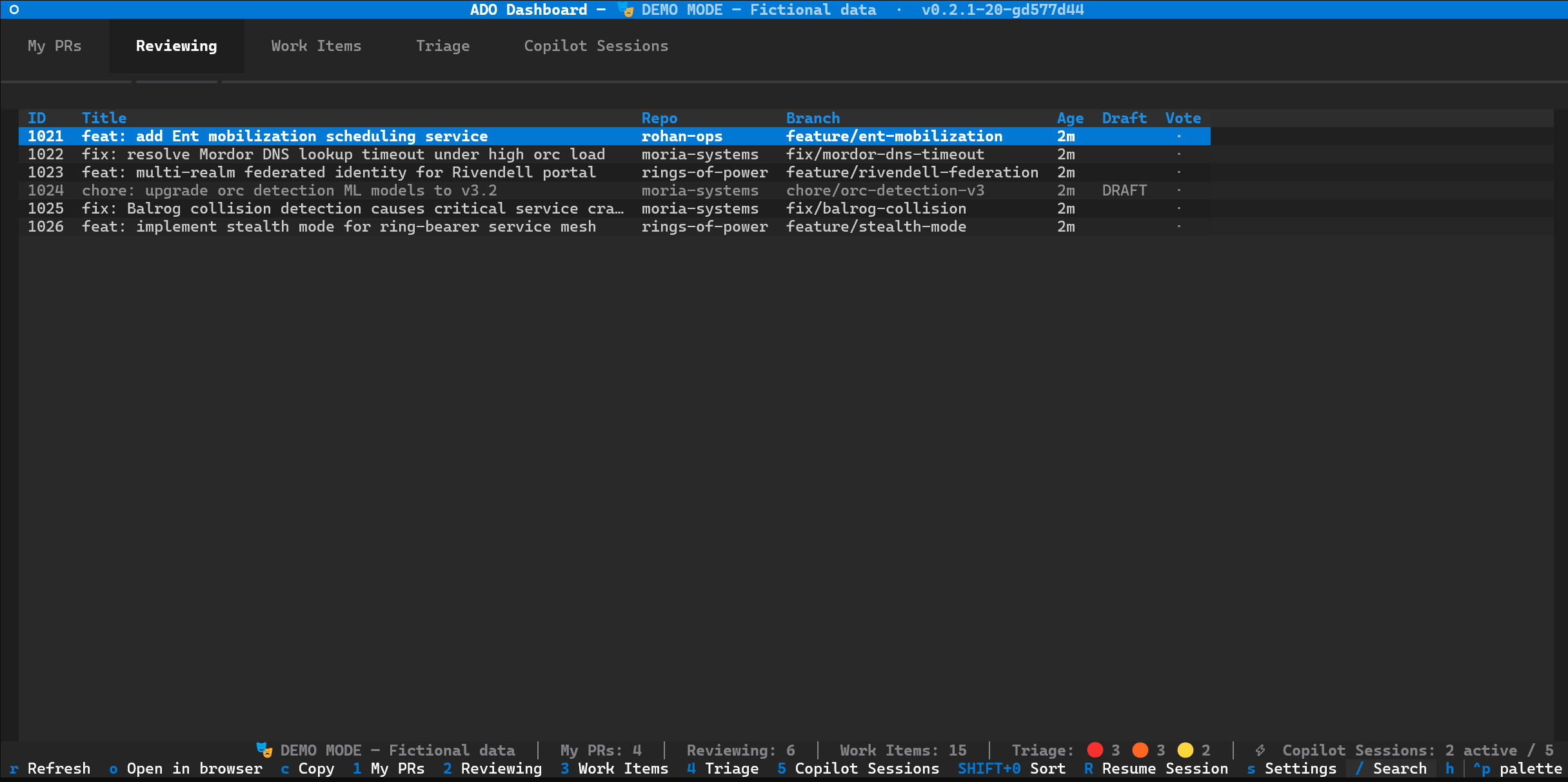
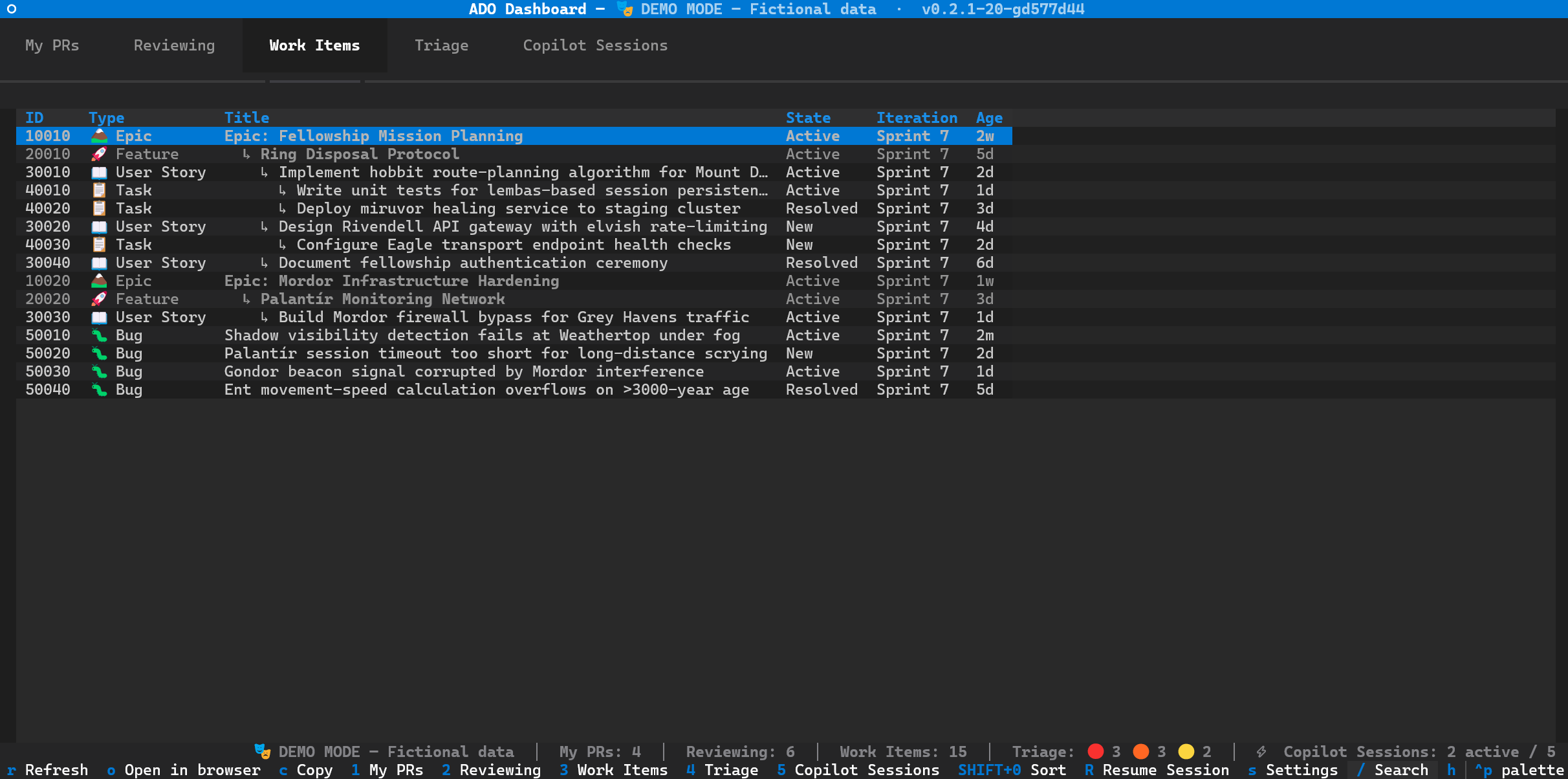
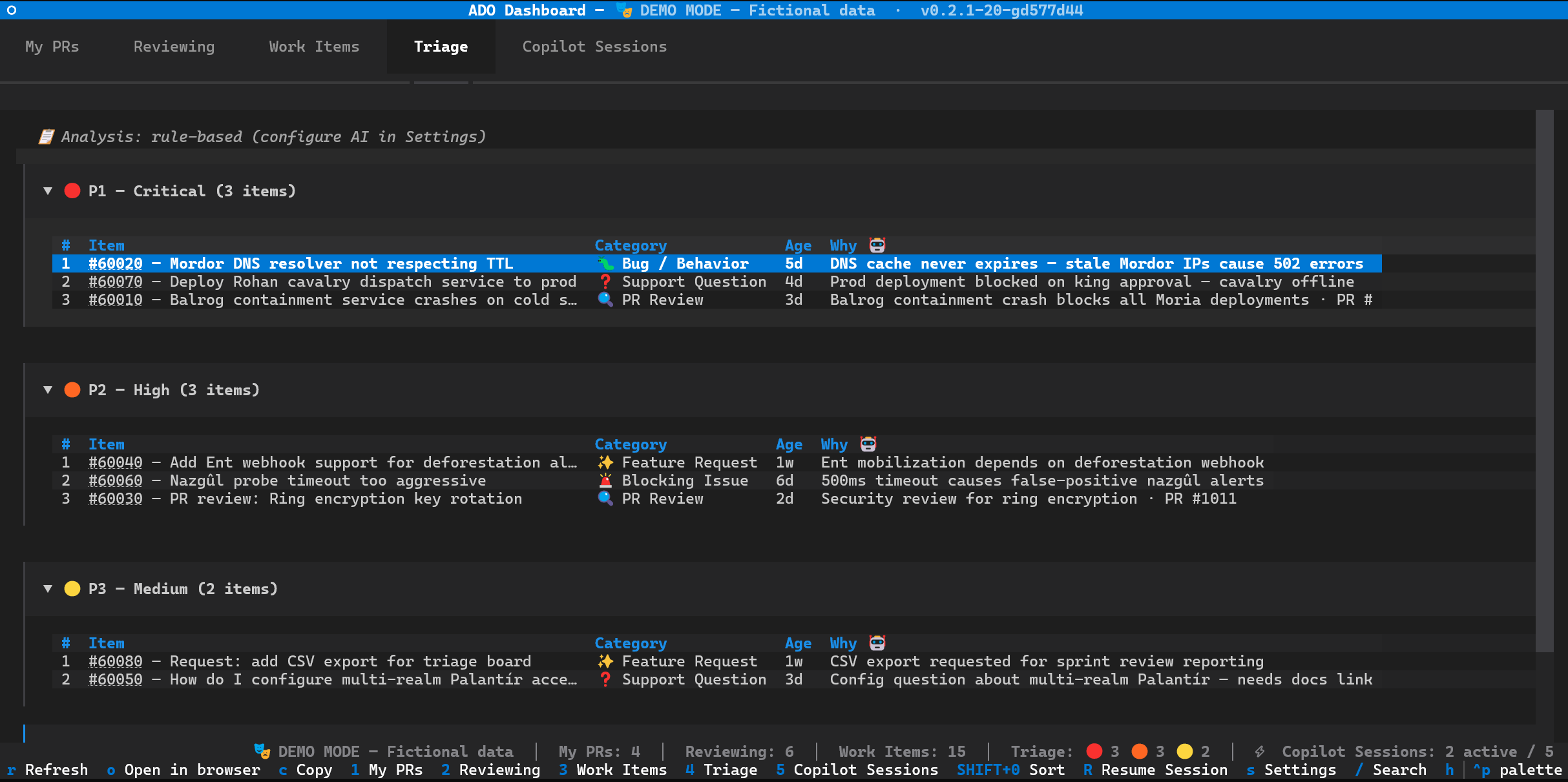
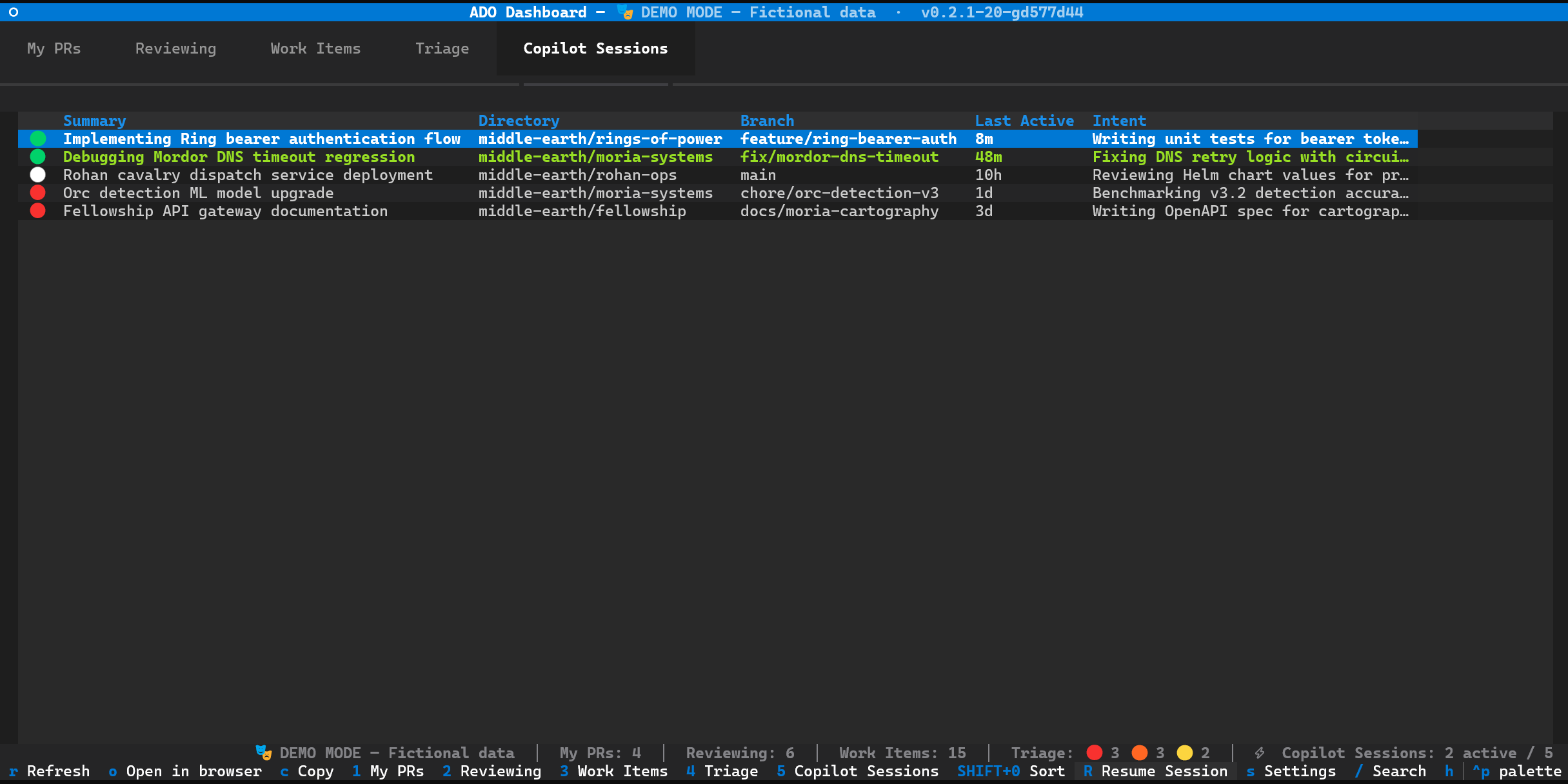
The --demo flag populates every tab with fictional Tolkien-themed fixture data (Middle-earth org, Fellowship project, Gandalf the Grey as user). It's perfect for screenshots, presentations, or just exploring the interface before connecting to a real ADO org. No Azure CLI calls are made.
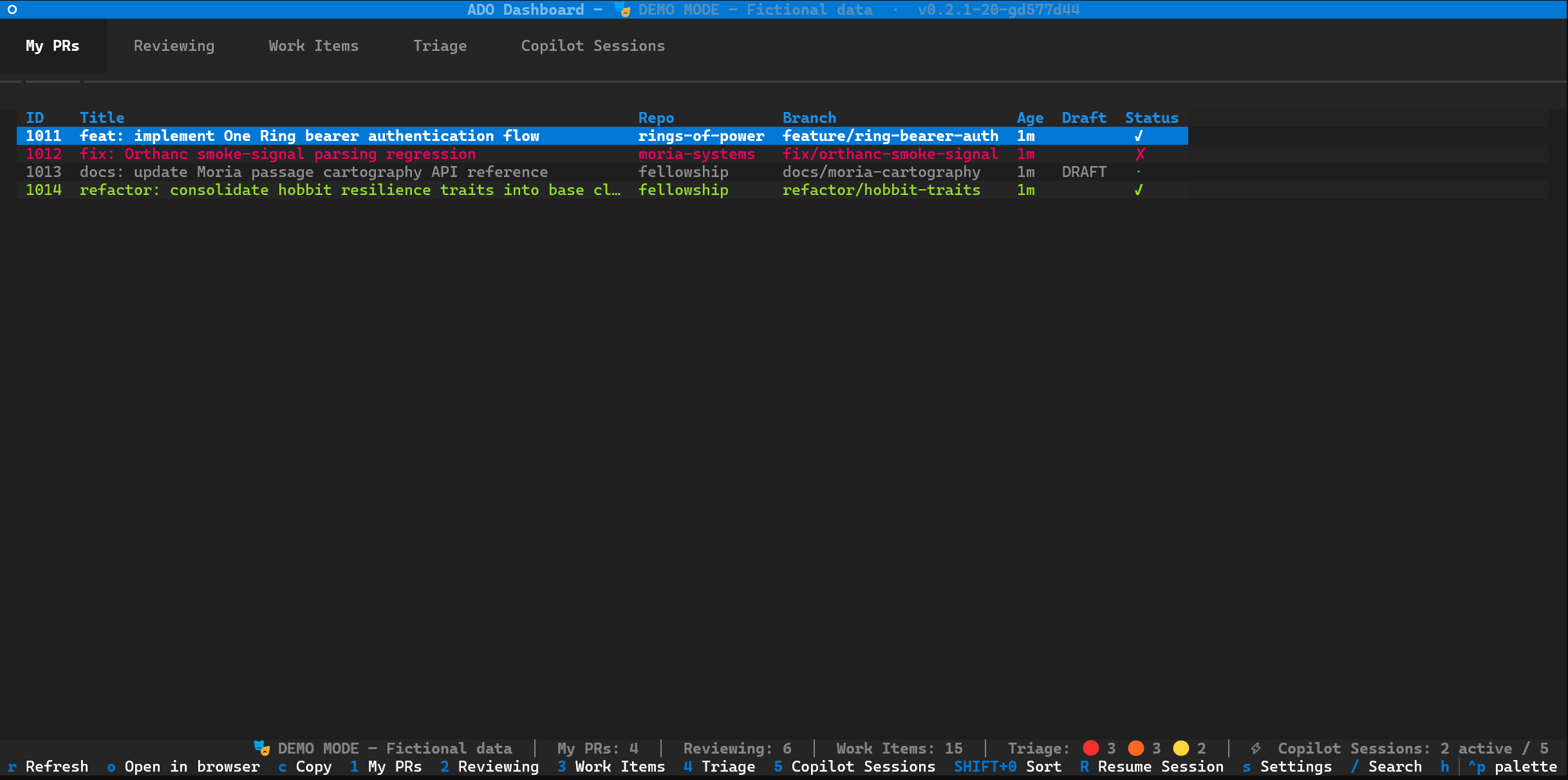
Screenshots above and below were captured in
--demomode with fictional Middle-earth data.
git clone https://github.com/gaburn/ado-dashboard.git
cd ado-dashboard
pip install -e .
ado-dashboard
On first launch an interactive setup wizard walks you through configuration.
Re-run it any time with ado-dashboard --setup.
| Requirement | Install / verify |
|---|---|
| Python 3.12+ | python --version |
| Azure CLI (authenticated) | Install, then az login |
| azure-devops extension | az extension add --name azure-devops |
Triage only: PowerShell (pwsh or powershell) | A Get-TriageItems.ps1.example template is included; copy and customise it, then set triage_script_path in Settings |
| # | Tab | What it shows |
|---|---|---|
| 1 | My PRs | Active PRs you created (across multiple projects). Draft PRs are dimmed. Status column shows colored approval indicators: ✓ green (approved), ✗ red (rejected), ~ yellow (suggestions), · dim (no votes). |
| 2 | Reviewing | PRs where you are a reviewer. Vote status shown as ✓ approved / ✗ rejected / · pending. Declined PRs filtered out. Approved reviews highlighted green. |
| 3 | Work Items | ADO work items assigned to you. Filters out Closed, Done, Completed, Cut, and Resolved states. |
| 4 | Triage | On-call triage board with a board selector dropdown, priority groups, categorization, action plan, and clickable links. Switching boards refreshes the view with a loading indicator. |
| 5 | Copilot Sessions | Active Copilot CLI sessions with status, intent, and working directory. Press R (Shift+R) to resume an inactive session in a new Windows Terminal tab. Press f to focus the terminal of an active session. |
| Key | Action |
|---|---|
↑ ↓ | Move between rows |
Enter | Open detail view |
Escape | Back to list / clear search |
1–5 | Switch tab |
o | Open selected item in browser |
c | Copy selected item to clipboard |
r | Refresh data |
/ | Search / filter active tab |
SHIFT+0–6 | Sort by column |
R (Shift+R) | Resume a Copilot session in new terminal tab |
f | Focus terminal of active session |
s | Settings screen |
i | Investigate selected triage item (launches Copilot session) |
I (Shift+I) | Investigate entire triage board |
h | Help overlay |
q | Quit |
Settings are resolved in order: CLI args → environment variables → config file → defaults.
Config file location: %LOCALAPPDATA%\ado-dashboard\config.json (Windows) or ~/.config/ado-dashboard/config.json (Linux/macOS).
| Method | Example |
|---|---|
| Setup wizard | ado-dashboard (first run) or ado-dashboard --setup |
| CLI flag | --projects MyProject,OtherProject |
| In-app | Press s to open settings |
| Flag | Description |
|---|---|
--setup | Re-run the configuration wizard |
--org | Azure DevOps organization URL |
--projects | Comma-separated project list for PR queries |
--user | User email for ADO queries |
| Variable | Maps to |
|---|---|
ADO_ORG_URL | Organization URL |
ADO_PROJECT | Default project |
ADO_USER_EMAIL | User email |
TRIAGE_BOARD | Default triage board URL |
INVESTIGATION_MODEL | Model for investigation sessions |
INVESTIGATION_AGENT | Agent for investigation sessions |
INVESTIGATIONS_DIR | Directory for investigation results |
ADO_DASHBOARD_REPO_ROOT | Repository root (for skill discovery) |
In Settings (s), the Triage Boards section lets you configure multiple boards with separate Name and URL fields, then add/remove entries dynamically. Boards are stored in config.json as [display_name, url] pairs.
v0.2.0 (a3b4c5d)) for detecting stale instances.docs/investigation.md) with rule-based fallback when no backend is configured.i/I to launch AI-powered investigation sessions for triage items. Requires a configured InvestigationLauncher (see docs/investigation.md)./ to open a search bar that filters the active tab's table in real-time. Press Enter to keep the filter, Escape to clear it. Works on My PRs, Reviewing, Work Items, and Copilot Sessions tabs.ADO Dashboard is a Textual TUI. It calls the az CLI asynchronously to fetch data from Azure DevOps, keeping the UI responsive. Detail views fetch richer metadata in the background (az repos pr show, az boards work-item show). Triage data comes from a configurable PowerShell script (see docs/triage-and-investigation.md). Investigation sessions are launched via the configured InvestigationLauncher adapter (see docs/investigation.md).
See docs/architecture.md for module map and async model.
| Document | Contents |
|---|---|
docs/architecture.md | Module map, dependency diagram, async model, screen lifecycle, state ownership |
docs/ado-integration.md | az command shapes, auth assumptions, error handling, JSON mapping |
docs/triage-and-investigation.md | PowerShell script contract, categorizer pipeline, AI enrichment, investigation launcher |
docs/investigation.md | Pluggable InvestigationLauncher adapter: NoOpLauncher + custom backends |
docs/configuration.md | Full 4-layer resolution, config schema, setup wizard, in-app settings |
docs/development.md | Running locally, tests, adding a tab, adding a settings field, CSS conventions, known cruft |
az login not authenticated
Run az login to sign in, then az account set --subscription <name-or-id> to select the right subscription.
No PRs or work items showing
Verify your org URL in the config file (%LOCALAPPDATA%\ado-dashboard\config.json on Windows, ~/.config/ado-dashboard/config.json on Linux/macOS). Re-run ado-dashboard --setup to reconfigure from scratch.
PowerShell not found (Triage tab)
Install pwsh or point the triage script to the Windows built-in powershell. PowerShell is only needed if you use the Triage tab.
Triage tab shows "No triage board configured"
That's expected — Triage is opt-in. Press s to open Settings and add a board URL.
App shows version v0.2.1-dirty
Your working tree has uncommitted changes. Commit or stash them and restart the app.
pypistats · 40 observations shown. Missing days are unknown. Source category: overall: without mirrors.
| Date / source period | Value | Observed at |
|---|---|---|
| 2026-10-19 – 2026-10-19 | 2 | 2026-10-20T20:45:07.2222655Z |
| 2026-10-16 – 2026-10-16 | 1 | 2026-10-20T20:45:07.2222655Z |
| 2026-10-13 – 2026-10-13 | 1 | 2026-10-20T20:45:07.2222655Z |
| 2026-10-10 – 2026-10-10 | 1 | 2026-10-20T20:45:07.2222655Z |
| 2026-10-09 – 2026-10-09 | 4 | 2026-10-20T20:45:07.2222655Z |
| 2026-10-08 – 2026-10-08 | 3 | 2026-10-20T20:45:07.2222655Z |
| 2026-10-07 – 2026-10-07 | 1 | 2026-10-20T20:45:07.2222655Z |
| 2026-10-06 – 2026-10-06 | 2 | 2026-10-20T20:45:07.2222655Z |
| 2026-10-02 – 2026-10-02 | 1 | 2026-10-20T20:45:07.2222655Z |
| 2026-09-30 – 2026-09-30 | 1 | 2026-10-20T20:45:07.2222655Z |
| 2026-09-29 – 2026-09-29 | 1 | 2026-10-20T20:45:07.2222655Z |
| 2026-09-28 – 2026-09-28 | 1 | 2026-10-20T20:45:07.2222655Z |
| 2026-09-27 – 2026-09-27 | 2 | 2026-10-20T20:45:07.2222655Z |
| 2026-09-26 – 2026-09-26 | 2 | 2026-10-20T20:45:07.2222655Z |
| 2026-09-24 – 2026-09-24 | 1 | 2026-10-20T20:45:07.2222655Z |
| 2026-09-21 – 2026-09-21 | 1 | 2026-10-20T20:45:07.2222655Z |
| 2026-09-19 – 2026-09-19 | 2 | 2026-10-20T20:45:07.2222655Z |
| 2026-09-16 – 2026-09-16 | 1 | 2026-10-20T20:45:07.2222655Z |
| 2026-09-12 – 2026-09-12 | 3 | 2026-10-20T20:45:07.2222655Z |
| 2026-09-11 – 2026-09-11 | 2 | 2026-10-20T20:45:07.2222655Z |
| 2026-09-08 – 2026-09-08 | 2 | 2026-10-20T20:45:07.2222655Z |
| 2026-09-07 – 2026-09-07 | 3 | 2026-10-20T20:45:07.2222655Z |
| 2026-09-02 – 2026-09-02 | 2 | 2026-10-20T20:45:07.2222655Z |
| 2026-09-01 – 2026-09-01 | 1 | 2026-10-20T20:45:07.2222655Z |
| 2026-08-31 – 2026-08-31 | 2 | 2026-10-20T20:45:07.2222655Z |
| 2026-08-29 – 2026-08-29 | 2 | 2026-10-20T20:45:07.2222655Z |
| 2026-08-24 – 2026-08-24 | 7 | 2026-10-20T20:45:07.2222655Z |
| 2026-08-23 – 2026-08-23 | 3 | 2026-10-20T20:45:07.2222655Z |
| 2026-08-20 – 2026-08-20 | 1 | 2026-10-20T20:45:07.2222655Z |
| 2026-08-17 – 2026-08-17 | 2 | 2026-10-20T20:45:07.2222655Z |
| 2026-08-14 – 2026-08-14 | 4 | 2026-10-20T20:45:07.2222655Z |
| 2026-08-13 – 2026-08-13 | 2 | 2026-10-20T20:45:07.2222655Z |
| 2026-08-10 – 2026-08-10 | 2 | 2026-10-20T20:45:07.2222655Z |
| 2026-08-09 – 2026-08-09 | 3 | 2026-10-20T20:45:07.2222655Z |
| 2026-08-05 – 2026-08-05 | 1 | 2026-10-20T20:45:07.2222655Z |
| 2026-08-03 – 2026-08-03 | 2 | 2026-10-20T20:45:07.2222655Z |
| 2026-08-02 – 2026-08-02 | 2 | 2026-10-20T20:45:07.2222655Z |
| 2026-08-01 – 2026-08-01 | 1 | 2026-10-20T20:45:07.2222655Z |
| 2026-07-27 – 2026-07-27 | 1 | 2026-10-20T20:45:07.2222655Z |
| 2026-07-24 – 2026-07-24 | 2 | 2026-10-20T20:45:07.2222655Z |
| Version | Published | Direct dependencies | Open version |
|---|---|---|---|
| 0.3.0 | 28 May 2026 | 4 |
This describes our collected data; it is not a security assessment.
Observed since 20 Oct, 19:45 UTC
No superseded metadata states collected. Unchanged observations do not create new revisions.
package:2383f068e26c0e3cd4dd662e0f352bdf3fc185382a805b1fe0cec8612a343bab