
 Repository
Current collected state Current
Observed since 20 Oct, 20:27 UTC
No superseded metadata states collected. Unchanged observations do not create new revisions.
Nicely format Aera interface-output to a table in ASCII or CSV format.
If you query a lot from an interface in Aera, you might want to format the output in a more readable way. This script does that for you. It takes the output from an interface and formats it into a table in ASCII or CSV format.
Ideally install using pipx, like any other command line tool:
pipx install aeratable
Alternatively, you can install using pip:
pip install aeratable
If you copy the output from an interface in Aera like below:
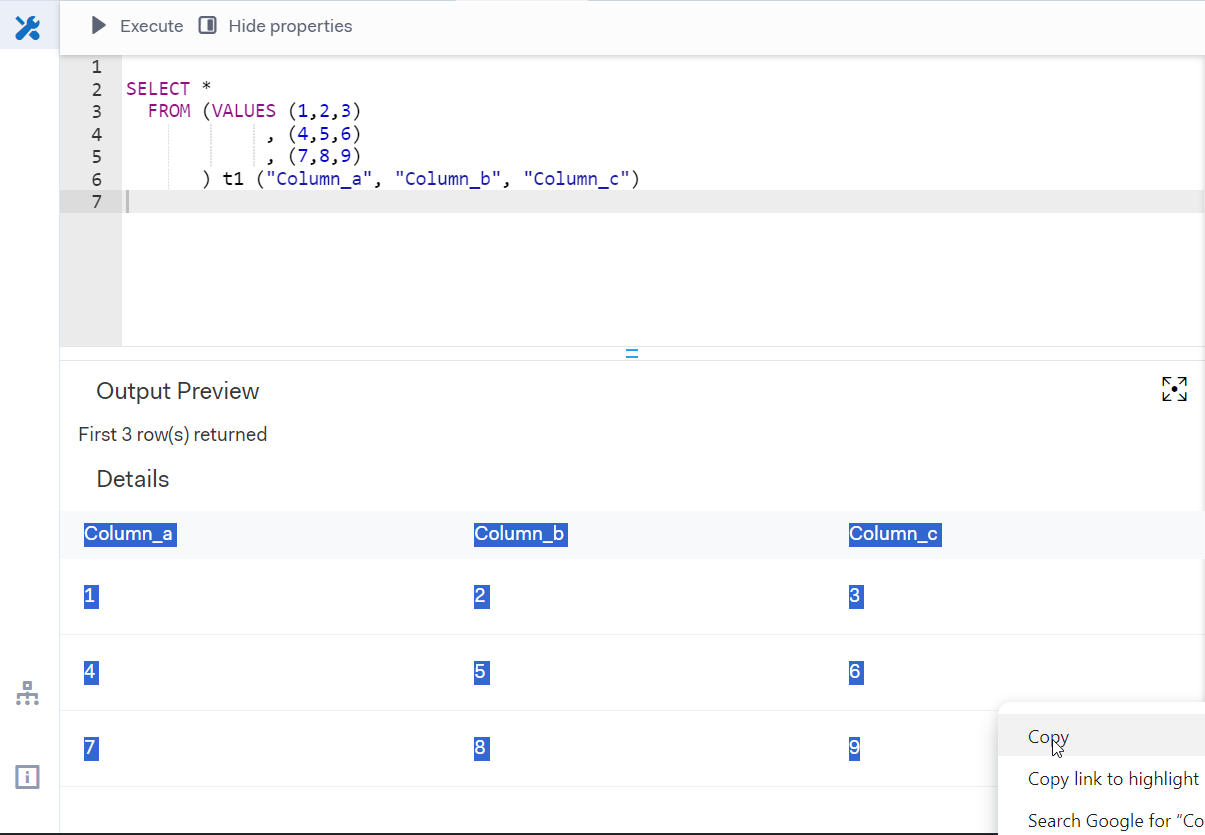
It has the tendency to be in a very unusefull format. See the example of what the paste looks like:
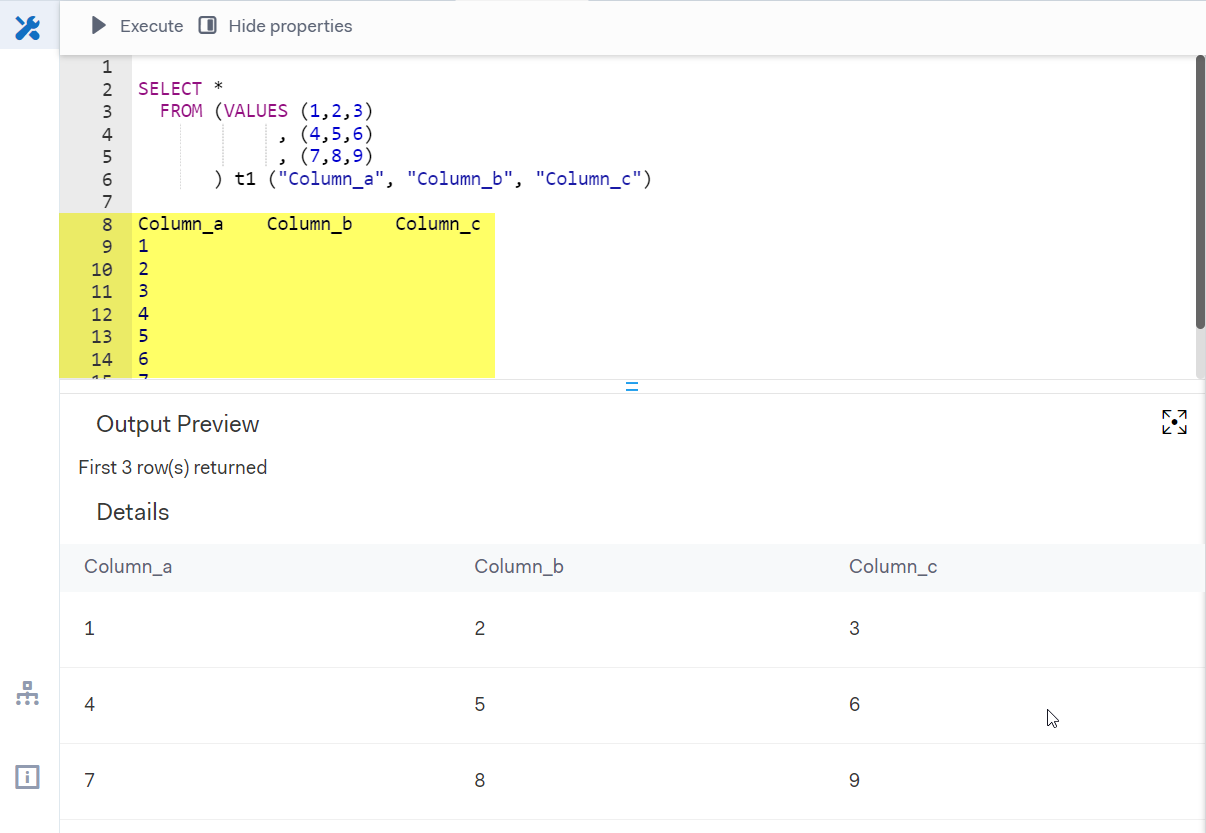
The aeratable command line tool can be used to format this output into an ASCII (or CSV) table. The command line tool takes the 'ugly' formatted output directly from Windows' clipboard (using the wonderfull pyperclip package) and creates a table in ASCII format. by default this will replace the clipboard content with the formatted table. If you provide the -v or --verbose flag, the table will additionally be printed to the console.
aeratable -v
The output (when pasted back into the interface) will now look like this:
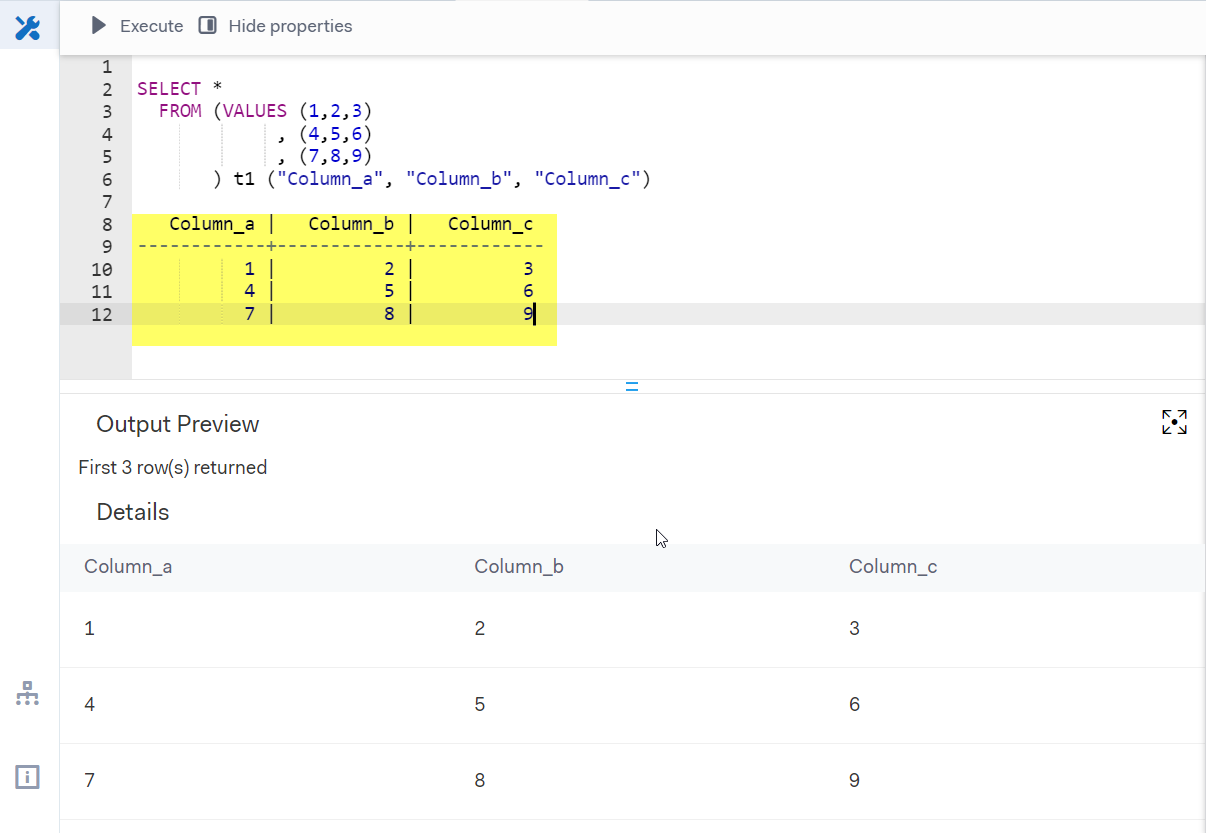
This can be very usefull if you query a lot from an interface in Aera, and want to store your intermediate results in a more readable format directly in the interface. Don't forget to put the table in a comment block (/* ... */) to prevent the interface from interpreting the table as a query.
simple! use the -f or --fmt flag with the value csv:
aeratable -f csv
The -i or --interactive flag can be used to enter the interactive mode. In this mode, you can union multiple tables together. This is usefull if you have a SQL script that outputs more than 250 rows (which is the Aera interface limit). The interactive mode will prompt you with the question to copy the next interface-output to your clipboard. The script will then append the new table to the previous one when you enter y. This can be repeated as many times as you like. The final table will be copied to the clipboard when you provide f (for finished).
    aeratable -i
    # the above command will prompt you with the following question:
    # Can we take the next interface output from your clipboard? [y/n/f]:
The nice part about the interactive mode is that it will check the headers of the tables to make sure they are the same. This prevents you from making mistakes when unioning tables together.
Happy SQL!
Download counts and popularity will appear here as the collector receives them.
| Version | Published | Direct dependencies | Open version |
|---|---|---|---|
| 0.2.1 | 20 Mar 2024 | 3 |
This describes our collected data; it is not a security assessment.
Observed since 20 Oct, 20:27 UTC
No superseded metadata states collected. Unchanged observations do not create new revisions.
package:c2cd0badf2650149f97c920a5840a34749cd9270182d6cca1a97761b9fb148a1