

 Repository
Current collected state Current
Observed since 20 Oct, 21:25 UTC
No superseded metadata states collected. Unchanged observations do not create new revisions.
An interface-agnostic AI agent platform that executes complex system-level and web tasks through a centralized ReAct orchestration engine.

A completely free, interface-agnostic AI agent platform that executes system and web tasks through a centralized ReAct orchestration engine.




Agens is a completely free AI agent platform. I built this project so that anyone can have a taste of an AI assistant completely for free, without having to spend a single penny. Every part of it—from the ReAct engine (agent.py) and interface adapters to the encrypted key management and SQLite database—is set up to make this experience smooth and easy.
To make sure it is accessible, reliable, and smooth for everyone, Agens is built with three simple rules:
429 Rate Limit while the agent is answering, it automatically rotates to your next key, provider, or fallback model on the go. It resumes the active task right where it left off, so you don't face interruptions.Explore the detailed technical manuals and operational guides:
pipx install agens
You can register your keys through the CLI:
# agens apikey add <label> <provider> <api_key>
agens apikey add my-gemini gemini AIzaSyB...
Tip: Alternatively, you can launch the Web UI or Terminal UI first (Step 3) and add your keys visually through the settings dashboard.
agens web                                              # Web UI (Svelte 5) → http://localhost:8000
agens tui                                             # Terminal UI Dashboard (Textual)
agens chat "List the contents of my workspace"        # Single-line Typer CLI query
All interface adapters communicate with the exact same central brain and write to the same database. Prompt behavior and safety policies dynamically adjust depending on the interface:
| Interface | Launch Command | Core Capabilities | Concurrency Model |
|---|---|---|---|
| CLI | agens chat "<msg>" | One-shot queries, API key administration, safety overrides | Ephemeral process; runs one ReAct loop and exits |
| Terminal UI (TUI) | agens tui [--session <id>] | Full feature parity with Web UI (session handling, dynamic API key administration, provider model selection, granular tool group toggles) + secure local sudo password collection | Stateful Textual app; blocks terminal during execution |
| Web UI | agens web | Svelte 5 + FastAPI SPA with SSE streaming, interactive model picker, encrypted key management, granular tool settings & status blocks | Client-server; tokens stream live via Server-Sent Events |
| Telegram Bot | agens telegram | Remote message-based assistant via python-telegram-bot, polling + webhooks | Long-polling or webhook updater; edits messages sequentially to stay within Telegram rate limits |
Experience Agens' premium, interface-agnostic design with absolute feature parity:
agens web)The modern Web UI features real-time SSE streaming, interactive model selection, active key management, and fine-grained tool settings.
Workspace Chat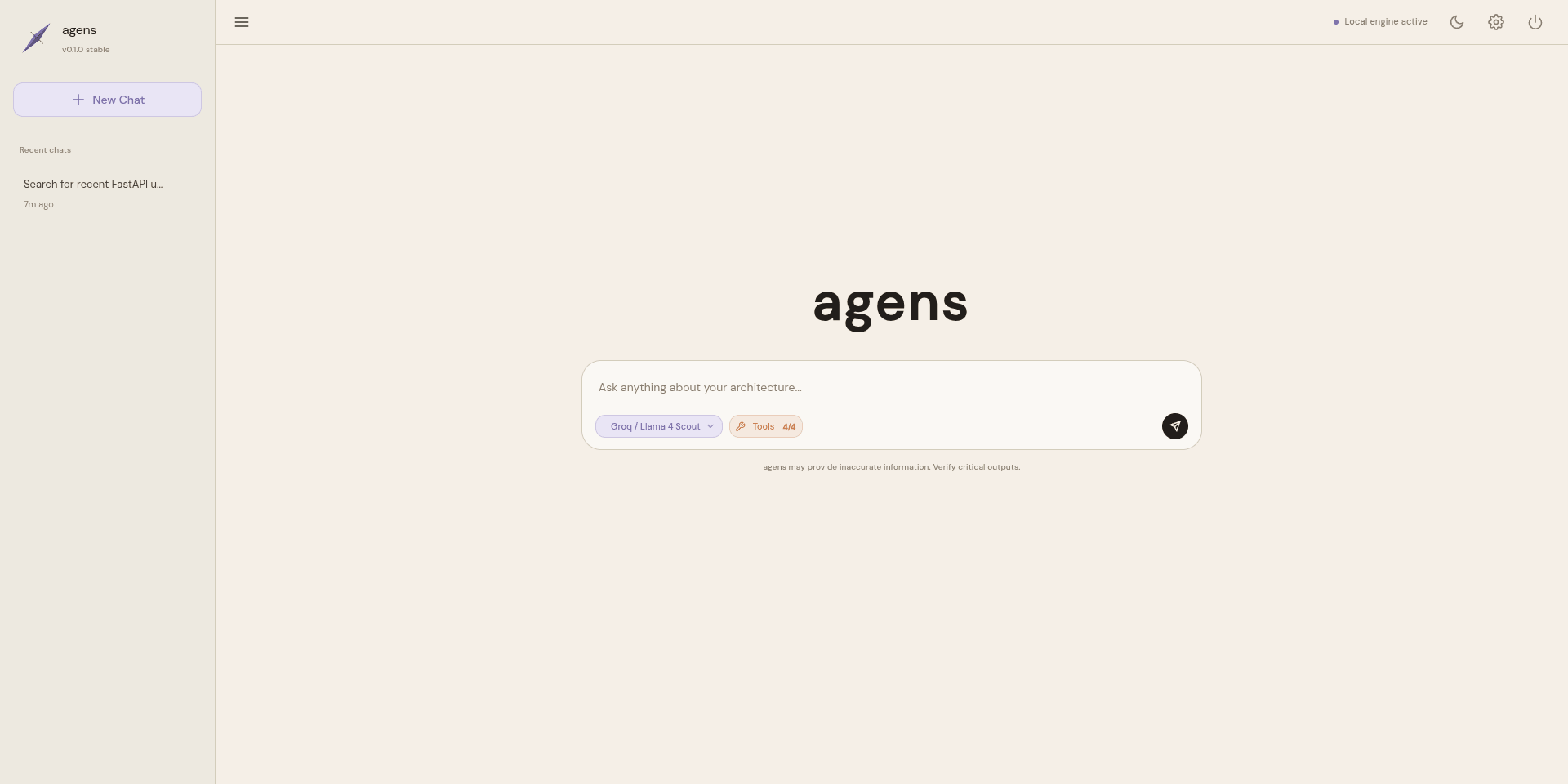
|
Streaming Message with Tool Output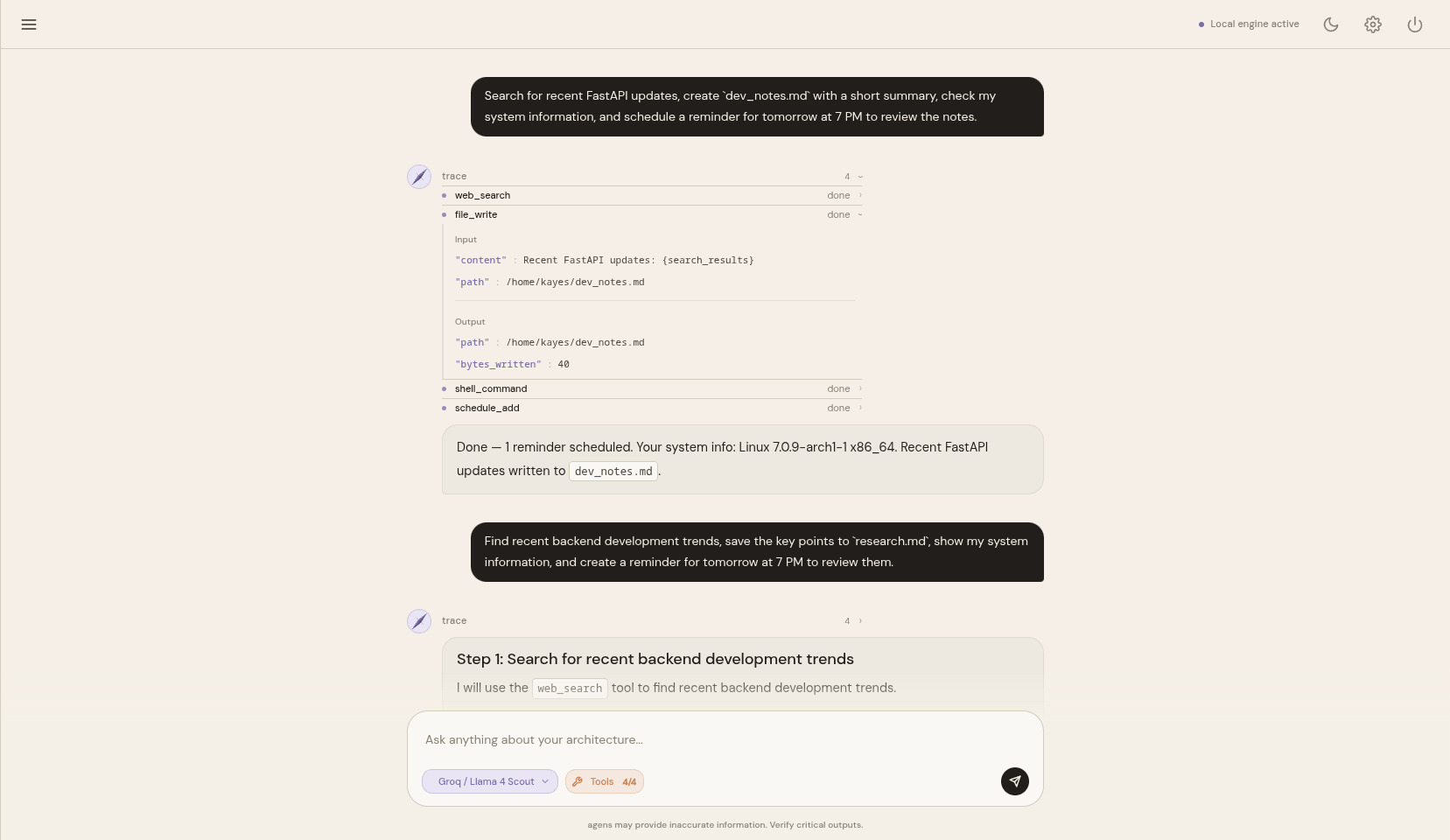
|
Decoupled Provider Model Selection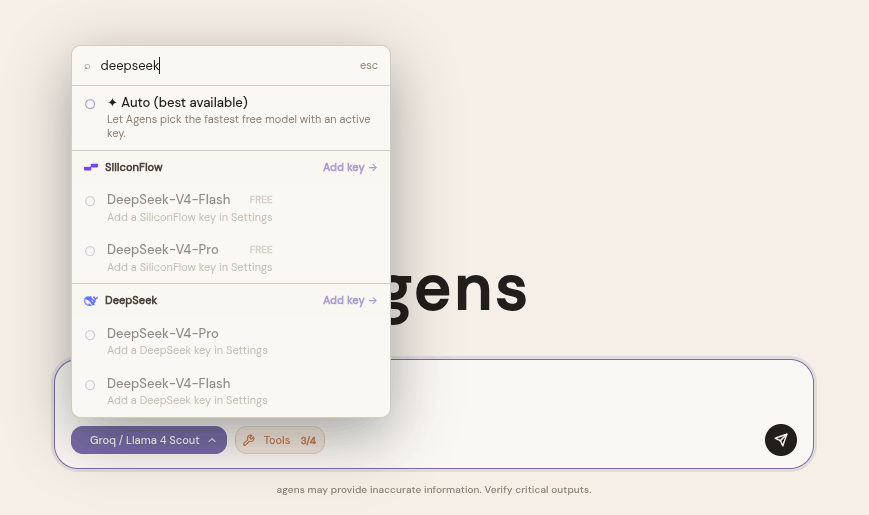
|
Granular Tool Control Panel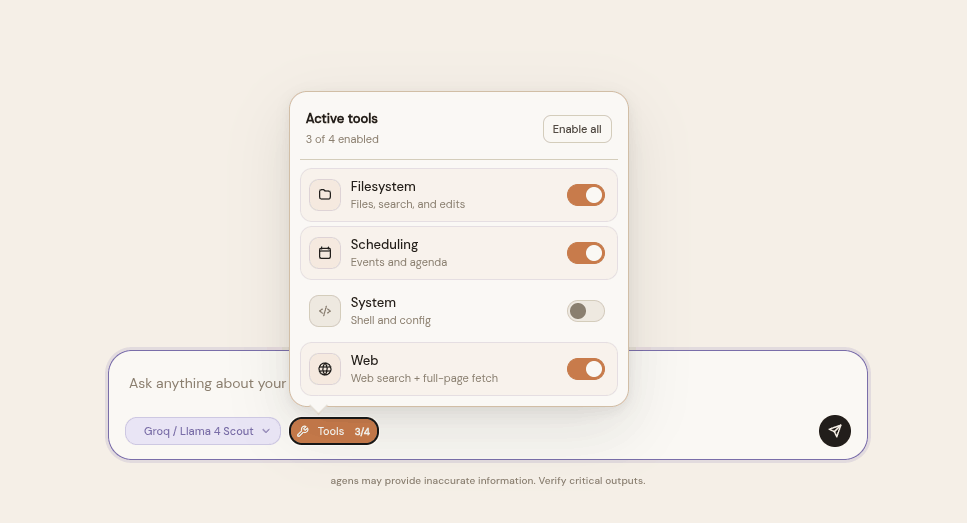
|
agens tui)For developers working in terminal or remote SSH environments, the Textual-powered TUI provides absolute feature parity with the Web UI. It supports the complete suite of administration controls (adding/managing Fernet-encrypted API keys, selecting providers and fallback models, toggling granular tool group permissions, and safety controls) alongside dynamic tool status animations and secure local sudo handling.
Interactive TUI Home Dashboard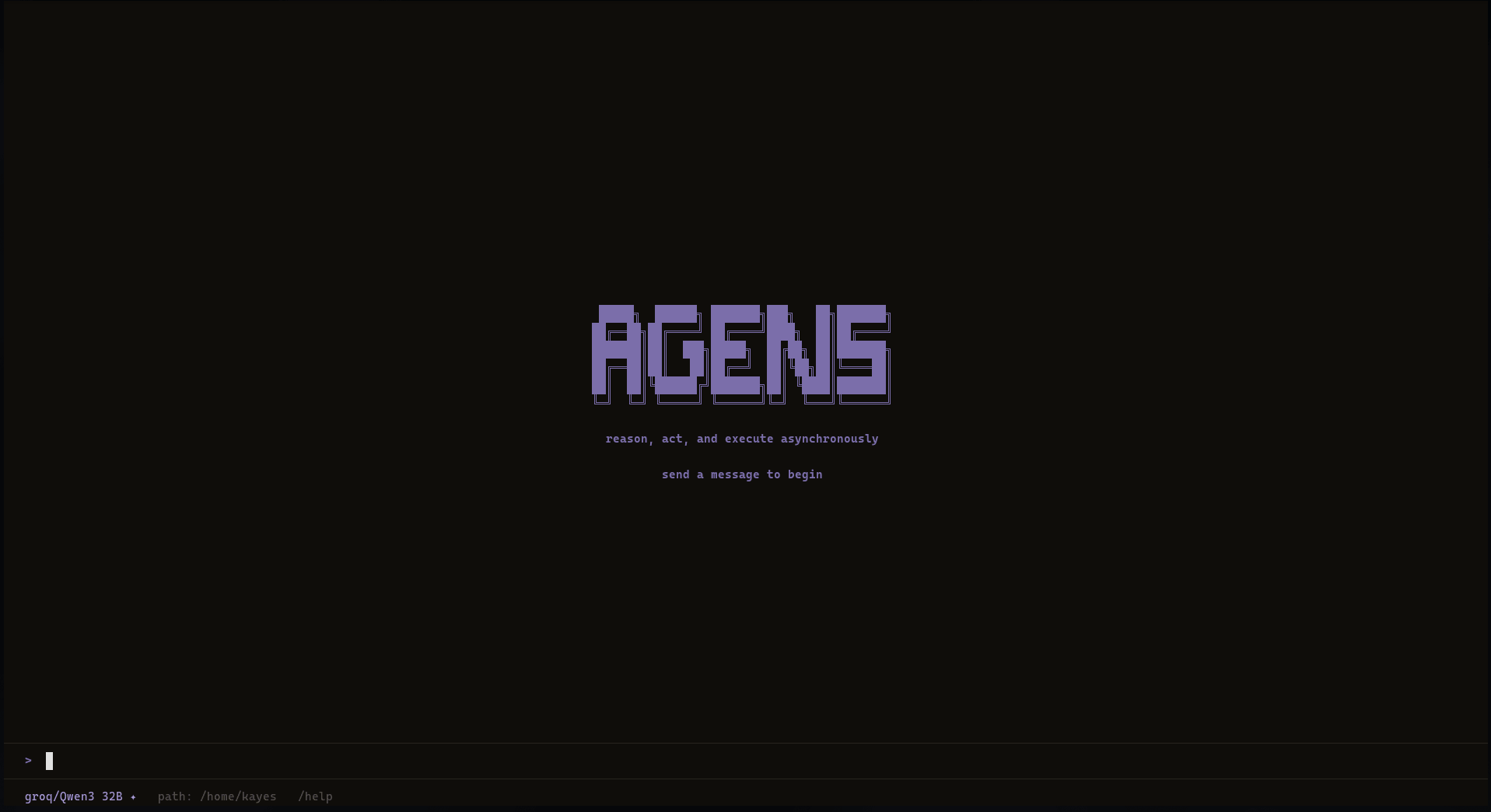
|
Stateful TUI Chat Session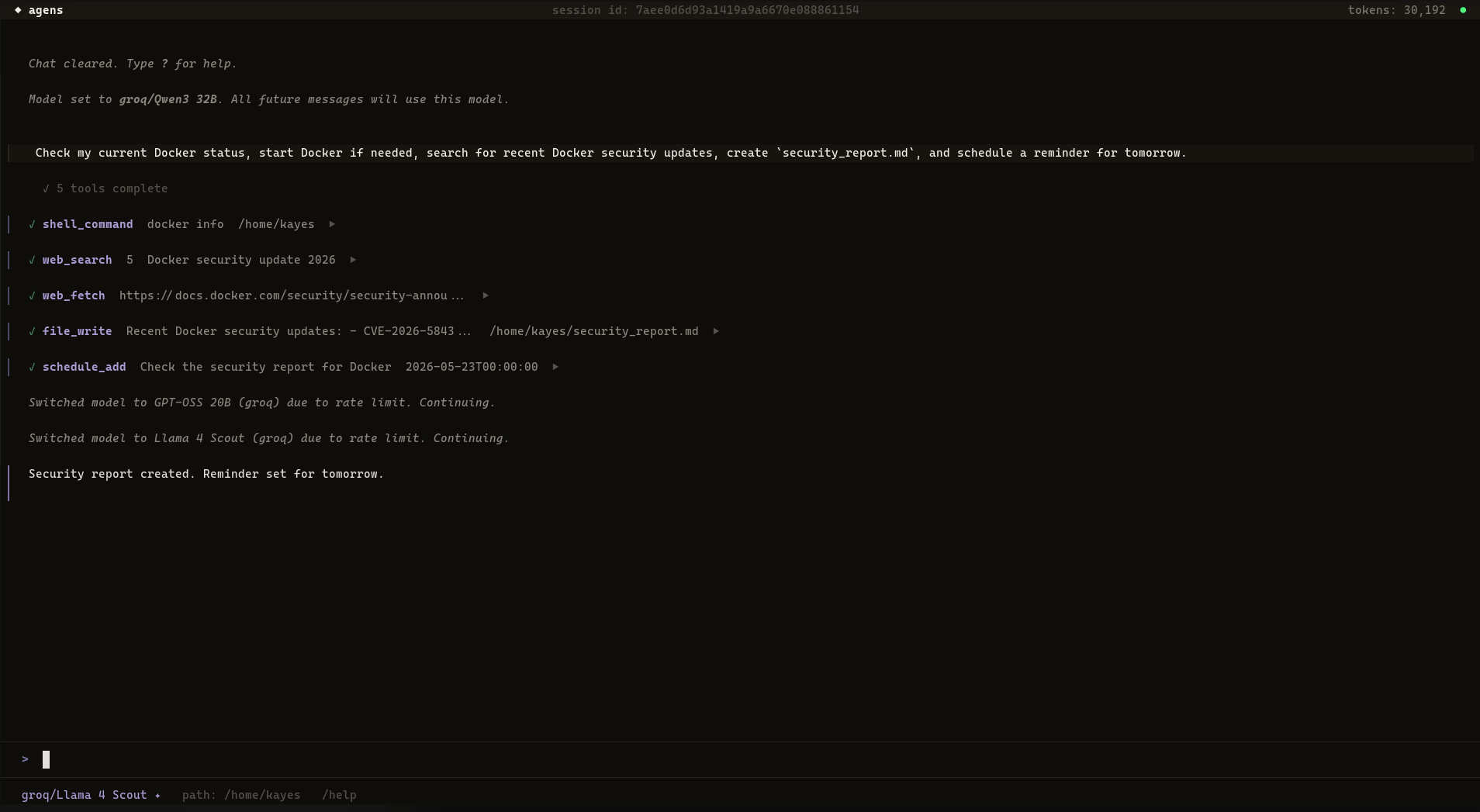
|
graph TD
    Input["User Input<br/>(Web · TUI · Telegram · CLI)"]
    Adapter["Interface Adapter<br/>src/interfaces/"]
    Agent["Agent Orchestrator<br/>src/agent/agent.py"]
    DB[("Local SQLite<br/>src/db/")]
    PromptBuilder["Prompt Builder<br/>src/planner/prompt_builder.py"]
    LLMClient["LLM Client & Router<br/>src/llm/"]
    ToolRegistry["Tool Registry<br/>src/core/registry.py"]
    Tools["Tool Execution<br/>src/tools/"]

    Input -->|triggers| Adapter
    Adapter -->|".chat(message, session_id, channel)"| Agent
    Agent -->|loads session history| DB
    Agent -->|requests system prompt| PromptBuilder
    PromptBuilder -->|reads settings & memories| DB
    Agent -->|invokes ReAct loop| LLMClient
    LLMClient -->|"chunks / tool_calls"| Agent
    Agent -->|routes tool call| ToolRegistry
    ToolRegistry -->|executes| Tools
    Tools -->|returns result dict| Agent
    Agent -->|"yields StreamEvent"| Adapter
    Adapter -->|renders live output| Input
Agens is distributed under the MIT License.
Download counts and popularity will appear here as the collector receives them.
| Version | Published | Direct dependencies | Open version |
|---|---|---|---|
| 0.1.1 | 22 May 2026 | 26 |
This describes our collected data; it is not a security assessment.
Observed since 20 Oct, 21:25 UTC
No superseded metadata states collected. Unchanged observations do not create new revisions.
package:178b39305eb7c6b3bb512bb22ceb7e815902f66d0690b3d214e26017072d4080