
 Repository
Current collected state Current
Observed since 20 Oct, 21:26 UTC
No superseded metadata states collected. Unchanged observations do not create new revisions.
Local-first Agent Work Intelligence for coding agents: usage truth, recorded work, and honest joins
English · 简体中文




agentacct answers one simple question: what the fuck are my agents actually doing?
See what your coding agents have been working on, across projects and clients: recent activity, tool calls, recorded steps, checks, tokens, and estimated cost. Open a task for its Work Receipt and follow the activity timeline from attempt to result. Built from the local session logs of Claude Code, Codex, Kimi Code, OpenCode, Hermes, and others. No account, no cloud, nothing leaves your computer.
Screenshots show a synthetic demo workspace; your install renders your own local data.
pipx install agentacct
agentacct onboard   # once per machine: finds your agents, sets up a local store, starts the recorder
agentacct tui       # the terminal app
Requires Python >= 3.11 on macOS or Linux; Windows is supported only via WSL. For a native window with no Python, download the signed, notarized macOS app from the latest release (macOS 14+).
Either way, open a new agent session afterwards: hooks and MCP servers bind at session start.
The per-agent setup, a --scope project install, and the uv/venv alternatives are in INSTALL.md.
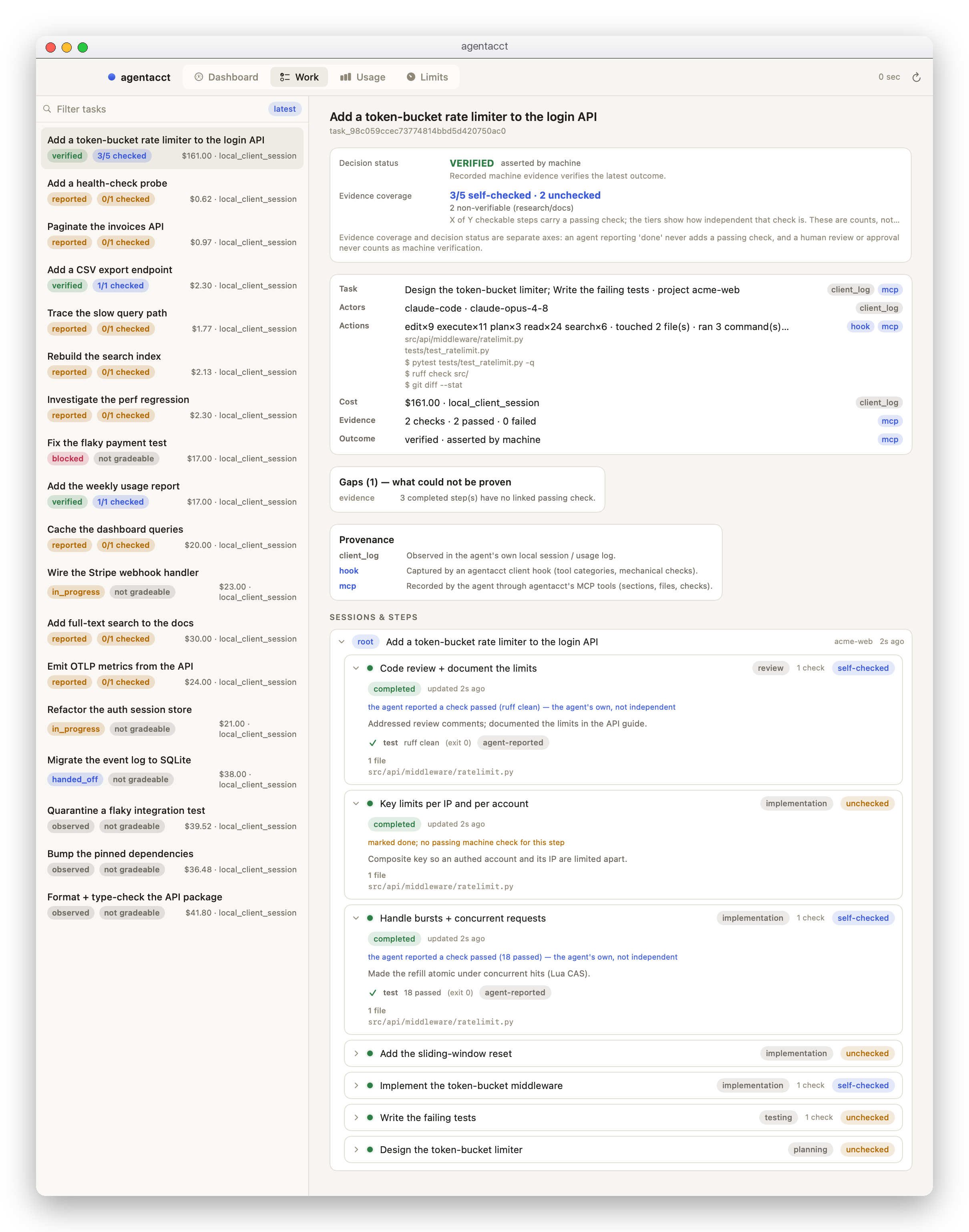
Sessions opens with the most recently active tasks. Search by task or project, or choose another sort when you need it. Each receipt brings together the participating sessions, recorded outcome, estimated cost, claims, and check results; its activity timeline comes first, with steps and full check details one click away.
An agent's own "done" is Reported. A Verified result needs current passing checks after the last recorded change. Claims and checks stay separate, and a failed attempt stays visible in the history alongside later results. A recorded failure is useful context, not automatically a request for you to intervene.
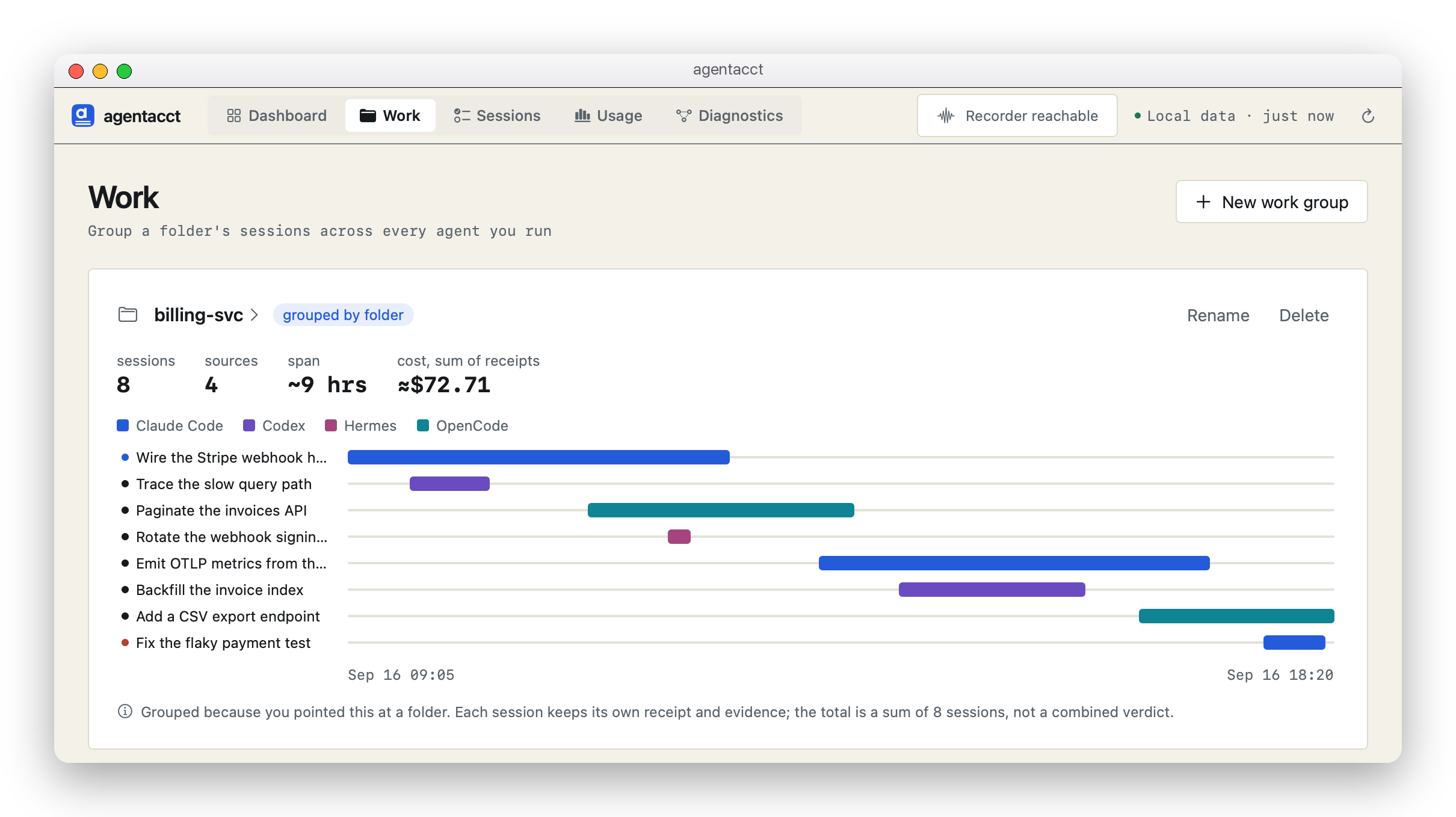
Point a work group at a project folder to see which agents worked there and what they did most recently. Open the group for session details and a shared timeline. Each session keeps its own evidence; group totals are sums of the participating sessions, with partial coverage and overlap labeled.
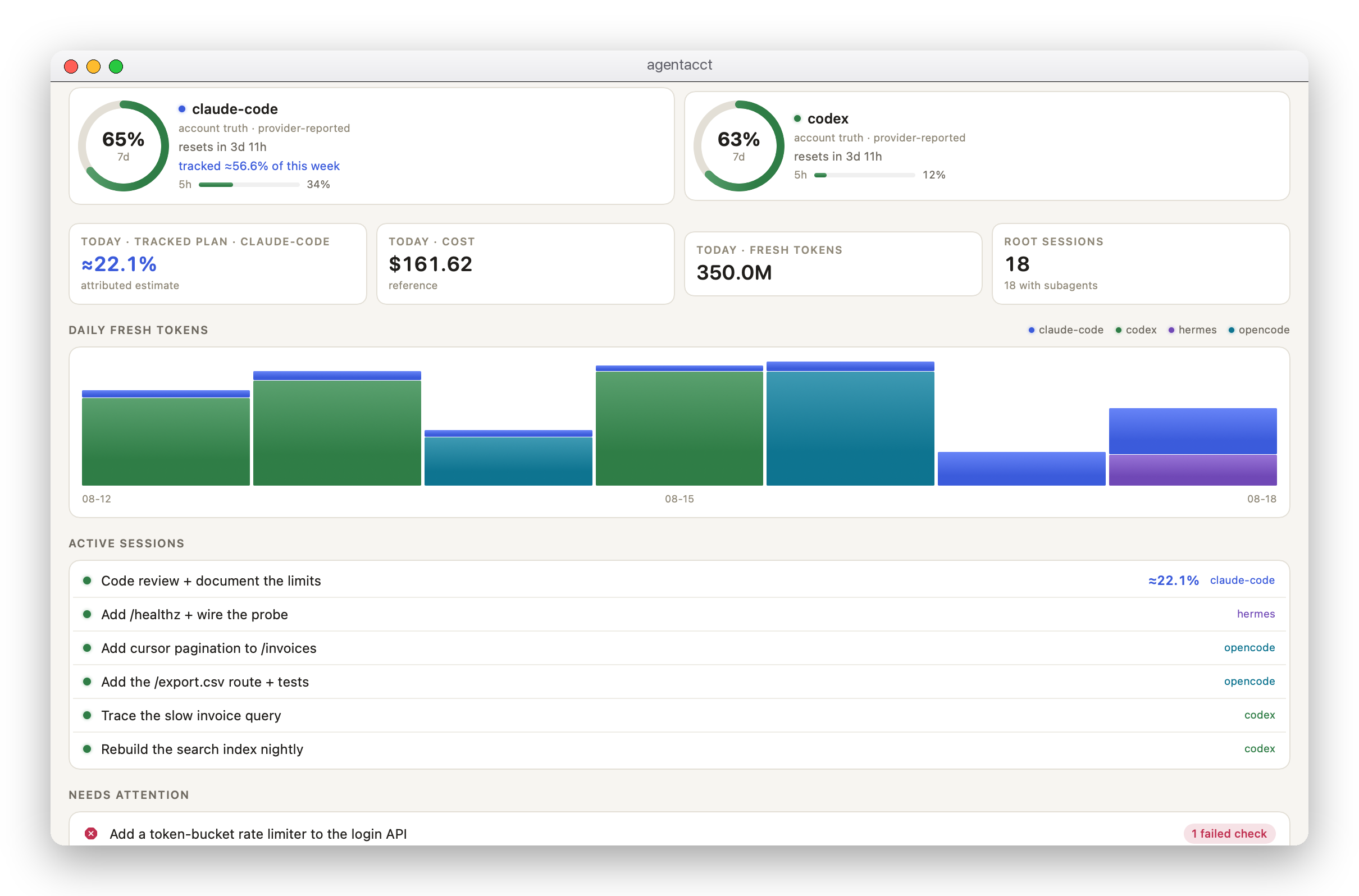
The Dashboard shows the latest recorded work across your projects, with its client, activity time, outcome, evidence, and cost. Historical failed checks and blockers remain available in Recorded issues. They do not decide the default order or become a list of things you must fix. Right-click a Recorded issues row to copy a brief from recorded facts.
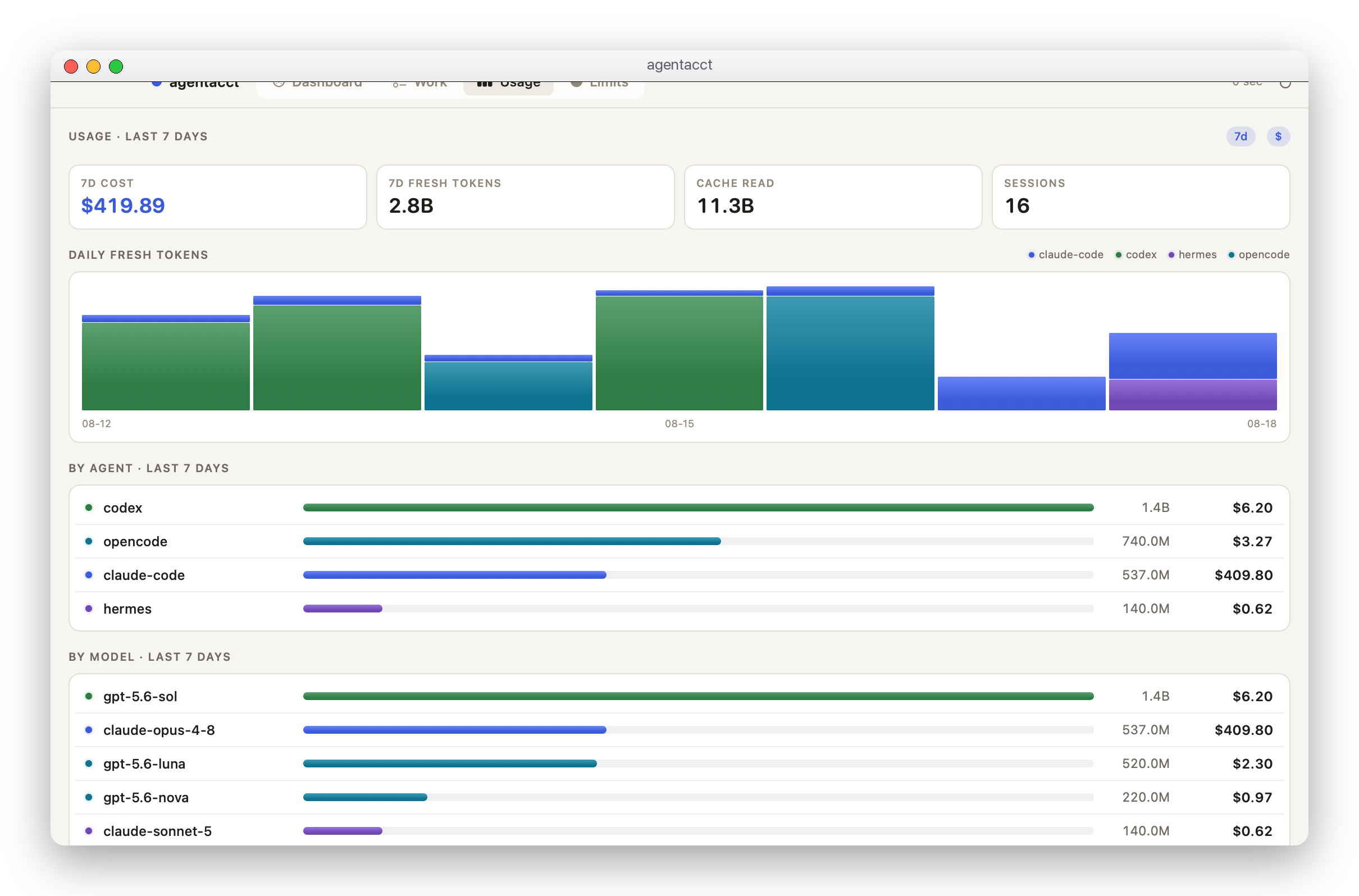
Filter by date, agent, model, or provider—independently, so "Codex on Opus, last 7 days" is one selection instead of a page you reset. This range totals the same rows by agent and by model, and selecting a date narrows the client/model breakdown under the date table. The chart remembers your Fresh or All tokens choice, and the tables show fresh, cache, and total tokens side by side with cache reads and writes separated. Hover a Fresh value for input and output counts.
The top bar always says how fresh the local data is (Local data · just now, or the last saved copy). Dates show session totals by activity date; sessions spanning several days are not split into exact daily consumption. Provider-reported quota windows and reset times are available on the same page. Tokens come from client records; costs are pricing-table estimates marked ≈, never an invoice.
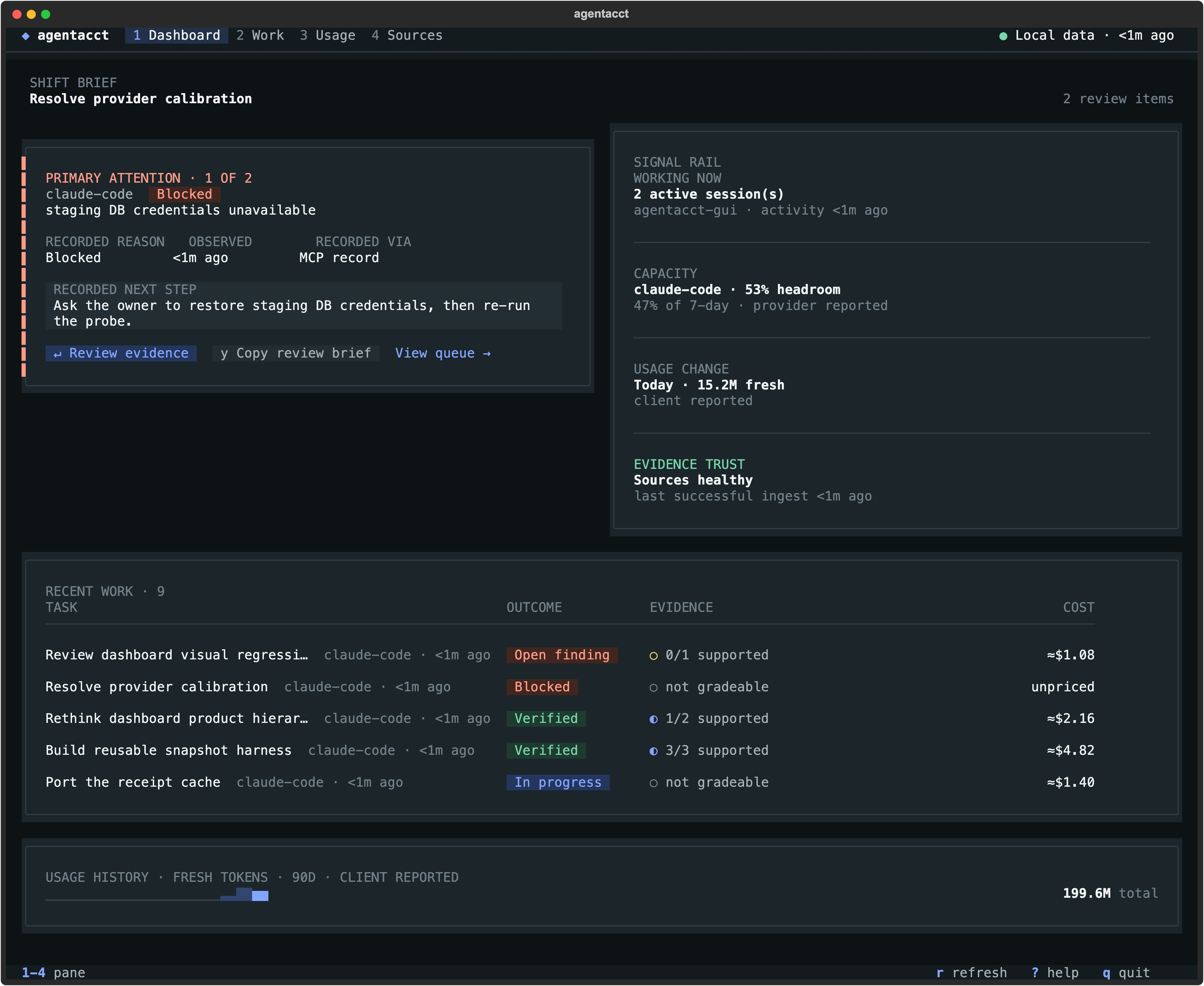
agentacct tui provides receipts, usage, capacity, and its own review overview in your shell — including the folder-anchored Work tab, where each group draws its sessions across every agent on one cross-agent timeline you can open (↵) and zoom/scrub by keyboard. Its top bar carries the same local-data stamp as the app. Press ? for the keys.
agentacct is early alpha and would rather show you a gap than a guess.
≈$ is a pricing-table estimate, ~$ a known-partial subtotal; there is no invoice access. docs/usage-truth-table.md says what each path can prove.exact, high, medium, low); an unproven link shows as a gap, not a zero.agentacct capabilities agents prints the same matrix from your installed version.127.0.0.1, and never stores or requests a provider API key.agentacct is local-first Agent Work Intelligence: two evidence streams, kept separate and joined on real client ids instead of guesses.
Join mechanics, the confidence glossary, and the MCP tool list are in docs/reference.md; per-agent integration detail is in docs/coding-agent-integrations.md.
Paste this into your coding agent:
Install and set up agentacct — a local-first agent work ledger that reads my
coding-agent logs read-only and shows honest token usage, cost, and recorded work.

Run `pipx install agentacct`
(or `pipx install git+https://github.com/mikehasa/agentacct`),
then `agentacct onboard` (installs once per machine, global by default, zero
files written into the repo), then tell me how to open `agentacct tui` and the
local JSON API at http://127.0.0.1:8765.

Observe-only: never store, request, or echo any API key; all state stays local
on this machine. Don't modify my global client config without showing the exact
command first.
The agent then follows INSTALL.md. agentacct setup prompt --agent <client> prints the same prompt.
agentacct stop                 # stop the managed sync + local API (owned processes only)
agentacct uninstall-autostart  # only if you installed autostart
pipx uninstall agentacct
Then delete the store at ~/.local/state/agentacct/state (keep it if you want the history) and remove the entries that agentacct onboard added to your client configs; they are listed per client in docs/coding-agent-integrations.md. A --scope project install keeps everything in that repo's .agent-sentinel/ directory instead.
Download counts and popularity will appear here as the collector receives them.
| Version | Published | Direct dependencies | Open version |
|---|---|---|---|
| 0.12.11 | 3 Oct 2026 | 11 |
This describes our collected data; it is not a security assessment.
Observed since 20 Oct, 21:26 UTC
No superseded metadata states collected. Unchanged observations do not create new revisions.
package:583e4435731d79dfc56de1b30338e70f5e9d0bf23af8e3057d12689b79b4dc06