

Current collected state Current
Observed since 21 Oct, 09:36 UTC
No superseded metadata states collected. Unchanged observations do not create new revisions.
A powerful Python SDK and interactive CLI editor by Akash Halder for compiling and executing code with rich terminal output and supports for 30+ programming languages.


A lightweight Python SDK to compile and execute code using a powerful code-execution API. Perfect for building online code editors, testing environments, and educational platforms.
A Python port of the original TypeScript SDK
🎯 Try the live demo here: https://www.akashhalder.in/code-compiler
AHCodeCompiler classcompiler.help() method for usage referenceeditor.start())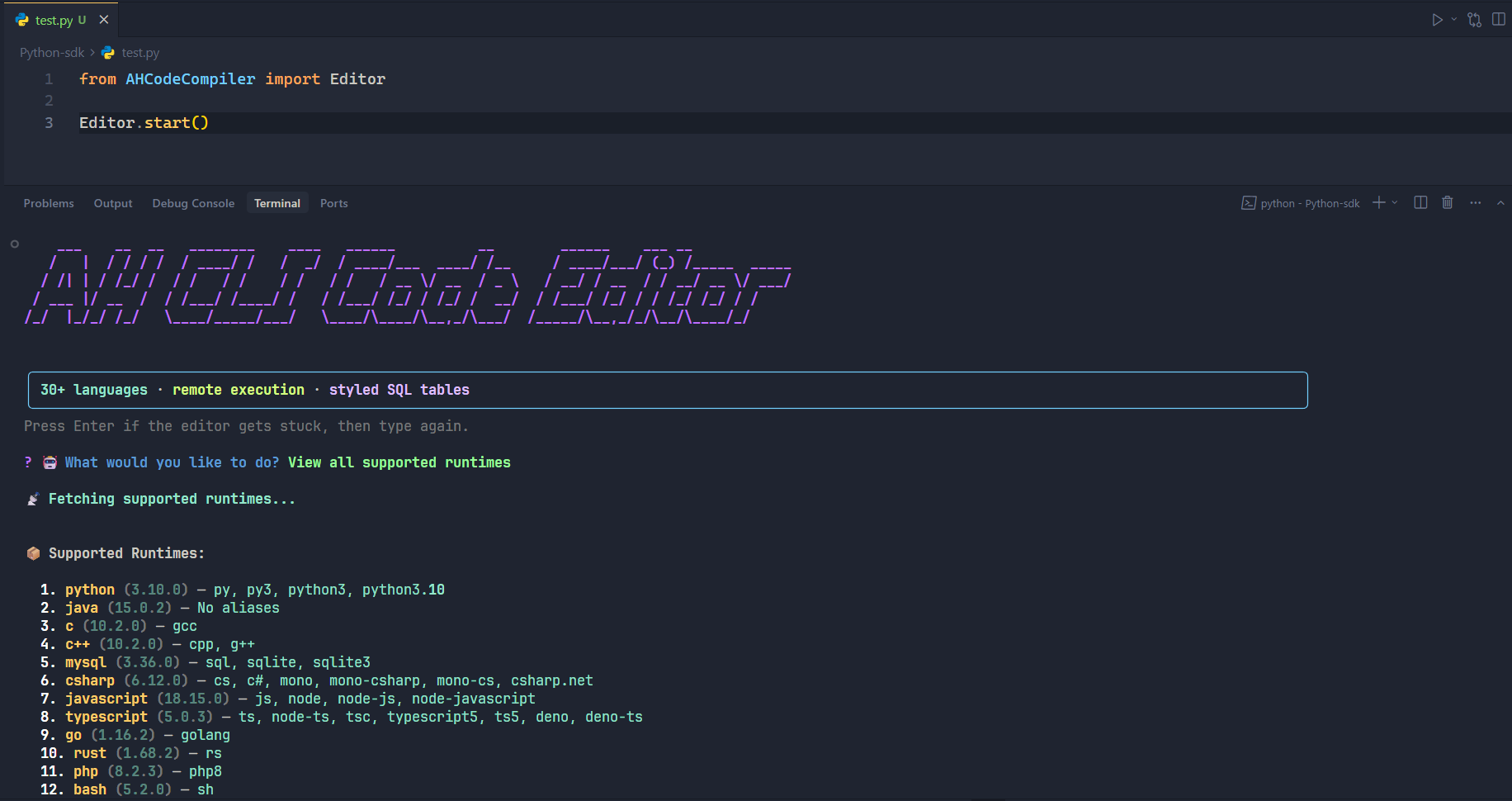
pip install ahcodecompiler

# In Jupyter notebook / lab or Google Collab
!pip install ahcodecompiler
from AHCodeCompiler import AHCodeCompiler

compiler = AHCodeCompiler()

# Get all Runtimes
compiler.get_runtimes()

# Execute Code via this method
compiler.execute(
    language="javascript",
    files=[
        {
            "name": "main.js",
            "content": "console.log('🔥 Hello!')"
        }
    ]
)

# Get usage help
compiler.help()
This SDK ships with an ready to use CLI-based code editor and runner which internally uses the same AHCodeCompiler class.
from AHCodeCompiler import Editor

Editor.start()
class AHCodeCompilerMain SDK wrapper for all functionality.
get_runtimes() -> List[Dict]Fetch all supported runtimes (languages + versions).
execute(language: str, version: str = None, files: List[Dict[str, str]]) -> DictExecute code using the given language, version, and files.
Auto-detects version if not provided.
compiler.execute(
    language="python",
    files=[{"name": "main.py", "content": "print('Hello World')"}]
)
help()Print a beautiful CLI-style usage guide right in your terminal.
Some popular languages include:
python3)node)Use
compiler.get_runtimes()to fetch the full, up-to-date list.
MIT License © Akash Halder
Download counts and popularity will appear here as the collector receives them.
| Version | Published | Direct dependencies | Open version |
|---|---|---|---|
| 1.0.6 | 10 Jun 2026 | 4 |
This describes our collected data; it is not a security assessment.
Observed since 21 Oct, 09:36 UTC
No superseded metadata states collected. Unchanged observations do not create new revisions.
package:f2728a37c8049346c491117bcdef36bd73b0f2cc59fc3739d1ce3df5da9b7171