
 Repository
Current collected state Current
Observed since 21 Oct, 10:10 UTC
No superseded metadata states collected. Unchanged observations do not create new revisions.
AI Coach Xblock evaluates open response answer of a question using Open AI
AI Coach Xblock helps learner in improving their answers by levering power of AI. It evaluates open response answer of a question using Open AI and provides feedback to learner.
It has the followig features:
pip install ai-coach-xblock
Add the OPEN AI secret key in the lms and cms configuration file
OPENAI_SECRET_KEY='set-secret-key'
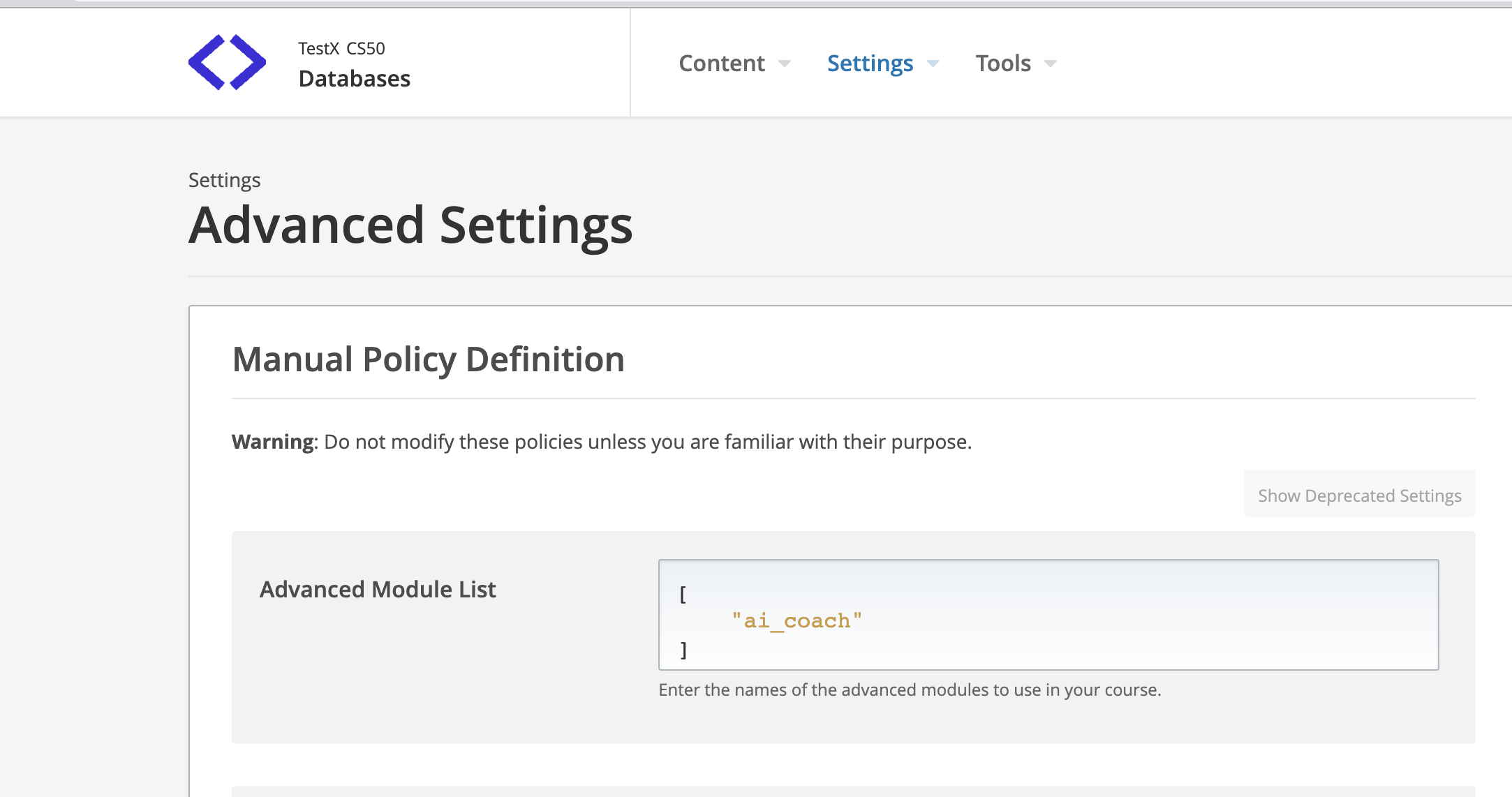
Update course advanced settings by adding ai_coach as shown in below image
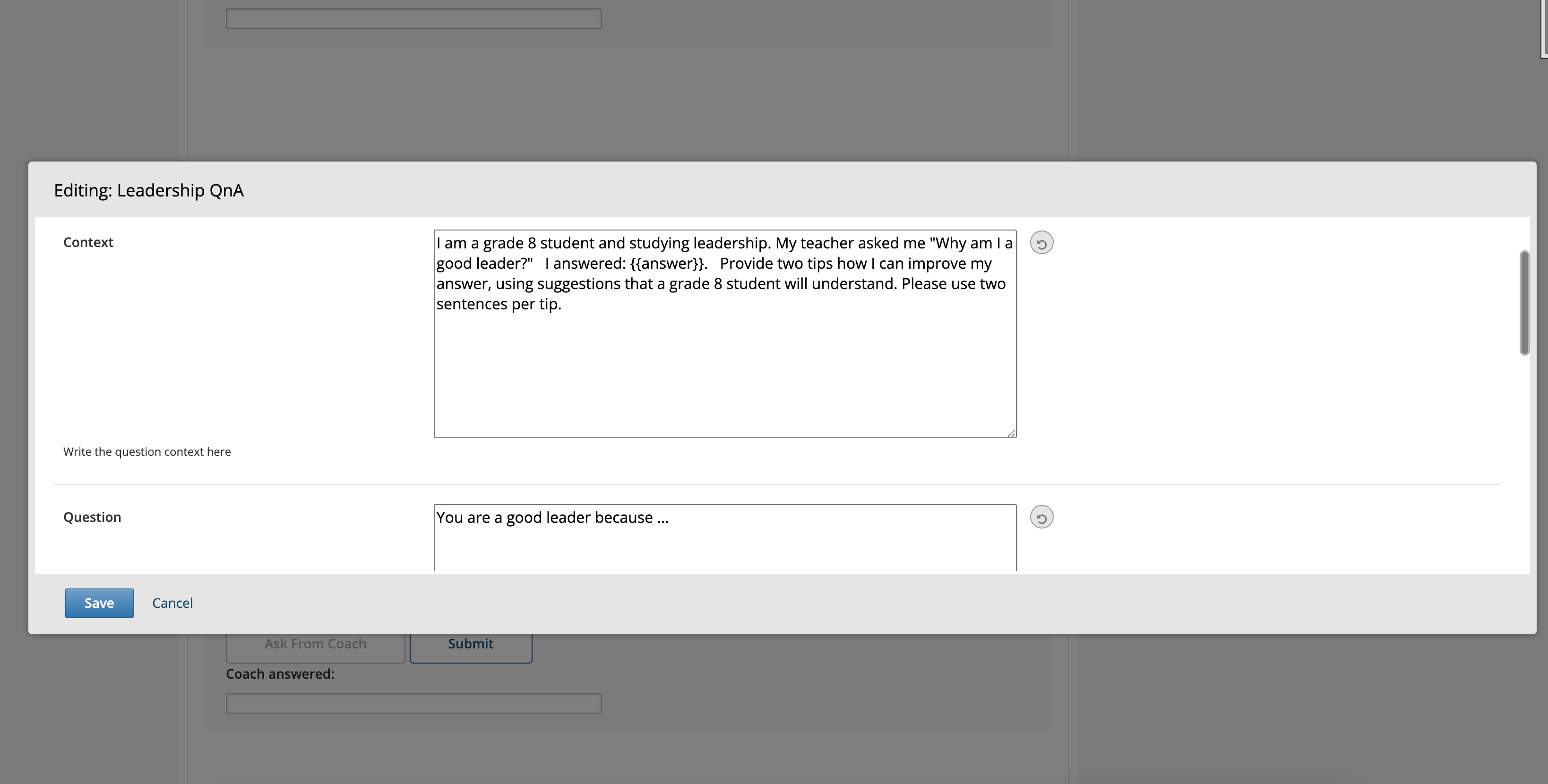
AI Coach Xblock will be available in Advanced component of course unit now. Add "AI Coach" xblock in unit and click "Edit" button to
add question & question context and configure it.
Contextis the context of question with answer which is provided to OpenAI for feedback generation. Question and Learner Answer is integrated into context using{{question}}and{{answer}}keywords which automatically picks question & learner aswer value. Example:I am grade 8 student studying leadership. My teacher asked me question: {{question}} . I answered {{answer}} . Provide two tips to improve my answer as a grade 8 student.
Use "Preview" button to preview it or publish your content and use "View Live Version" button to see how it appears on LMS
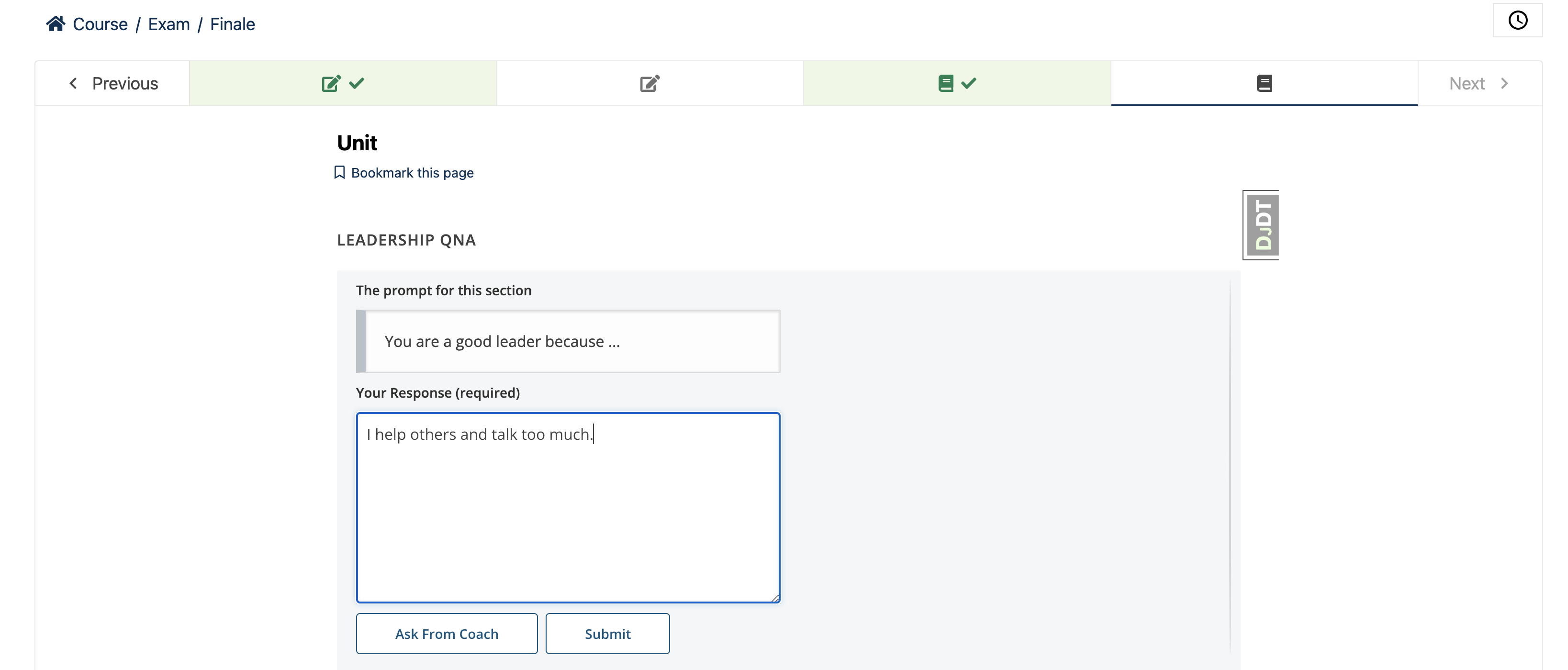
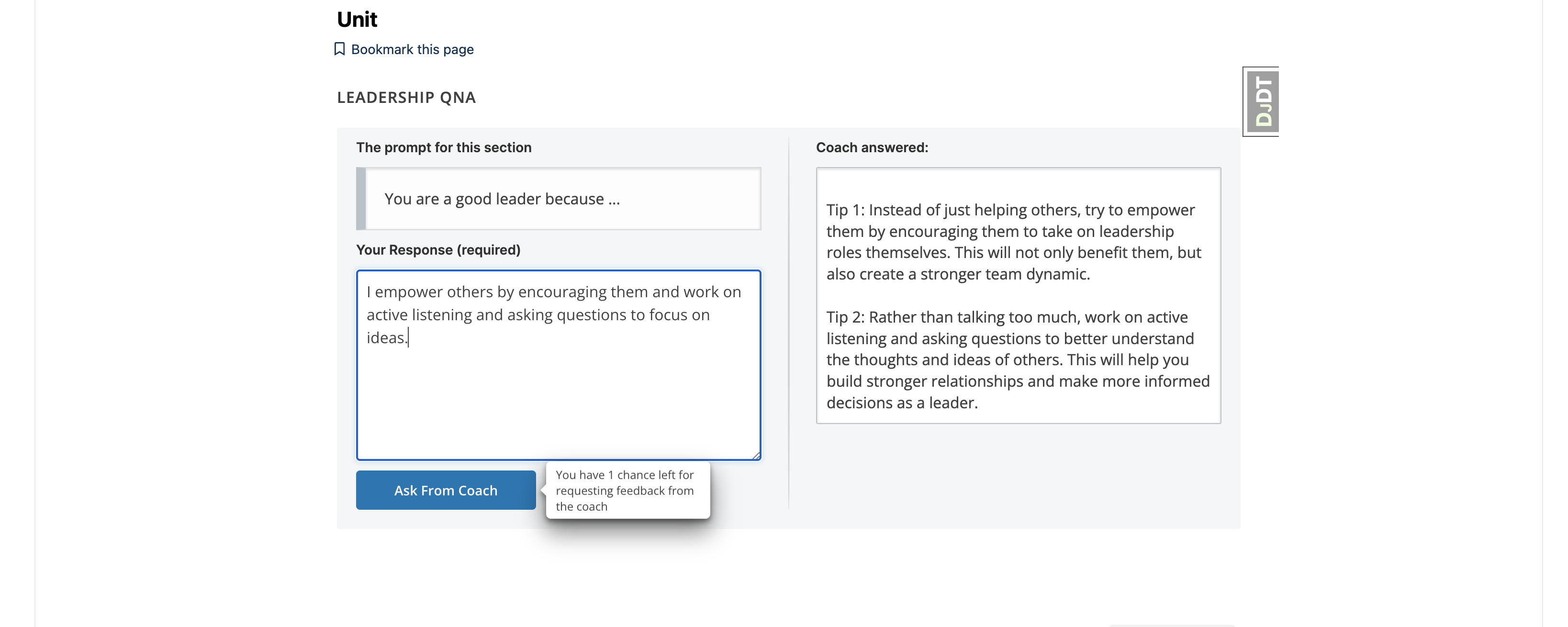
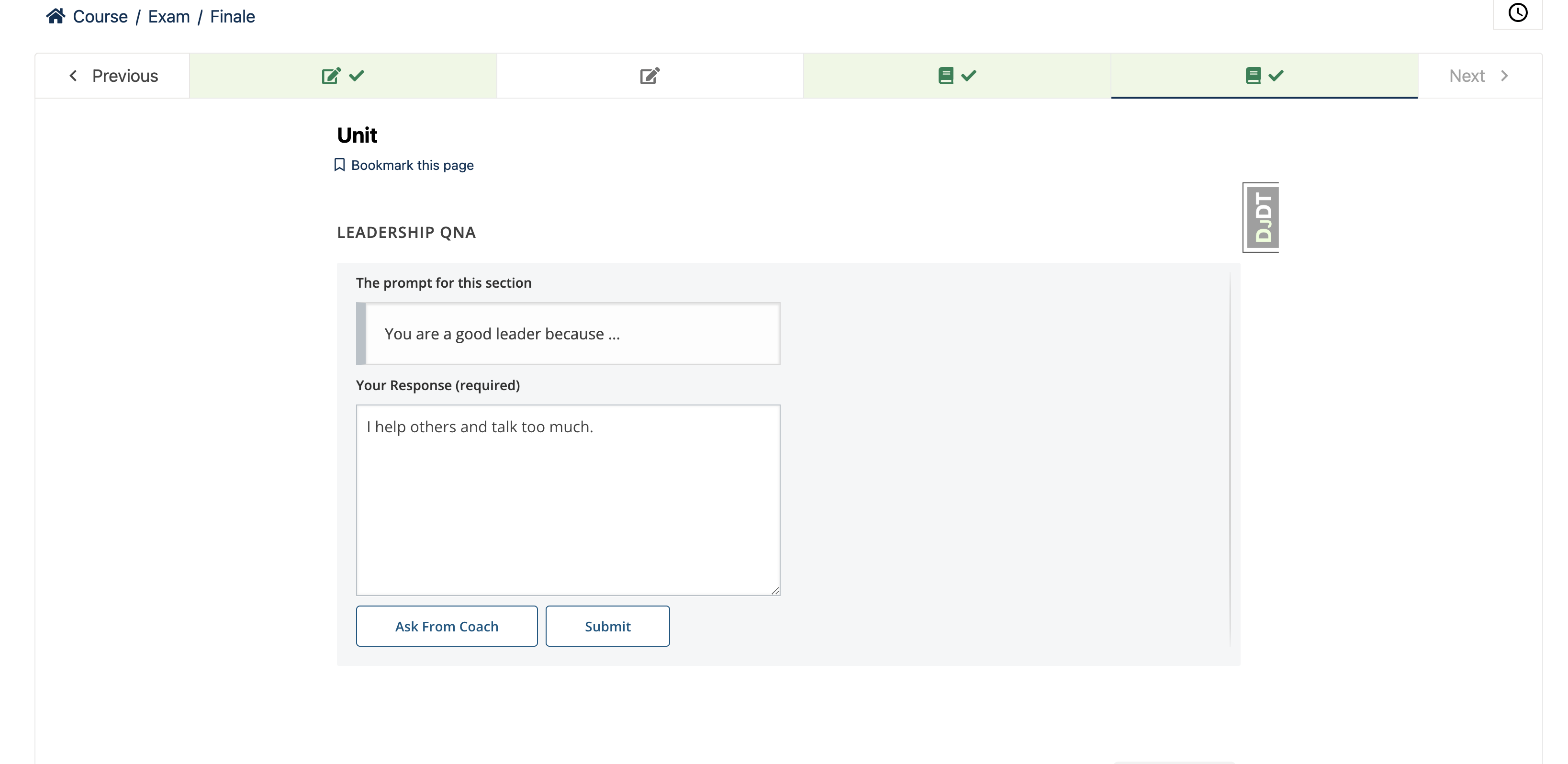
After adding answer, learner click on Ask from Coach button for feedback. Feedback is provided by OPEN AI on the basis of question context and answer.
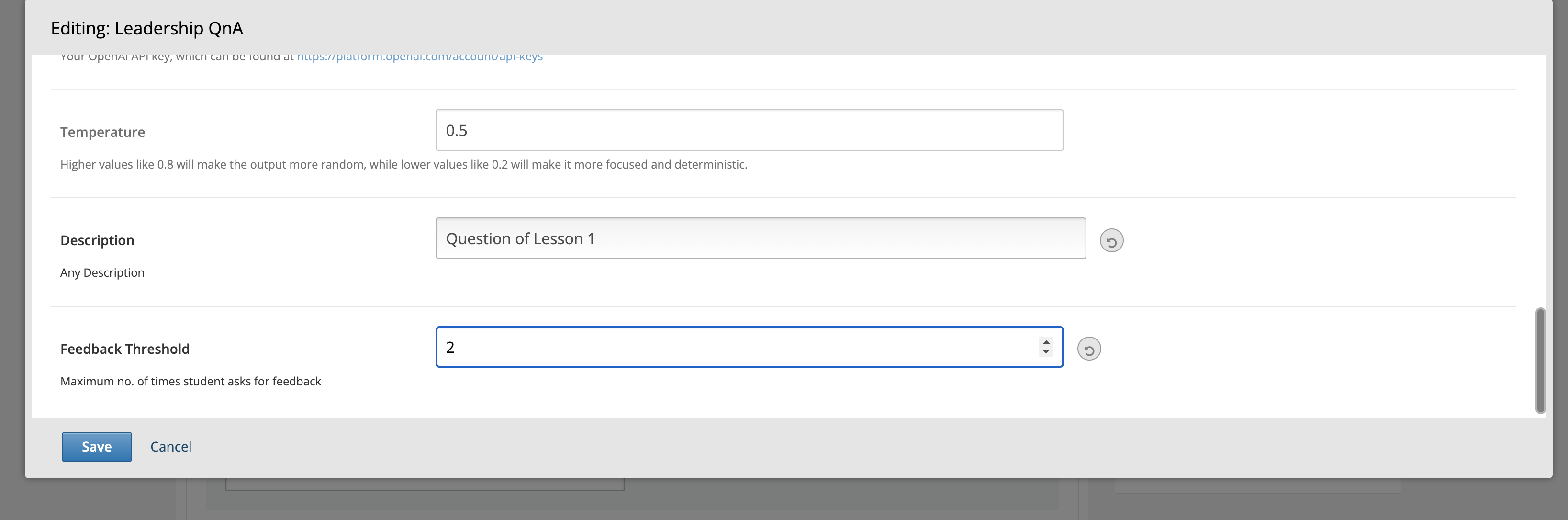
The feedback threshold represents the maximum number of times a learner can request feedback. You can configure the feedback threshold by accessing the AI Coach Component settings in the CMS.
The tooltip which appears when hovering over the Ask from coach button represents the chances to request feedback from AI Coach.
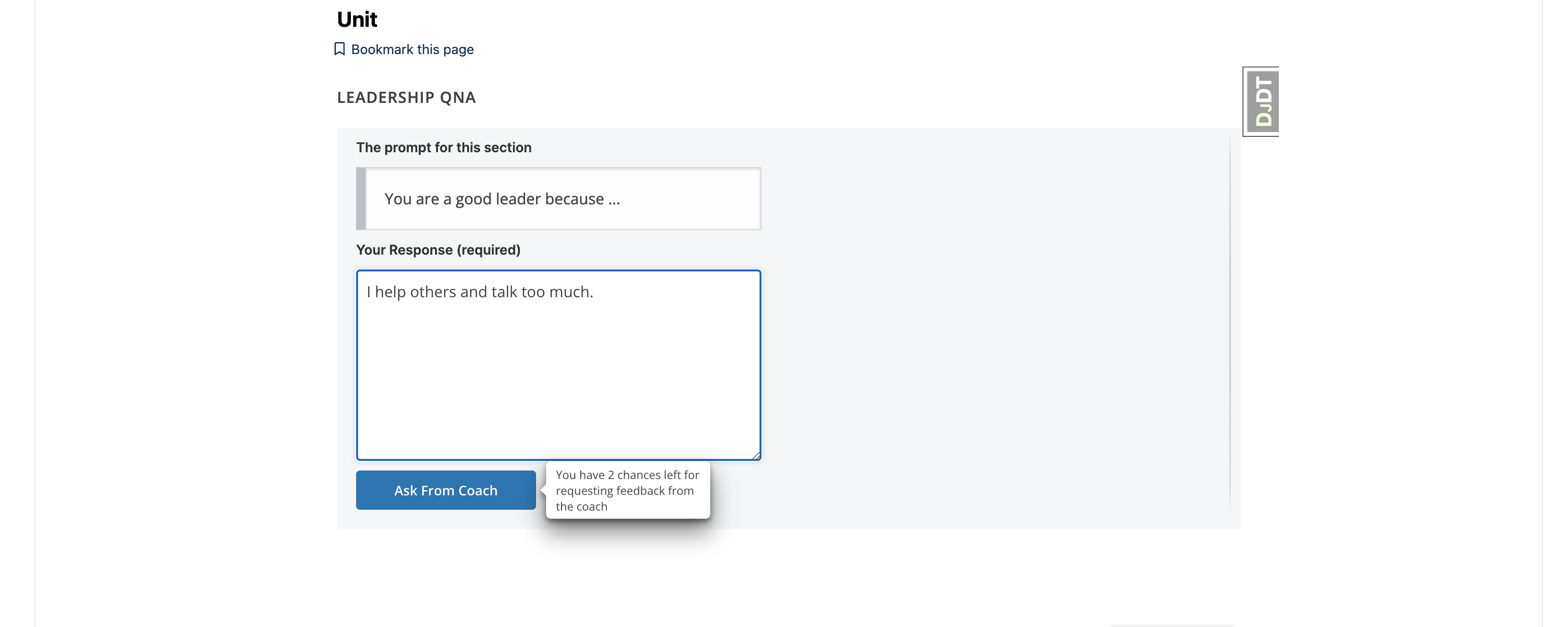
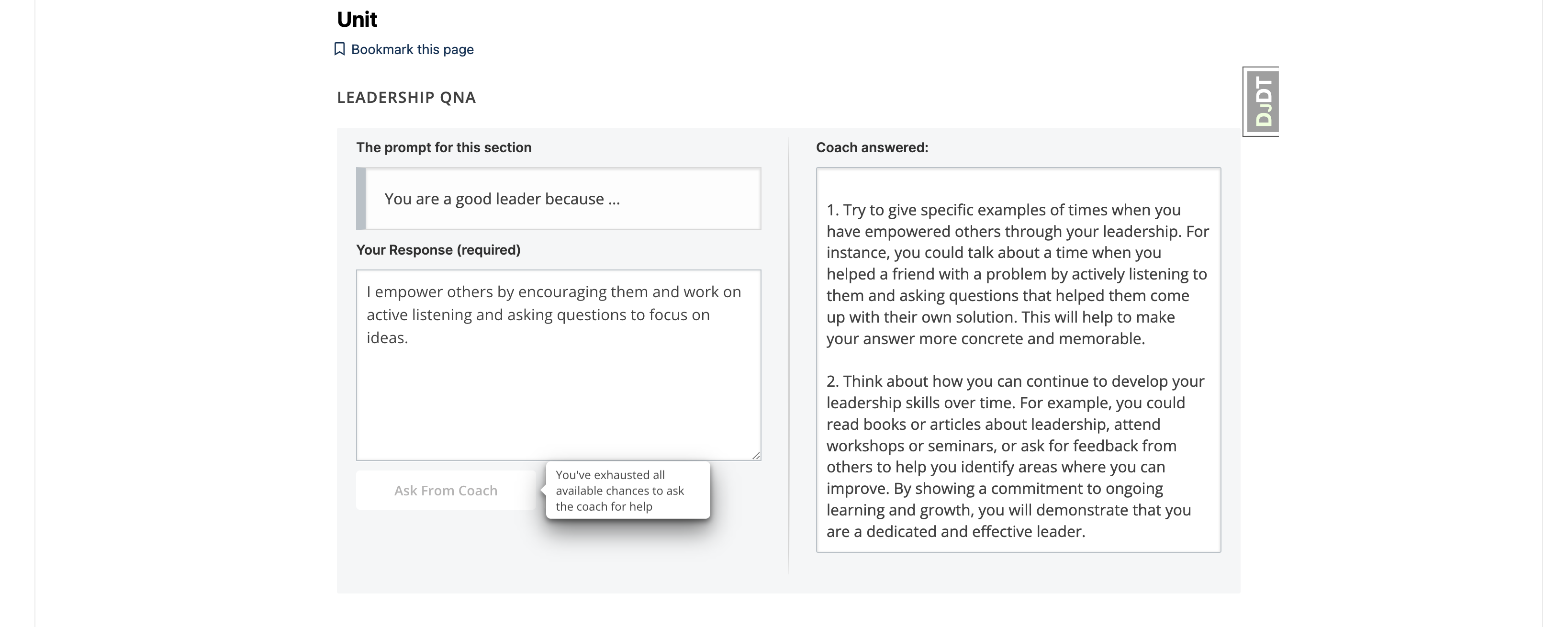
Once all available chances to request help from the coach have been utilized, Ask from coach button will be disabled and learners will see the following message on tooltip: "You have exhausted all available opportunities to seek guidance from the coach."
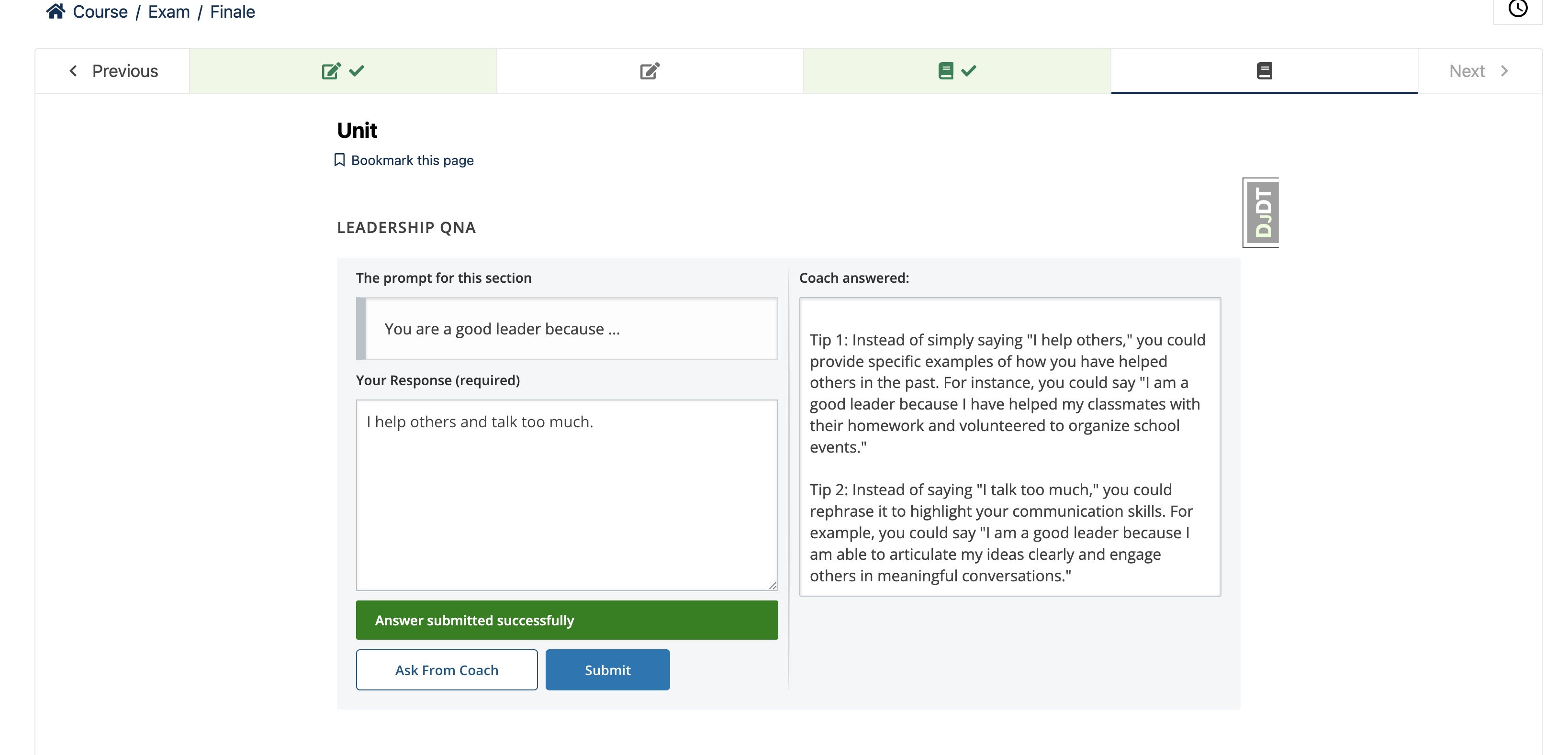
Submit button saves the learner answer and mark the completion of Xblock.
Download counts and popularity will appear here as the collector receives them.
| Version | Published | Direct dependencies | Open version |
|---|---|---|---|
| 1.1.0 | 12 Mar 2025 | 3 |
This describes our collected data; it is not a security assessment.
Shared repository data · GitHub
Public sponsor counts have not been collected. These signals belong to the repository owner.
github · 1 observations shown. Missing days are unknown.
| Date / source period | Value | Observed at |
|---|---|---|
| 2026-10-23 | 8 | 2026-10-23T17:57:21.2898560Z |
Observed since 21 Oct, 10:10 UTC
No superseded metadata states collected. Unchanged observations do not create new revisions.
package:1784863410a0b616c748360f7b60f166488e9b9c868508eea3cb2aae64300c70