
 Repository
Current collected state Current
Observed since 21 Oct, 10:13 UTC
No superseded metadata states collected. Unchanged observations do not create new revisions.
Beautiful web viewer for AI conversation history (Claude, Qwen, and more)
A beautiful, unified web interface for browsing and searching your AI conversation history across multiple platforms.



Multi-IDE support
Claude/Qwen/Cursor/Trae/Kiro directly from the headerCLAUDE_PROJECTS_PATH, QWEN_PROJECTS_PATH, CURSOR_WORKSPACE_STORAGE_PATH, TRAE_WORKSPACE_STORAGE_PATH, KIRO_WORKSPACE_STORAGE_PATHProject and session browsing
Conversation viewer
user/assistant/summaryGlobal dashboard and search
Internationalization and theming
Health and diagnostics
/health endpoint surfaces counts and paths for each IDE store to aid setup and troubleshooting~/.aicode-viewer/favorites.dbtype (session/message), IDE view, tag, and text searchImplementation references
claude_viewer/db/favorites_db.pyclaude_viewer/templates/favorites.html, conversation star buttons in claude_viewer/templates/conversation.htmlpip install ai-coder-viewer
# Start with default settings (looks for ~/.claude/projects)
aicode-viewer

# Custom Claude projects path
aicode-viewer --projects-path /path/to/your/claude/projects

# Custom port
aicode-viewer --port 8080

# Accessible from other machines
aicode-viewer --host 0.0.0.0 --port 3000
Then open your browser to: http://localhost:6300
The system includes built-in performance optimizations for faster response times:
# View cache statistics
curl http://localhost:6300/api/cache/stats

# Clear all caches
curl -X POST http://localhost:6300/api/cache/clear?cache_type=all

# Clear specific cache
curl -X POST http://localhost:6300/api/cache/clear?cache_type=projects
# Install test dependencies
pip install tabulate

# Run performance tests
python test_performance.py
For detailed information, see:
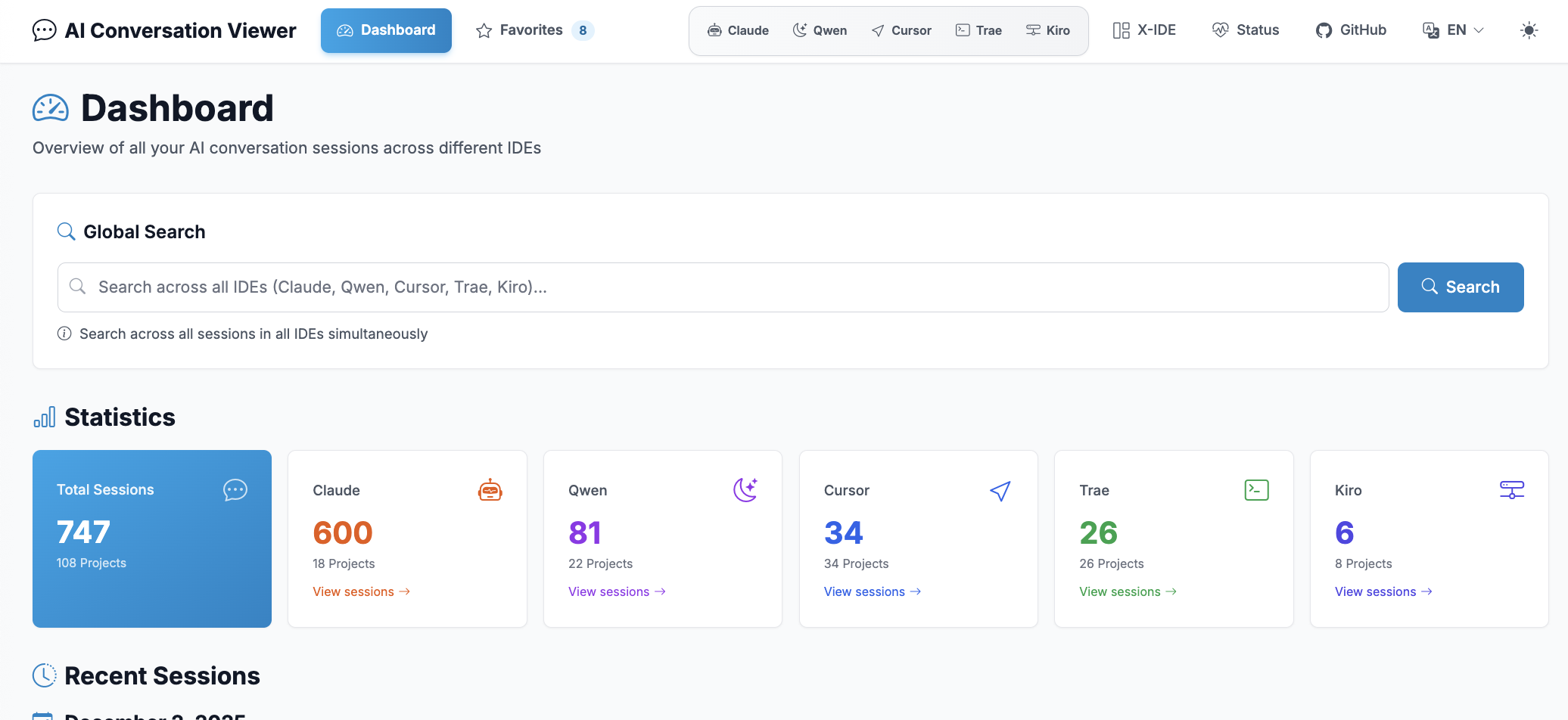
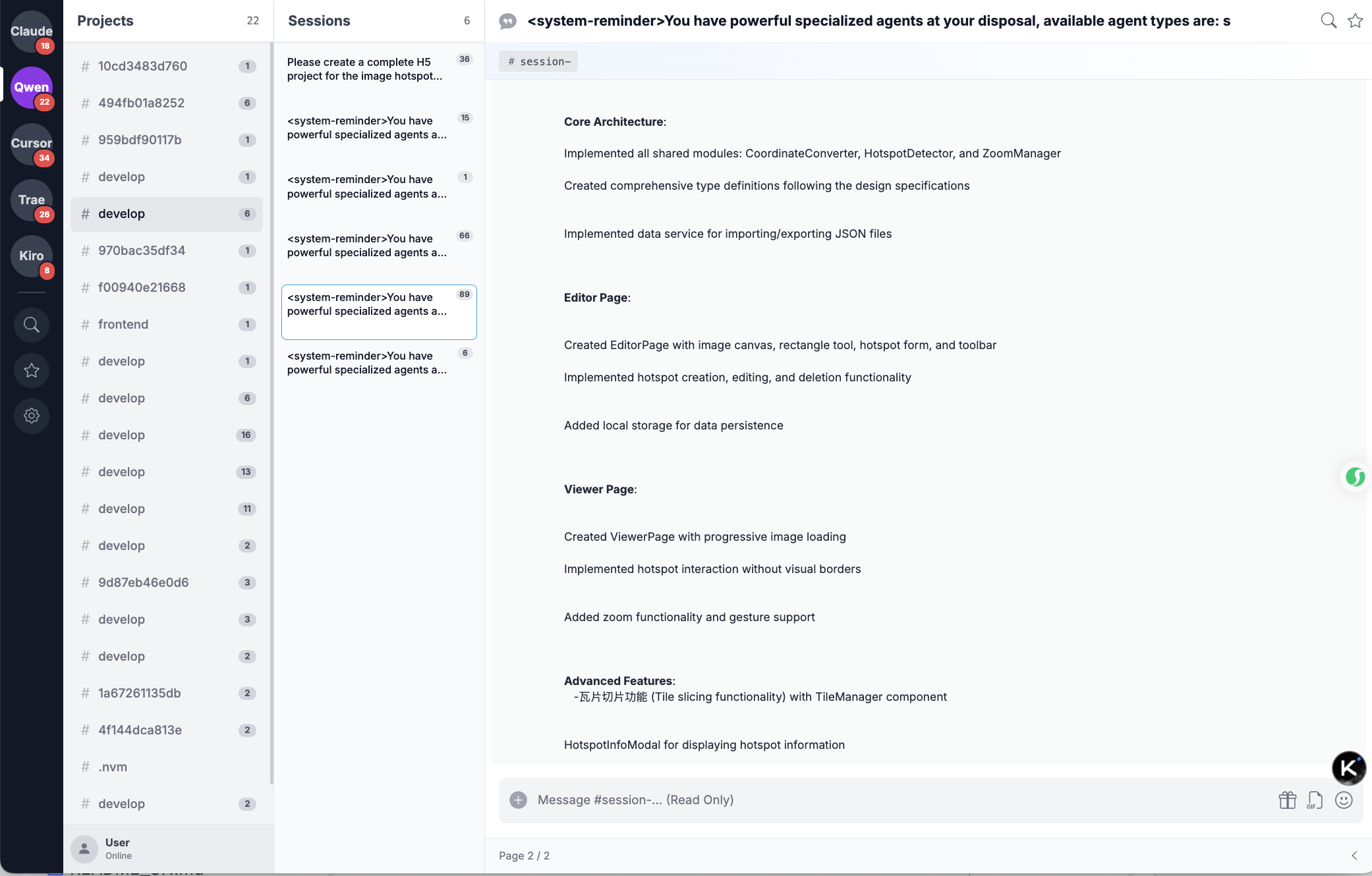
Browse and navigate across multiple AI platforms including Claude, Qwen, Cursor, Trae, and Kiro. Real-time viewing of conversation history from all supported IDEs with quick platform switcher.
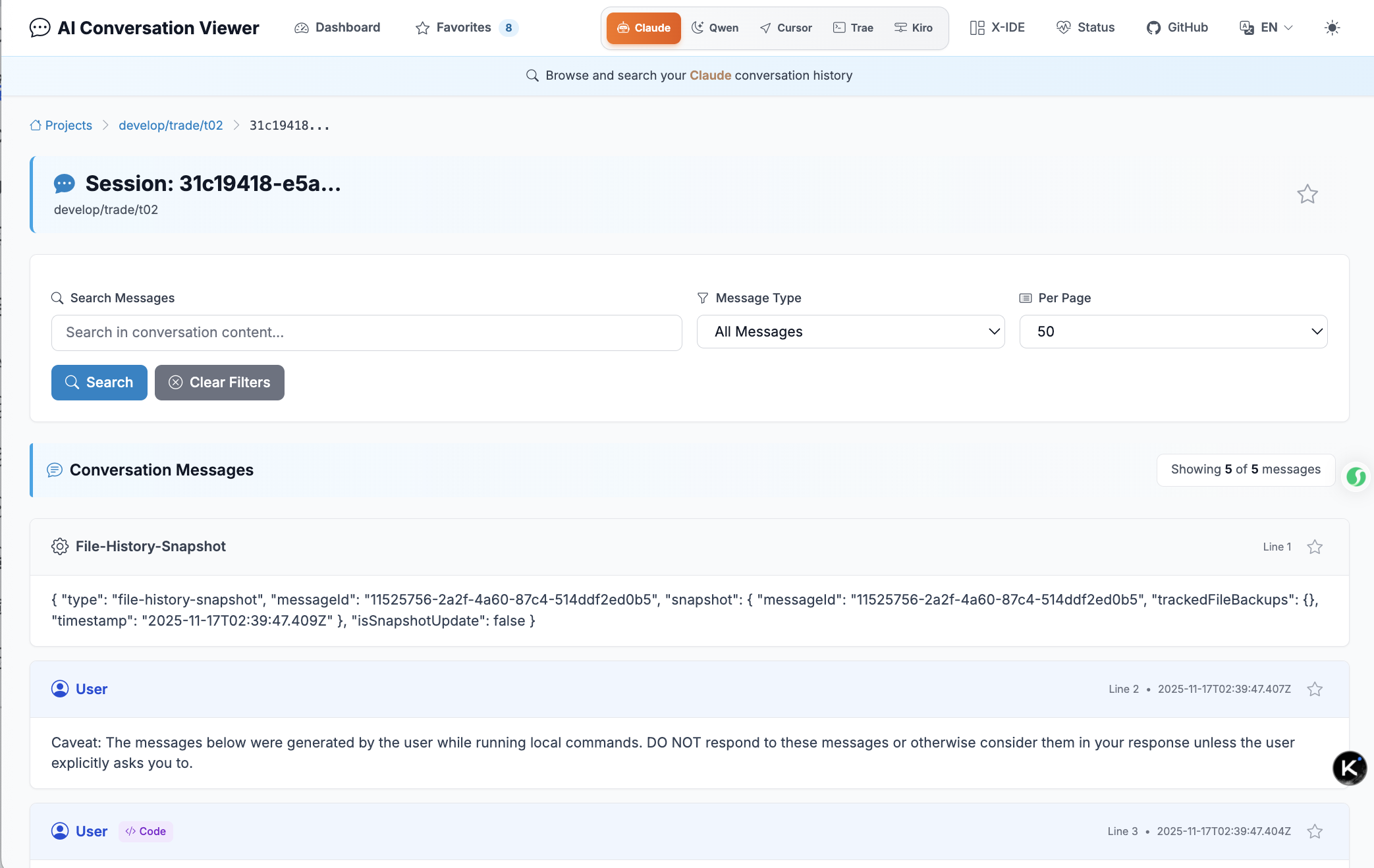
Real-time conversation viewing with syntax highlighting, markdown rendering, and tool use visualization. View detailed conversation history with proper formatting and code highlighting.
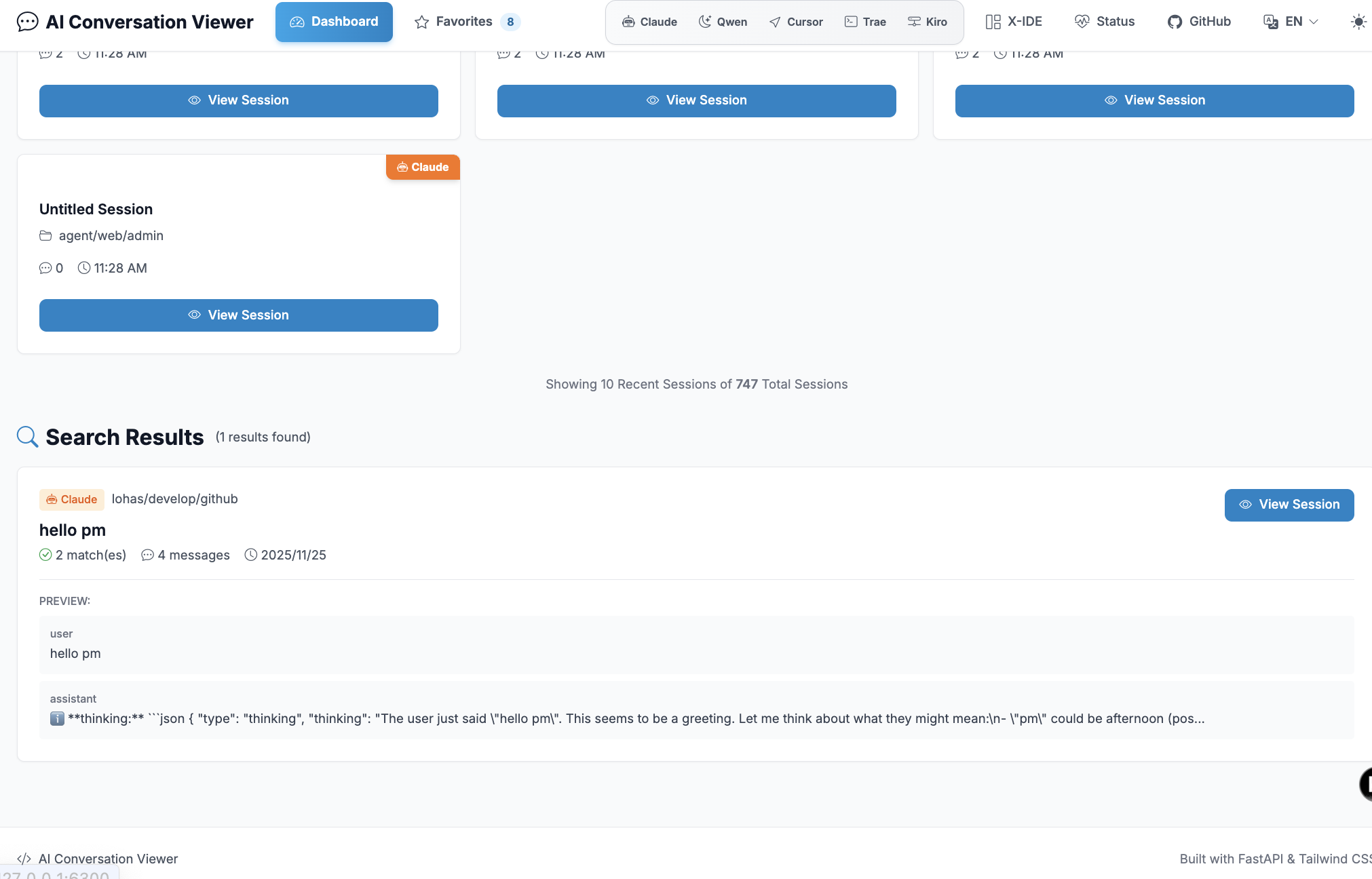
Powerful search functionality across all conversations and platforms. Search globally with instant results and quick navigation to any session.
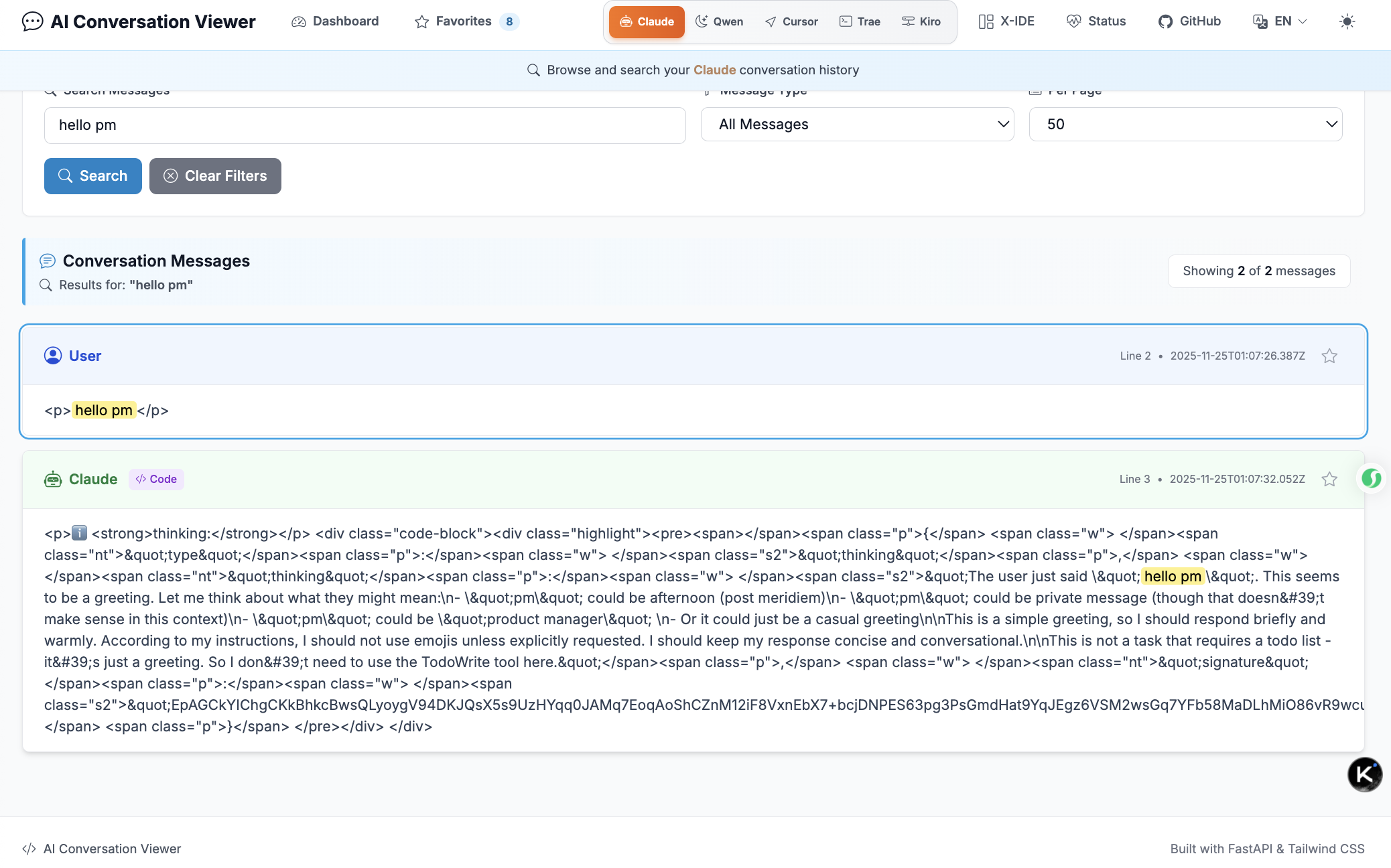
Detailed search results with context highlighting and preview. Navigate through search results efficiently with keyword highlighting.
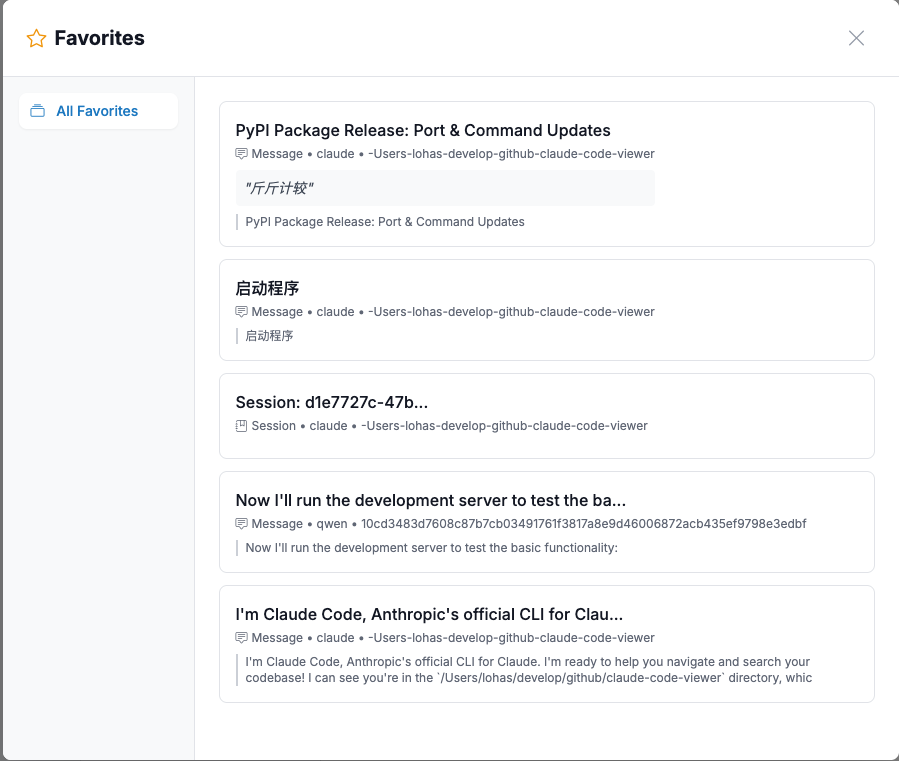
Save and manage your favorite conversations and messages. Organize with tags, add annotations, and filter by IDE platform or type.
Advanced X-IDE mode with powerful features for enhanced productivity. Experience the next level of AI conversation management.
aicode-viewer --help
Available options:
--projects-path - Path to Claude projects directory (default: ~/.claude/projects)--host - Host to bind the server (default: 127.0.0.1)--port - Port to run on (default: 6300)--version - Show version informationAI conversation platforms store conversation history in JSONL files. This tool:
~/.claude/projects/, Qwen: local storage)git clone https://github.com/lohasle/AI-Conversation-Viewer
cd AI-Conversation-Viewer
pip install -e .
aicode-viewer
uvicorn claude_viewer.main:app --reload --host 127.0.0.1 --port 6300
CLAUDE_PROJECTS_PATH — Claude project directoryQWEN_PROJECTS_PATH — Qwen storage directoryCURSOR_WORKSPACE_STORAGE_PATH — Cursor workspace storageTRAE_WORKSPACE_STORAGE_PATH — Trae workspace storageKIRO_WORKSPACE_STORAGE_PATH — Kiro workspace storageExample:
export CLAUDE_PROJECTS_PATH=~/.claude/projects
export QWEN_PROJECTS_PATH=~/.qwen/tmp
aicode-viewer --port 6300
python -m uvicorn claude_viewer.main:app --reload
claude-code-viewer/
├── claude_viewer/                 # Python package
│   ├── main.py                    # FastAPI application
│   ├── cli.py                     # Command line interface
│   ├── i18n.py                    # UI translations
│   ├── db/                        # Favorites SQLite (CRUD, tags, stats)
│   ├── utils/                     # Parsers and helpers (Claude/Qwen/etc.)
│   ├── templates/                 # Jinja2 templates (dashboard, project, conversation, favorites)
│   └── static/                    # Frontend assets (CSS/JS)
├── img/                           # Screenshots used in README
├── pyproject.toml                 # Packaging metadata (preferred)
├── setup.py                       # Legacy packaging metadata
├── MANIFEST.in                    # Package data inclusion rules
├── LICENSE                        # Apache 2.0 license
├── README.md / README_CN.md       # Documentation (English/Chinese)
├── QWEN.md                        # Qwen-specific notes
├── build_and_upload.sh            # Publishing helper script
└── .github/workflows/ci.yml       # CI pipeline
Contributions welcome! Please:
git checkout -b feature/amazing-feature)git commit -m 'Add amazing feature')git push origin feature/amazing-feature)git clone <your-fork>
cd claude-code-viewer
pip install -e ".[dev]"
Currently supports:
More platforms coming soon!
Make sure Claude Code has been used and has created conversation files. The default path is ~/.claude/projects.
Ensure you have used Claude Code and it has generated conversation history. Try specifying a custom path with --projects-path.
Use a different port: aicode-viewer --port 8080
Apache 2.0 License - see LICENSE file for details.
Made with ❤️ for the AI development community
Download counts and popularity will appear here as the collector receives them.
| Version | Published | Direct dependencies | Open version |
|---|---|---|---|
| 1.1.4 | 2 Dec 2025 | 8 |
This describes our collected data; it is not a security assessment.
Shared repository data · GitHub
Observed since 21 Oct, 10:13 UTC
No superseded metadata states collected. Unchanged observations do not create new revisions.
package:de28b8dc36dac75b5921f0a8675732be7f12b2ddcfb780077835bad8db3763bf