
 Repository
Current collected state Current
Observed since 21 Oct, 10:21 UTC
No superseded metadata states collected. Unchanged observations do not create new revisions.
AI Control Plane — a local web UI for browsing AI agent session logs and tool configurations (GitHub Copilot, Claude Code, VS Code Chat).

A local web UI for browsing GitHub Copilot, Claude Code, and VS Code Chat agent session logs and tool configurations — all in one place.


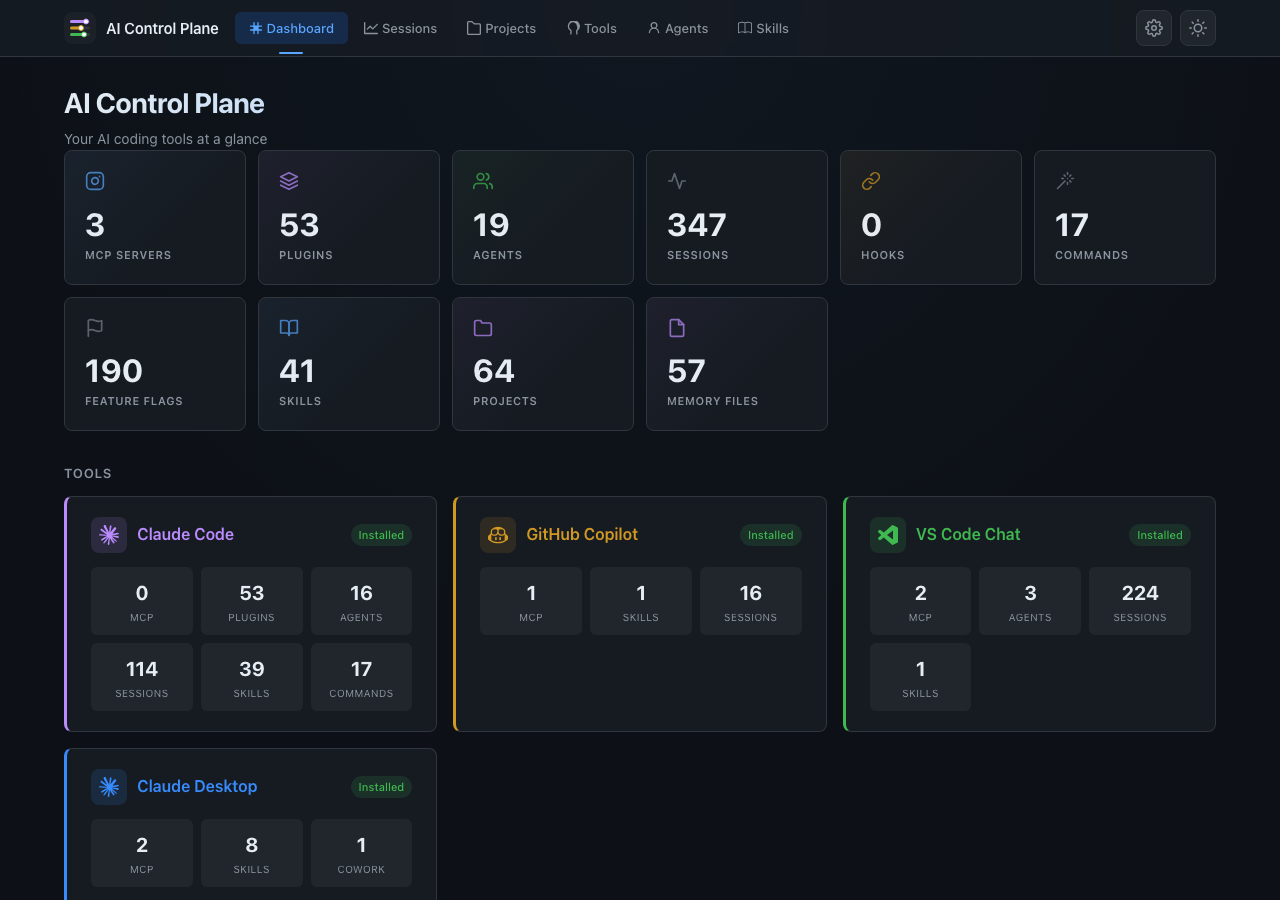
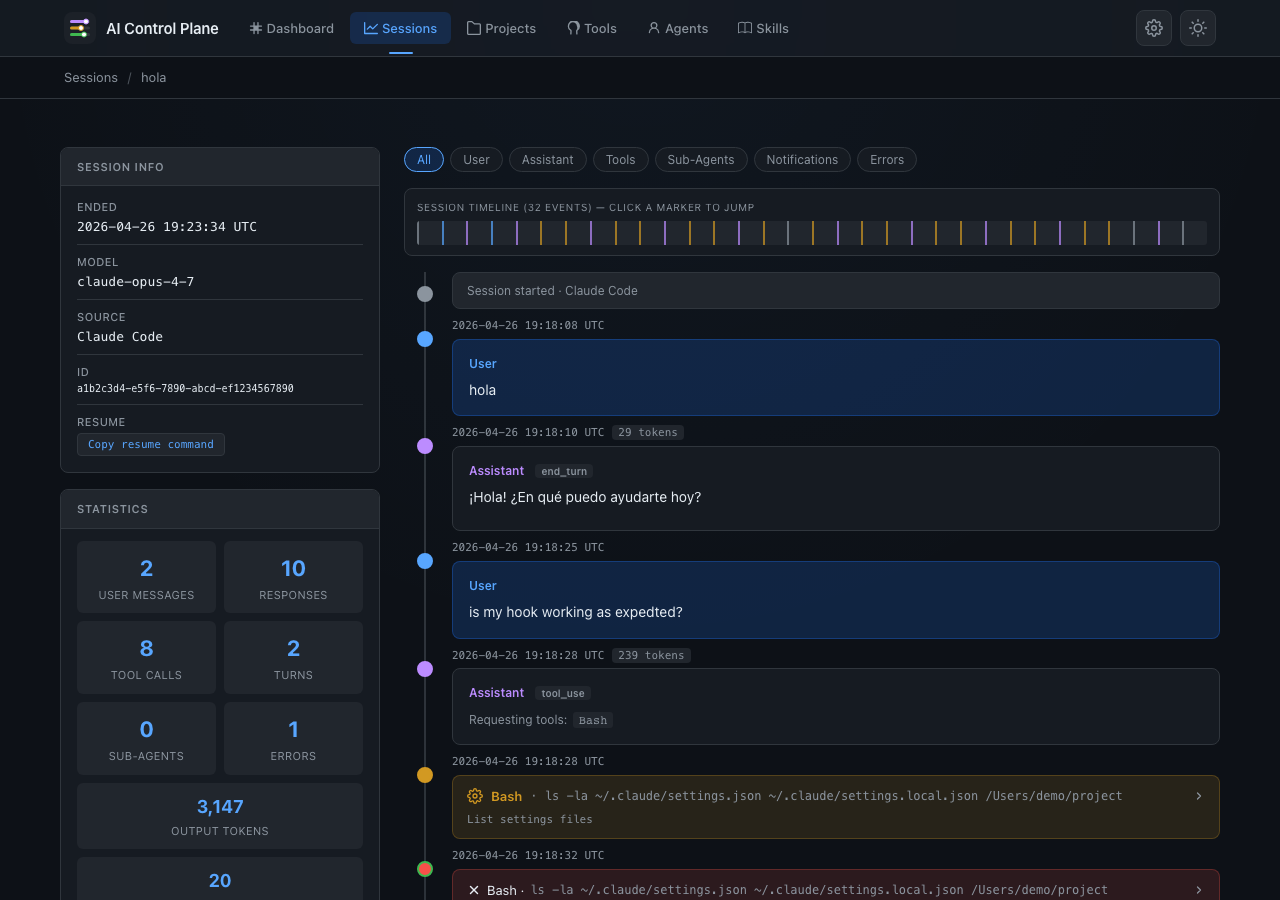
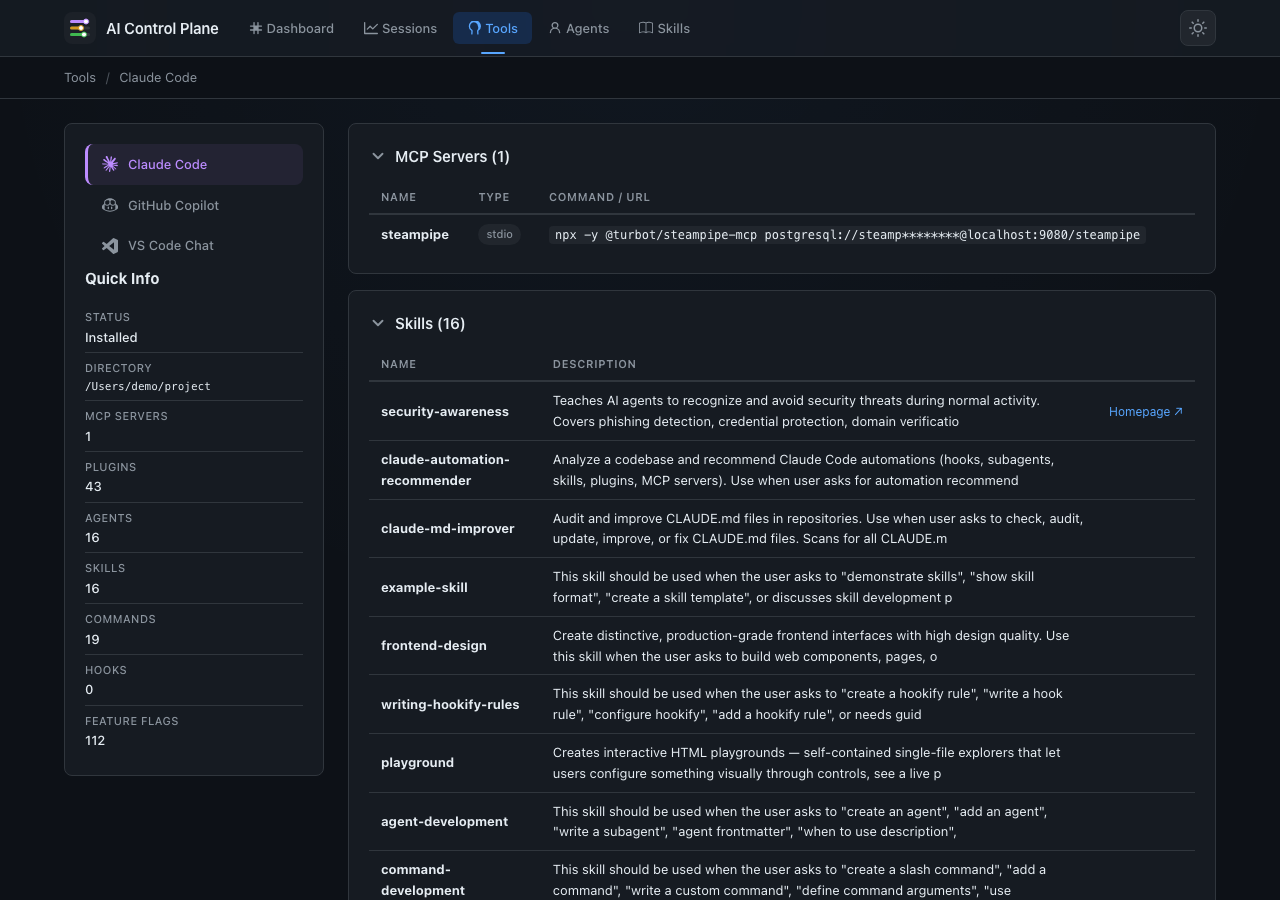
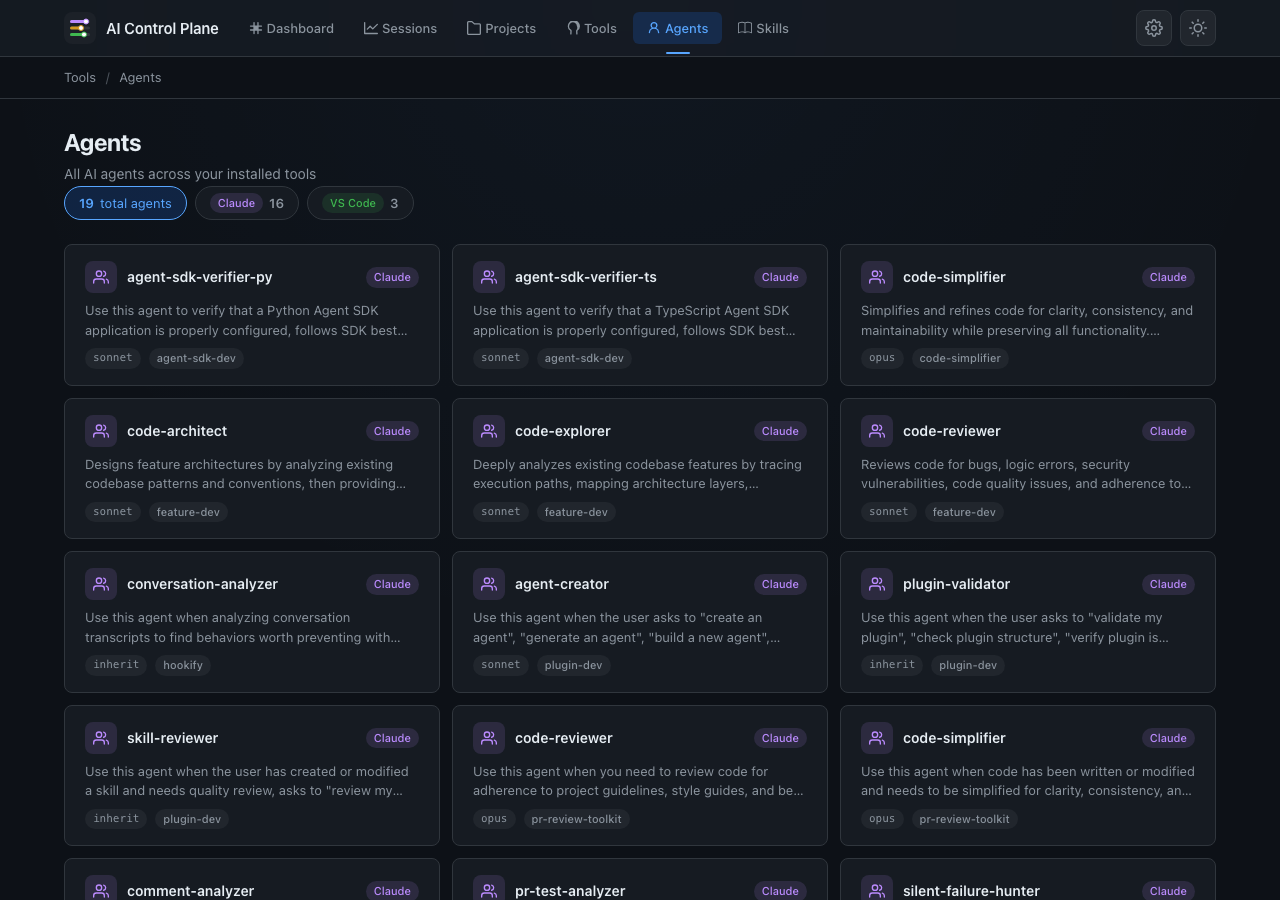
AI coding agents produce rich session logs and configuration files. This tool turns those raw files into a readable, interactive dashboard so you can review sessions (prompts, reasoning, tool calls, sub-agents, errors) and inspect tool configurations (MCP servers, plugins, agents, skills, slash commands, hooks, feature flags) — all in one place.
| Dashboard | Session Timeline |
|
|
| Tool Configuration | Agents |
|
|
yesterday, last week,
3 days ago, 2026-04-01) on top of the sessions list./init, /clear, …) as structured cards with
command-name, args, stdout, stderr fieldssubagents/ directory)claude -r <session_id> to the clipboard.migrations/ keep older
caches upgradable in place rather than wiped on every schema change./skills) — deduplicated list of all installed skills
across Claude Code, GitHub Copilot, and VS Code Chat, with source badges
showing which tools each skill is installed in./skills/<name>) — full rendered SKILL.md content
with metadata sidebar (author, version, license, tools, homepage).localStorage./api/sessions, /api/session/<id>/events,
/api/tools, and /api/tools/<tool>.git clone https://github.com/l-teles/ai-control-plane.git
cd ai-control-plane
pip install .
pip install ai-ctrl-plane
# Auto-detect default directories for all sources
ai-ctrl-plane

# Specify directories explicitly
ai-ctrl-plane --copilot-dir ~/.copilot/session-state/ --claude-dir ~/.claude/projects/ --vscode-dir "~/Library/Application Support/Code/User/"

# Or use the module directly
python -m ai_ctrl_plane
Then open http://127.0.0.1:5000 in your browser.
| Source | macOS / Linux default | Windows default | Override flag | Env variable |
|---|---|---|---|---|
| GitHub Copilot | ~/.copilot/session-state/ | %LOCALAPPDATA%\github-copilot\session-state | --copilot-dir | COPILOT_LOG_DIR |
| Claude Code | ~/.claude/projects/ | %LOCALAPPDATA%\claude\projects | --claude-dir | CLAUDE_LOG_DIR |
| VS Code Chat | ~/Library/Application Support/Code/User/ (macOS) / ~/.config/Code/User/ (Linux) | %APPDATA%\Code\User | --vscode-dir | VSCODE_LOG_DIR |
usage: ai-ctrl-plane [-h] [--copilot-dir DIR] [--claude-dir DIR]
                             [--vscode-dir DIR] [-p PORT] [--host HOST]
                          [--debug] [-V] [log_dir]

positional arguments:
  log_dir               Directory containing Copilot session log folders
                        (default: ~/.copilot/session-state/)

options:
  --copilot-dir DIR     Directory containing Copilot session log folders
                        (overrides positional arg)
  --claude-dir DIR      Directory containing Claude Code session logs
                        (default: ~/.claude/projects/)
  --vscode-dir DIR      Directory containing VS Code Chat session logs
                        (default: platform-dependent)
  -p, --port PORT       Port to listen on (default: 5000)
  --host HOST           Host to bind to (default: 127.0.0.1)
  --debug               Run in Flask debug mode (local development only)
  -V, --version         Show version and exit
~/.copilot/session-state/)session-state/
├── 4e71aaa0-f131-41fd-aeee-8bcaa5efb315/
│ ├── workspace.yaml # Session metadata
│ ├── events.jsonl # Conversation event stream
│ ├── checkpoints/
│ │ └── index.md
│ └── rewind-snapshots/
│ ├── index.json # Snapshot manifest
│ └── backups/ # File content snapshots
│ ├── ff627b50b0554488-1773312027139
│ └── ...
├── 8b3c9d7d-60f7-4e4c-a442-eb2ee7ee68e2/
│ └── ...
└── ...
~/.claude/projects/)projects/
├── -Users-you-project-alpha/
│ ├── a1b2c3d4-e5f6-7890-abcd-ef1234567890.jsonl
│ ├── d4c3b2a1-f6e5-0987-dcba-0987654321fe.jsonl
│ └── ...
├── -Users-you-project-beta/
│ └── ...
└── ...
Each .jsonl file is a single session containing user/assistant/system events
with tool calls, thinking blocks, and usage metadata.
~/Library/Application Support/Code/User/)User/
├── workspaceStorage/
│ ├── abc123hash/
│ │ ├── workspace.json # Maps to project folder
│ │ └── chatSessions/
│ │ ├── 88ca1adb-bf72-4478-9982-6886cb99785e.json
│ │ └── ...
│ └── ...
└── globalStorage/
└── emptyWindowChatSessions/
├── 3a9ae123-2cbe-4c1d-b5af-3d4cd1f0ad2e.jsonl
└── ...
Each .json file is a single chat session with user messages, assistant responses,
tool call rounds, and timing metadata.
# Install with dev dependencies
pip install -e ".[dev]"

# Lint
ruff check src/ tests/

# Test
pytest
127.0.0.1 by default; never expose to the public
internet without authentication.Path.relative_to() to stay within the configured log directory.<script>, <iframe>, etc.) and event handler attributes.X-Content-Type-Options, X-Frame-Options,
Referrer-Policy, and Content-Security-Policy are set on every response.--debug.Download counts and popularity will appear here as the collector receives them.
| Version | Published | Direct dependencies | Open version |
|---|---|---|---|
| 0.7.0 | 27 Apr 2026 | 8 |
This describes our collected data; it is not a security assessment.
Observed since 21 Oct, 10:21 UTC
No superseded metadata states collected. Unchanged observations do not create new revisions.
package:7396fb7e72c121d7c7d76bbd382be47aeb10553d6461ca27852ce2b958bc2f95