
 Repository
Current collected state Current
Observed since 21 Oct, 11:09 UTC
No superseded metadata states collected. Unchanged observations do not create new revisions.
Check usage limits for Claude Code and Antigravity CLI from terminal
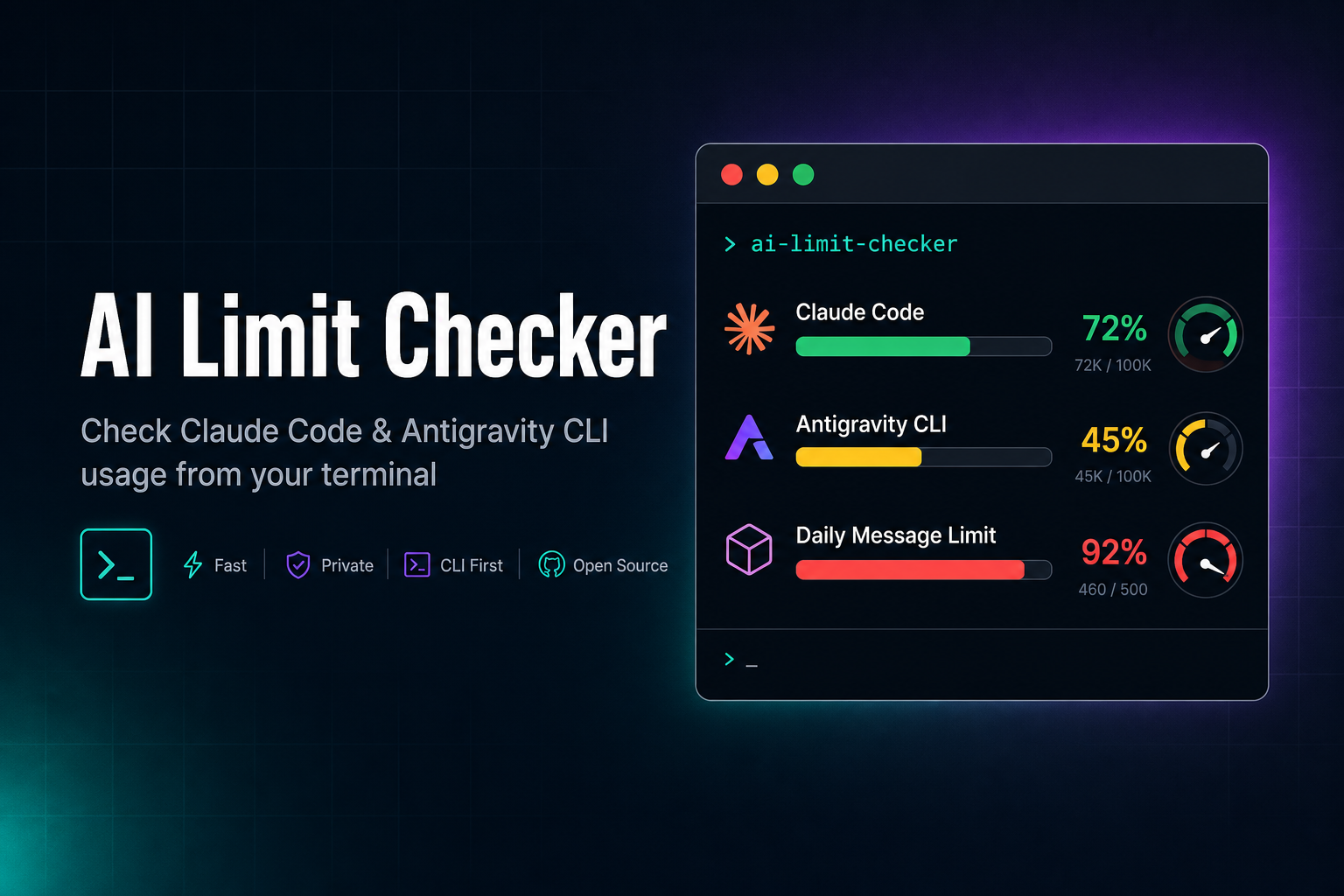
Check usage limits for Claude Code and Antigravity CLI from your terminal.




--historypip install ai-limit-checker
Requires Python 3.10+. No external dependencies.
# Show all limits (default)
aichecker

# JSON output for AI agents / scripts
aichecker --json

# Compact one-liner (great for shell prompts / tmux status bars)
aichecker --oneline

# Check only one tool
aichecker --claude
aichecker --antigravity

# Ignore the 60s cache (force fresh API call)
aichecker --no-cache
Two command names are available — aichecker and ailimits — both invoke the same entry point.
Watch mode polls usage every 5 minutes and automatically sends a ping to the CLI when a 5h limit window resets — triggering a fresh usage window so you can resume work immediately.
# Run continuously (polls every 5 min, pings on reset)
aichecker --watch

# Single check — perfect for cron jobs
aichecker --watch --once

# Customise poll interval and post-reset delay
aichecker --watch --interval 60 --delay 30

# Dry-run — log what would happen without calling the CLIs
aichecker --watch --once --dry-run
How it works:
resets_at timestamp and used_pctnow >= resets_at + delay (default 120s) and the window had usage > 0% before, a reset is detected"hi") is sent to claude -p or agy -p to trigger a new 5h usage window~/.cache/ai-limit-checker/watch_state.json across restartsThe 2-minute delay ensures the server has fully refreshed before triggering.
Deduplication: if both Gemini and Claude/GPT groups on Antigravity reset at the same time, only one ping is sent to
agy(they share the same 5h window on the same CLI).
For scheduled use, run a single check with --once:
# crontab — every 5 minutes
*/5 * * * * /usr/local/bin/aichecker --watch --once
The tool stays silent when no reset has occurred (empty stdout = nothing to report).
from ai_limit_checker.watch import watch_5h_resets

# Built-in: pings the CLI and prints to stdout on reset
watch_5h_resets(once=True)

# Custom callback — send to Discord, Telegram, Slack, etc.
# (the CLI ping still happens automatically; this is for extra notifications)
def on_reset(reset_labels: list[str]) -> None:
    msg = f"🔄 Limits reset: {', '.join(reset_labels)}"
    send_to_discord(msg)  # your notification function

watch_5h_resets(on_reset=on_reset, interval=300, delay=120, once=True)

# Dry-run mode — log without calling the CLIs (for testing)
watch_5h_resets(once=True, dry_run=True)
| Parameter | Type | Default | Description |
|---|---|---|---|
on_reset | Callable | None | None | Callback receiving a list of reset window labels. If None, prints to stdout. The CLI ping happens regardless. |
interval | int | 300 | Seconds between polls (when not --once). |
delay | int | 120 | Seconds to wait after resets_at before triggering. |
once | bool | False | Run a single check and exit (for cron/scheduled use). |
dry_run | bool | False | Log what would happen without calling the CLIs. |
aichecker --json
Returns structured JSON with all limits, remaining percentages, and reset timestamps. AI agents can parse this to plan task delegation based on remaining quota.
{
  "claude": {
    "status": "ok",
    "plan": "max",
    "five_hour": {
      "used_pct": 1.0,
      "remaining_pct": 99.0,
      "resets_at": "2026-06-29T16:31:00Z"
    },
    "seven_day": {
      "used_pct": 56.0,
      "remaining_pct": 44.0,
      "resets_at": "2026-07-02T05:00:00Z"
    }
  },
  "antigravity": {
    "status": "ok",
    "tier": "Google AI Ultra",
    "is_paid": true,
    "project_id": "my-project-12345",
    "groups": [
      {
        "name": "Gemini Models",
        "buckets": [
          {
            "window": "weekly",
            "label": "Weekly Limit",
            "used_pct": 0.0,
            "remaining_pct": 100.0,
            "remaining_fraction": 1.0,
            "resets_at": "2026-07-06T12:00:00Z"
          },
          {
            "window": "5h",
            "label": "Five Hour Limit",
            "used_pct": 0.0,
            "remaining_pct": 100.0,
            "remaining_fraction": 1.0,
            "resets_at": "2026-06-29T18:31:00Z"
          }
        ]
      },
      {
        "name": "Claude and GPT models",
        "buckets": [
          {
            "window": "weekly",
            "label": "Weekly Limit",
            "used_pct": 93.0,
            "remaining_pct": 7.0,
            "remaining_fraction": 0.07,
            "resets_at": "2026-07-02T12:00:00Z"
          },
          {
            "window": "5h",
            "label": "Five Hour Limit",
            "used_pct": 95.0,
            "remaining_pct": 5.0,
            "remaining_fraction": 0.05,
            "resets_at": "2026-06-29T12:50:00Z"
          }
        ]
      }
    ],
    "highest_used_pct": 95.0
  }
}
aichecker --recommend shows a recommendation based on multi-factor scoring to help you choose which provider to use next.
The 0-100 composite score is calculated using four weighted factors:
Severity (35%) — Safe (100), Warning (50), Critical (15), Exhausted (0), Unknown (0)Headroom (30%) — Lowest remaining percentage across all limit windowsReset Proximity (20%) — How soon the worst window resets (imminent resets score higher to encourage waiting/resuming soon)Burn Rate (15%) — Real-time velocity from usage history (slower usage scores higher)Each provider gets a 0-100 score; a difference > 10 determines a clear winner, while a difference < 10 suggests that either is fine to use.
By default, the Claude and GPT models group on Antigravity is excluded from analysis (since users usually have a separate direct Claude Code subscription). You can configure exclusions using exclude_groups in the programmatic API or MCP server.
aichecker --recommend
🎯 Recommendation: Switch to Antigravity

  Claude Code: ⚠️ warning (79.0% used, 5h bottleneck, resets in 2h 15m) — score: 52
      5h: ⚠️ warning (79.0% used, resets in 2h 15m)
      7d: ✅ safe (50.0% used, resets in 2d 9h)
  Antigravity: ✅ safe (7.5% used, Gemini weekly bottleneck, resets in 2d 14h) — score: 88
      Gemini Weekly Limit: ✅ safe (7.5% used, resets in 2d 14h)
      Gemini Five Hour Limit: ✅ safe (0.0% used, resets in 4h 59m)

Reason: Antigravity scores higher (88 vs 52). Claude is 36 points lower.
The recommendation is based on a score difference threshold: when scores are within 10 points it returns either, otherwise it suggests the clear winner. If both are exhausted or unavailable, it returns none. Add --json for the structured form (which contains a detailed score_breakdown).
aichecker --history shows usage snapshots over time to help you spot trends. Every aichecker run (and every --burn-rate call) appends a usage snapshot to a rolling per-window history stored at ~/.cache/ai-limit-checker/burn_rate.json (last 50 samples per window).
# Show all windows
aichecker --history

# Filter history to a specific window
aichecker --history --window claude_five_hour

# Filter history by time (also accepts 30m, 2d, or a raw unix timestamp)
aichecker --history --since 1h

# Clear usage history (optionally scoped with --window)
aichecker --history --clear
Claude 5h  (3 samples)
  2026-06-29 12:00  45.0% used
  2026-06-29 12:30  52.0% used  (+7.0)
  2026-06-29 13:00  58.0% used  (+6.0)
The value in parentheses is the change from the previous sample. History needs a few runs to build up — a single run records one sample per window. Add --json for the raw snapshot arrays.
🔍 AI CLI Usage Checker
2026-06-29 12:00:00

════════════════════════════════════════
  Claude Code (Max Plan)
════════════════════════════════════════
  ✅ Connected
  5h Window:  1.0% used (99.0% left) → resets in 4h 56m
  7d Window:  56.0% used (44.0% left) → resets in 2d 17h

════════════════════════════════════════
  Antigravity CLI
════════════════════════════════════════
  ✅ Connected
  Tier: Google AI Ultra
  Project: my-project-12345

  Gemini Models
    Weekly Limit:       0.0% used → resets in 6d 23h
    Five Hour Limit:    0.0% used → resets in 4h 59m

  Claude and GPT models
    Weekly Limit:      93.0% used → resets in 2d 20h
    Five Hour Limit:   95.0% used → resets in 19m
One-liner mode (--oneline):
Claude: 1.0% (5h) ✅ | 56.0% (7d) ✅ | Antigravity: 95.0% used 🔴
Status icons are based on % used: ✅ under 70%, ⚠️ 70–90%, 🔴 90–100%, ❌ at/over 100% or on error.
The package ships a zero-dependency MCP server (JSON-RPC over stdio), so AI agents (Claude Code, Hermes, etc.) can query usage directly instead of shelling out:
aichecker --mcp
It exposes four tools:
| Tool | Purpose |
|---|---|
get_limits | current usage data |
get_burn_rate | burn rate analysis |
get_history | usage history timeseries |
get_recommendation | provider recommendation with multi-factor scoring |
The library query flow integrates automatic token refresh to ensure checks never fail on expired credentials.
~/.claude/.credentials.json (Windows/Linux) or macOS KeychainIf a live API call fails (e.g. HTTP 429 from the OAuth refresh endpoint being rate-limited), the tool falls back to the most recent cached result instead of returning an error. This is critical for cron jobs and monitoring scripts: when Anthropic rate-limits token refresh requests, repeated cron calls won't hammer the endpoint further — they'll serve the last known-good usage data until the rate limit clears. The cache is never overwritten with error data.
gemini:antigravity) or ~/.gemini/oauth_creds.jsondaily-cloudcode-pa.googleapis.com — the same endpoint the Antigravity desktop app usesloadCodeAssist, then per-model-group quota bucketsWhy
daily-prefix? The base endpointcloudcode-pa.googleapis.comalways returnsremainingFraction: 1(100% remaining) regardless of actual usage. Thedaily-prefixed host returns real-time usage data that matches the desktop app's "Weekly Limit" / "Five Hour Limit" readouts.
Usage is reported as % used, matching the Antigravity desktop app. Models are grouped (Gemini vs. Claude/GPT); within a group the weekly and five-hour windows are shared.
Tier note: loadCodeAssist returns two tiers. currentTier is the Cloud Code Assist API tier — always free-tier for consumer (non-GCP) accounts, regardless of any Google One AI subscription. paidTier carries the real subscription (e.g. Google AI Ultra) and only appears when one exists, so the tool prefers it. The raw API tier is still available as api_tier_id in --json output. Accounts with no Google One AI plan correctly show Antigravity (free-tier).
Why "Gemini Models" can sit at 0.0%: on a Google AI Ultra account the Gemini group is effectively unmetered — the server reports remainingFraction of exactly 1 no matter how much you use Gemini (verified against a run that consumed millions of Gemini tokens). Only the third-party group (Claude and GPT) is metered and moves. So a Gemini group stuck at 0.0% used after heavy Antigravity use is expected, not a bug. Genuinely tiny usage (under 0.1%) is shown as <0.1% used to distinguish it from an untouched 0.0% limit, and the raw remaining_fraction (0–1, full precision) is included per bucket in --json output.
To prevent authentication errors (such as HTTP 401 Unauthorized), the library handles OAuth token renewal automatically for both tools:
expiresAt timestamp (stored in milliseconds) is within 1 minute of expiring, a fresh access token is retrieved using the refresh token before making the usage API call.expiry_epoch in the credentials and automatically retrieves a fresh access token if it is expired or close to expiration.loadCodeAssist or retrieveUserQuotaSummary) returns an HTTP 401 error, the library will refresh the access token using the refresh token and retry the sequence once.agy binary at runtime (or retrieved from env vars) to perform the refresh.| Tool | Metrics |
|---|---|
| Claude Code | 5h window, 7d window, Sonnet/Opus breakdown |
| Antigravity CLI | Per-group weekly + five-hour limits, % used, reset time |
All functions are importable from ai_limit_checker:
from ai_limit_checker import check_claude, check_antigravity

# Check Claude Code usage
claude_result = check_claude()
print(claude_result["five_hour"]["used_pct"])

# Check Antigravity usage
agy_result = check_antigravity()
for group in agy_result.get("groups", []):
    print(group["name"])
    for bucket in group["buckets"]:
        print(f"  {bucket['label']}: {bucket['used_pct']}% used")
from ai_limit_checker.cli import gather, format_json, format_oneline

# Gather both tools at once (with 60s caching)
result = gather(do_claude=True, do_antigravity=True)
print(format_json(result))
aichecker [OPTIONS]

Options:
  --json              Output structured JSON
  --oneline           Output a compact one-liner
  --claude            Check only Claude Code
  --antigravity       Check only Antigravity CLI
  --no-cache          Ignore the 60s result cache
  --watch             Watch mode: poll and ping CLI on 5h limit reset
  --once              Watch mode: single check (for cron)
  --interval SECONDS  Watch mode: poll interval (default 300)
  --delay SECONDS     Watch mode: delay after reset before triggering (default 120)
  --dry-run           Watch mode: log without calling the CLIs
  --burn-rate         Show usage velocity and estimated time to each limit
  --history            Show usage history (timeseries)
  --window WINDOW      Filter history to a specific window
  --since DURATION     Filter history (e.g. 1h, 30m, 2d)
  --clear              Clear usage history
  --recommend          Show provider recommendation
  --mcp               Start as an MCP server (JSON-RPC over stdio)
  --version           Show version
  -h, --help          Show help
git clone https://github.com/peetwan/ai-limit-checker.git
cd ai-limit-checker

# Install in editable mode with test dependencies
pip install -e ".[test]"
# or: pip install -e . && pip install pytest ruff

# Run tests
pytest

# Lint
ruff check src/ tests/

# Run locally
python -m ai_limit_checker --json
The test suite uses pytest with 186 tests covering:
pytest          # run all tests
pytest -q       # quiet mode
pytest -k watch # run only watch-mode tests
MIT © Peet Chanut
Download counts and popularity will appear here as the collector receives them.
| Version | Published | Direct dependencies | Open version |
|---|---|---|---|
| 0.11.0 | 30 Jun 2026 | 2 |
This describes our collected data; it is not a security assessment.
Observed since 21 Oct, 11:09 UTC
No superseded metadata states collected. Unchanged observations do not create new revisions.
package:c2ce35f1cadbf10554677374fec61fff50263ed12995361553eaf12d387e94ae