
 Repository
Current collected state Current
Observed since 21 Oct, 10:13 UTC
No superseded metadata states collected. Unchanged observations do not create new revisions.
A smart GUI to select, filter, and concatenate code files for large language model (LLM) and AI analysis.
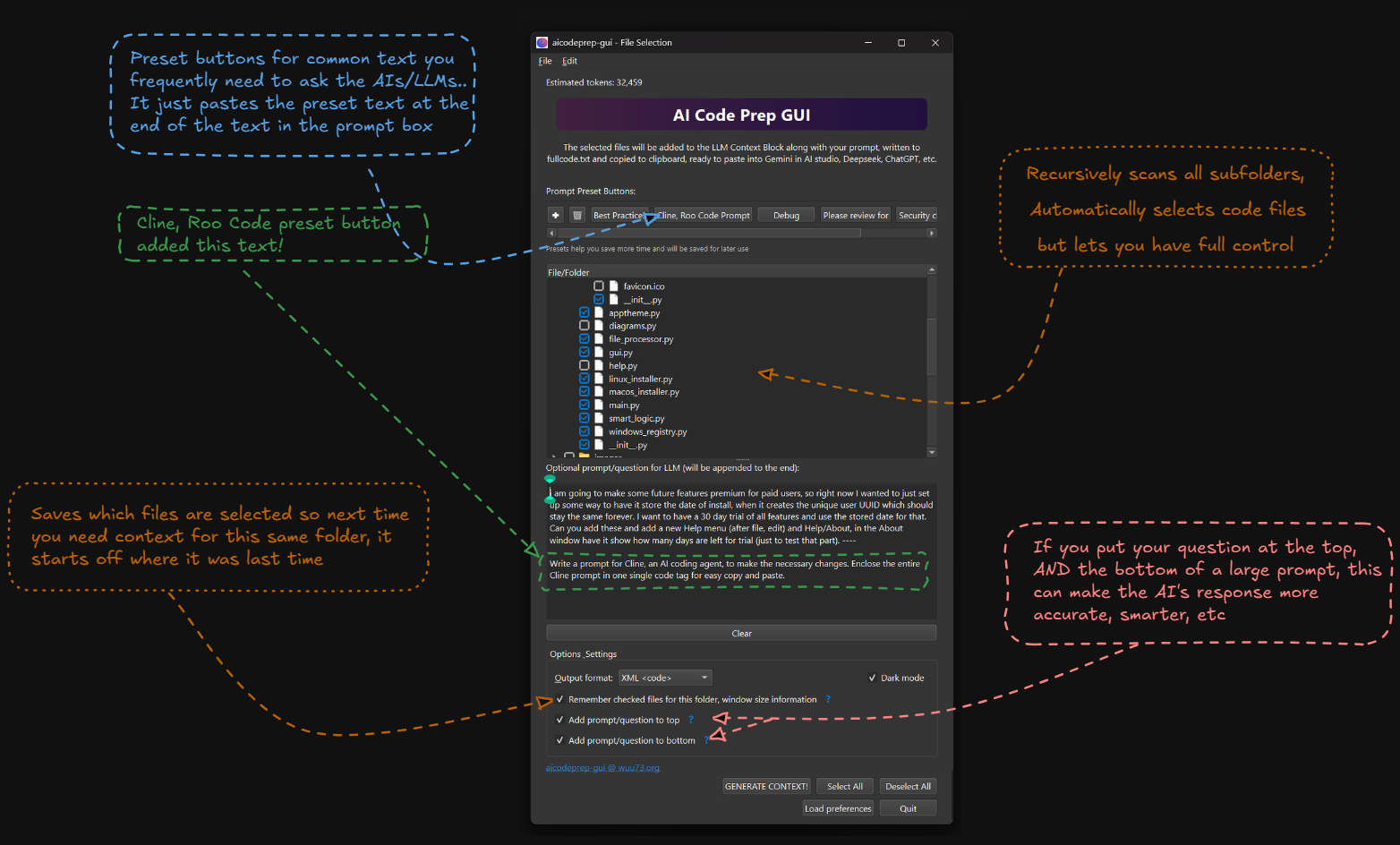
AICodePrep GUI turns selected project files into one clean context block you can paste into an AI chat.
It solves a simple annoyance: when a bug or design question spans many files, copying those files into ChatGPT, Claude, Gemini, OpenRouter, or another chat by hand is slow. AICodePrep scans the folder, lets you choose the files, generates one organized bundle, copies it to your clipboard, and saves it as .aicp/context_block.md.


See Documentation (major updates to docs)
The usual install command is:
uv tool install aicodeprep-gui
pipx also works:
pipx install aicodeprep-gui
(just make sure you choose one install method and stick to it)
The package supports Python 3.9 through 3.13.
If you are looking for the lazy method where you don't need to worry about python versions, this script should work (it shows you a menu before it does anything, where you can select aicodeprep-gui) Get computer ready for vibe coding
Open the current folder:
aicp
Open another folder:
aicp path/to/project
The longer command also works:
aicodeprep-gui
aicp or the right-click folder integration.The generated file is also saved here:
.aicp/context_block.md
Recent builds can use a bundled Rust worker for faster folder scanning and context generation. If the worker is unavailable for any reason, the app falls back to the Python implementation.
When launched from a terminal, the app logs whether it used Rust acceleration or Python fallback.
The app can install file explorer integration from its menu.
This is optional, but it makes the app feel more like a normal desktop tool: right-click a folder, open AICodePrep, generate context.
You can customize scanning with an aicodeprep-gui.toml file in your project root.
Example:
max_file_size = 2000000

code_extensions = [".py", ".js", ".ts", ".html", ".css", ".rs"]

exclude_patterns = [
    "build/",
    "dist/",
    "*.log",
    "node_modules/",
    ".venv/"
]

default_include_patterns = [
    "README.md",
    "main.py",
    "src/**/*.py"
]
# Run in the current directory
aicp

# Run in a specific directory
aicp /path/to/project

# Generate context without opening the GUI
aicp --skipui

# See all options
aicp --help
The MkDocs documentation is in docs/.
Build it locally with:
uv run --with-requirements requirements-docs.txt mkdocs build --strict
Serve it locally with:
uv run --with-requirements requirements-docs.txt mkdocs serve
See Documentation (major updates to docs)
The free app covers the main workflow: select files, generate context, copy to clipboard, and paste into AI chats.
Pro features are optional extras for heavier use, such as dual prompt placement, syntax highlighting in the preview window, and additional workflow tools.
Bug reports, feature requests, and pull requests are welcome.
GitHub: https://github.com/detroittommy879/aicodeprep-gui
If the app saves you time, Pro activation and sponsorships help keep development going.
Website: https://wuu73.org/hello.html
This software uses the Sustainable License.
See SUSTAINABLE-LICENSE.
Download counts and popularity will appear here as the collector receives them.
| Version | Published | Direct dependencies | Open version |
|---|---|---|---|
| 1.5.1 | 16 Jun 2026 | 9 |
This describes our collected data; it is not a security assessment.
Shared repository data · GitHub
Observed since 21 Oct, 10:13 UTC
No superseded metadata states collected. Unchanged observations do not create new revisions.
package:c2c42c45fa93b41c639dbe698c335f2d03f5ef49e76a353a5e6c96f72e421cd5