
Current collected state Current
Observed since 21 Oct, 11:47 UTC
No superseded metadata states collected. Unchanged observations do not create new revisions.
aiocv Is A Python Library Used To Track Hands, Track Pose, Detect Face, Detect Contours (Shapes), Detect Cars, Detect Number Plate, Detect Smile, Detect Eyes, Control Volume Using Gesture, Read QR Codes And Create Face Mesh On Image/Video.
aiocv Is A Python Library Used To Track Hands, Track Pose, Detect Face, Detect Contours (Shapes), Detect Cars, Detect Number Plate, Detect Smile, Detect Eyes, Control Volume Using Gesture, Read QR Codes And Create Face Mesh On Image/Video.
Use the package manager pip to install aiocv.
pip install aiocv
import aiocv
import cv2
img = cv2.imread("hands.png")
# Make An Object
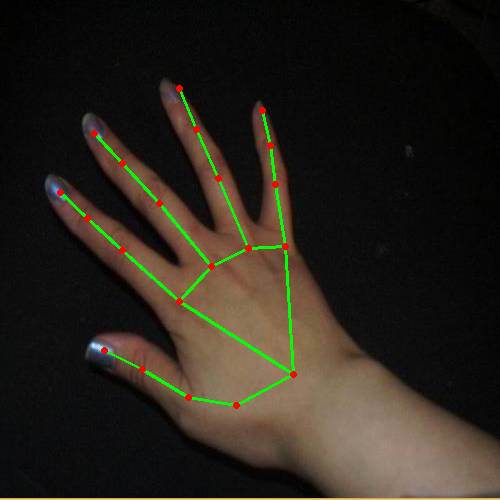
hands = aiocv.HandTrack()
# Use findHands() Method To Track Hands On Image/Video
hands.findHands(img,draw=True)
cv2.imshow("Image",img)
cv2.waitKey(0)
findHands(self,img=None,draw=True)
import aiocv
import cv2
img = cv2.imread("man.png")
# Make An Object
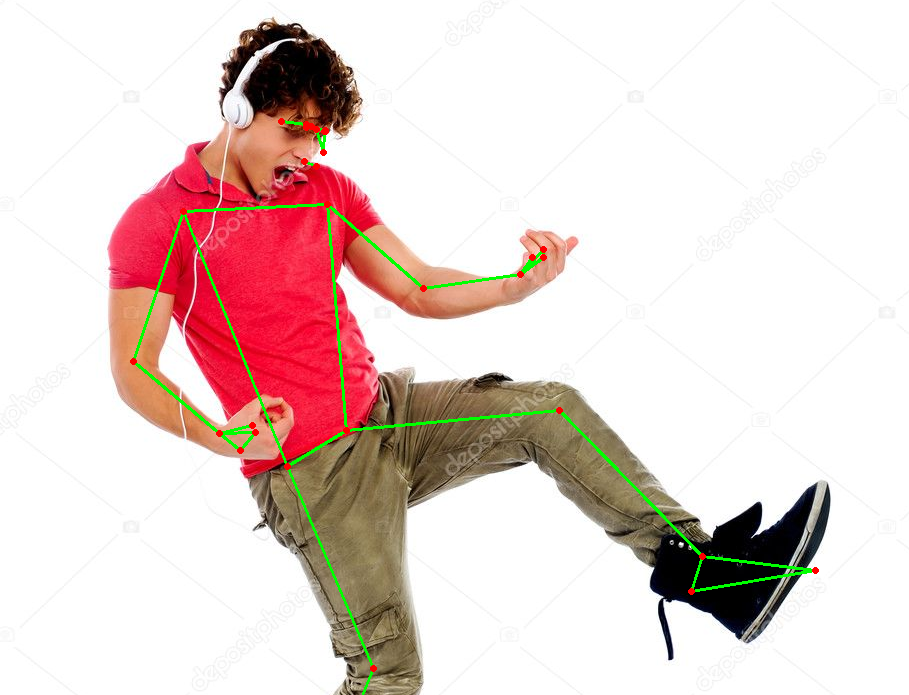
pose = aiocv.PoseDetector()
# Use findPose() Method To Detect Pose On Image/Video
pose.findPose(img,draw=True)
cv2.imshow("Image",img)
cv2.waitKey(0)
findPose(self,img=None,draw=True)
import aiocv
import cv2
img = cv2.imread("elon_musk.png")
# Make An Object
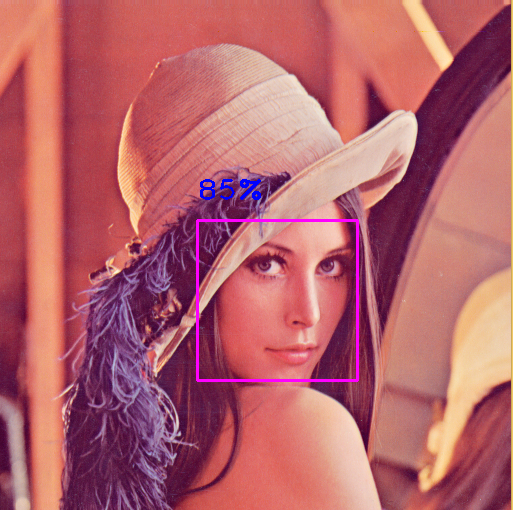
face = aiocv.FaceDetector()
# Use findFace() Method To Detect Face On Image/Video
face.findFace(img,draw=True)
cv2.imshow("Image",img)
cv2.waitKey(0)
findFace(self,img=None,draw=True)
import aiocv
import cv2
img = cv2.imread("elon_musk.png")
# Make An Object
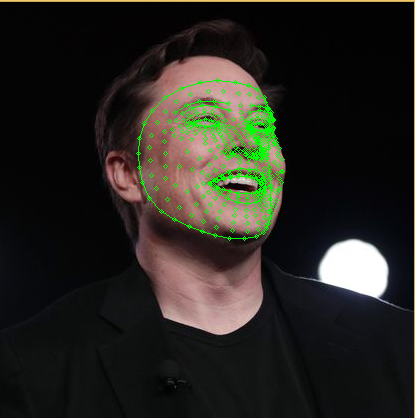
mesh = aiocv.FaceMesh()
# Use findFaceMesh() Method To Detect Face And Draw Mesh On Image/Video
mesh.findFaceMesh(img,draw=True)
cv2.imshow("Image",img)
cv2.waitKey(0)
findFaceMesh(self,img=None,draw=True)
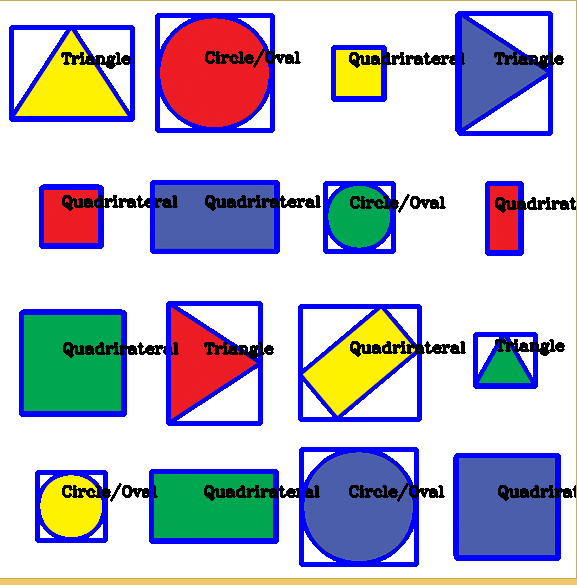
import aiocv
import cv2
img = cv2.imread("shapes.png")
# Make An Object
shape = aiocv.ContourDetector(img)
# Use findContours() Method To Detect Shapes On Image/Video
shape.findContours(img,draw=True)
cv2.imshow("Image",img)
cv2.waitKey(0)
import aiocv
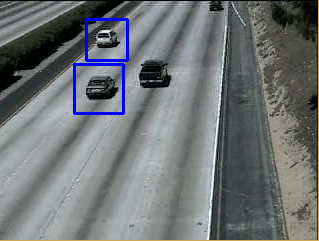
import cv2
img = cv2.imread("car.png")
# Make An Object
car = aiocv.CarDetector(img)
# Use findCars() Method To Detect Cars On Image/Video
car.findCars()
cv2.imshow("Image",img)
cv2.waitKey(0)
findCars(self,color=(255,0,0),thickness=2)
import aiocv
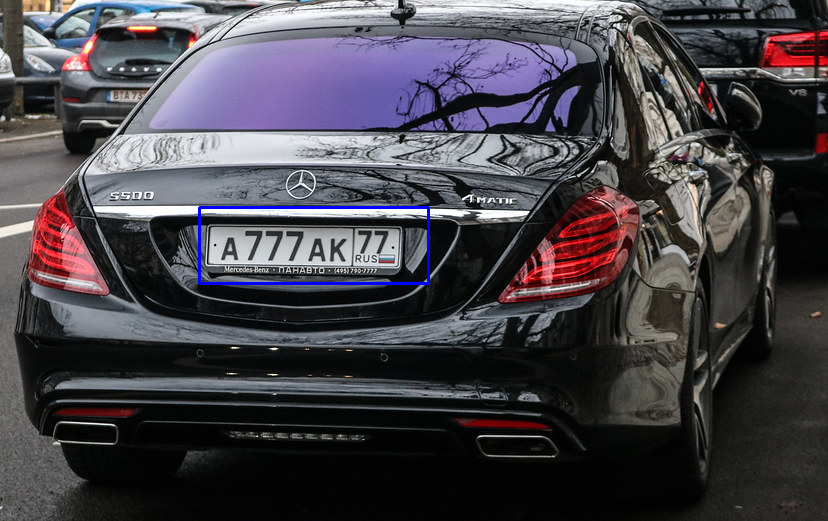
import cv2
img = cv2.imread("car.png")
# Make An Object
car = aiocv.NumberPlateDetector(img)
# Use findNumberPlate() Method To Detect Number Plate On Image/Video
car.findNumberPlate()
cv2.imshow("Image",img)
cv2.waitKey(0)
findNumberPlate(self,color=(255,0,0),thickness=2)
import aiocv
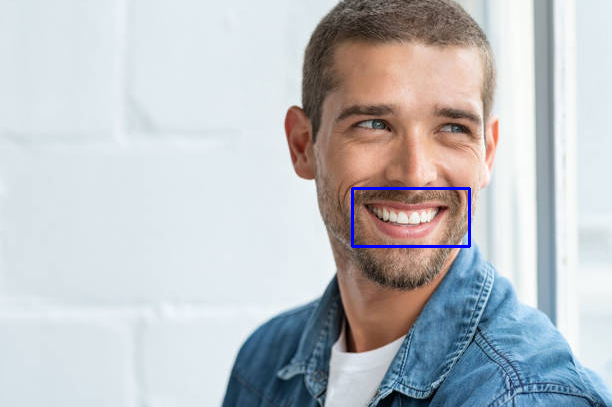
import cv2
img = cv2.imread("person.png")
# Make An Object
smile = aiocv.SmileDetector(img)
# Use findSmile() Method To Detect Smile On Image/Video
smile.findSmile()
cv2.imshow("Image",img)
cv2.waitKey(0)
findSmile(self,color=(255,0,0),thickness=2)
import aiocv
import cv2
img = cv2.imread("person.png")
# Make An Object
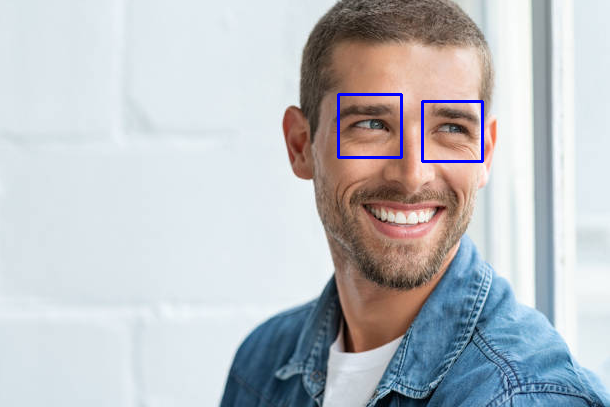
eyes = aiocv.EyesDetector(img)
# Use findEyes() Method To Detect Eyes On Image/Video
eyes.findEyes()
cv2.imshow("Image",img)
cv2.waitKey(0)
findEyes(self,color=(255,0,0),thickness=2)
import aiocv
# Make An Object
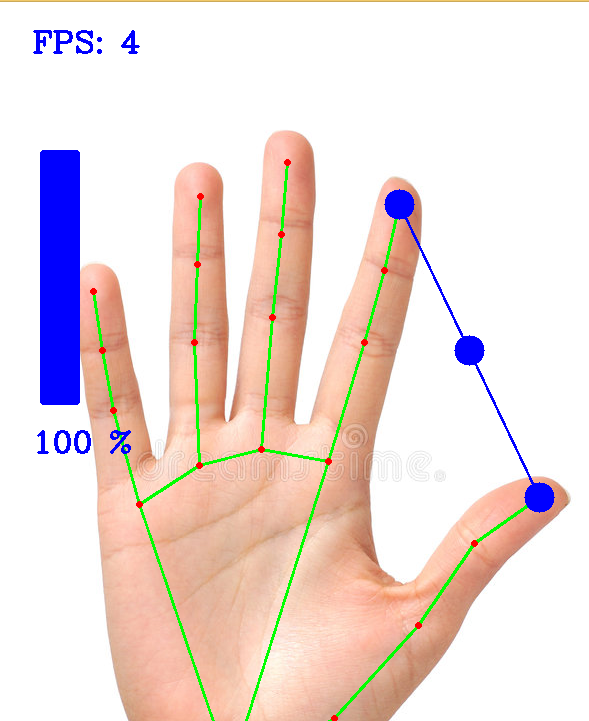
gvc = aiocv.GestureVolumeControl()
# Use controlVolume() Method To Control Volume
gvc.controlVolume()
controlVolume(self,color=(255,0,0),thickness=2)
gvc = aiocv.GestureVolumeControl(webcamIndex = 0)
# If You Want To Control From Other Camera, Set The webcamIndex Accordingly.
import aiocv
import cv2
img = cv2.imread("qr.png")
# Make An Object
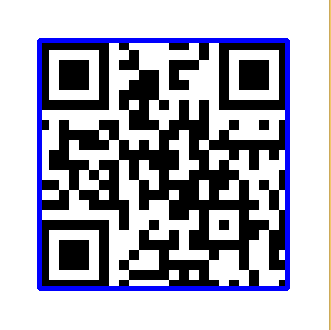
qr = aiocv.QRCodeReader(img)
# Use findQRCode() Method To Detect QR Code On Image/Video
text=qr.findQRCode()
cv2.imshow("Image",img)
cv2.waitKey(0)
findQRCode(self,color=(255,0,0),thickness=3)
print(text)
Pull Requests Are Welcome. For Major Changes, Please Open An Issue First To Discuss What You Would Like To Change.
Please Make Sure To Update Tests As Appropriate.
Download counts and popularity will appear here as the collector receives them.
| Version | Published | Direct dependencies | Open version |
|---|---|---|---|
| 0.0.36 | 11 Aug 2022 | 7 |
This describes our collected data; it is not a security assessment.
Observed since 21 Oct, 11:47 UTC
No superseded metadata states collected. Unchanged observations do not create new revisions.
package:1c2628e0eb33bc4ff87aa72af6a4c0a1a4a167b84c8c520b92a0922c94d45919