
Current collected state Current
Observed since 20 Oct, 20:18 UTC
No superseded metadata states collected. Unchanged observations do not create new revisions.
4snap
#### Discover, Share, & Execute Commands Anytime Anywhere
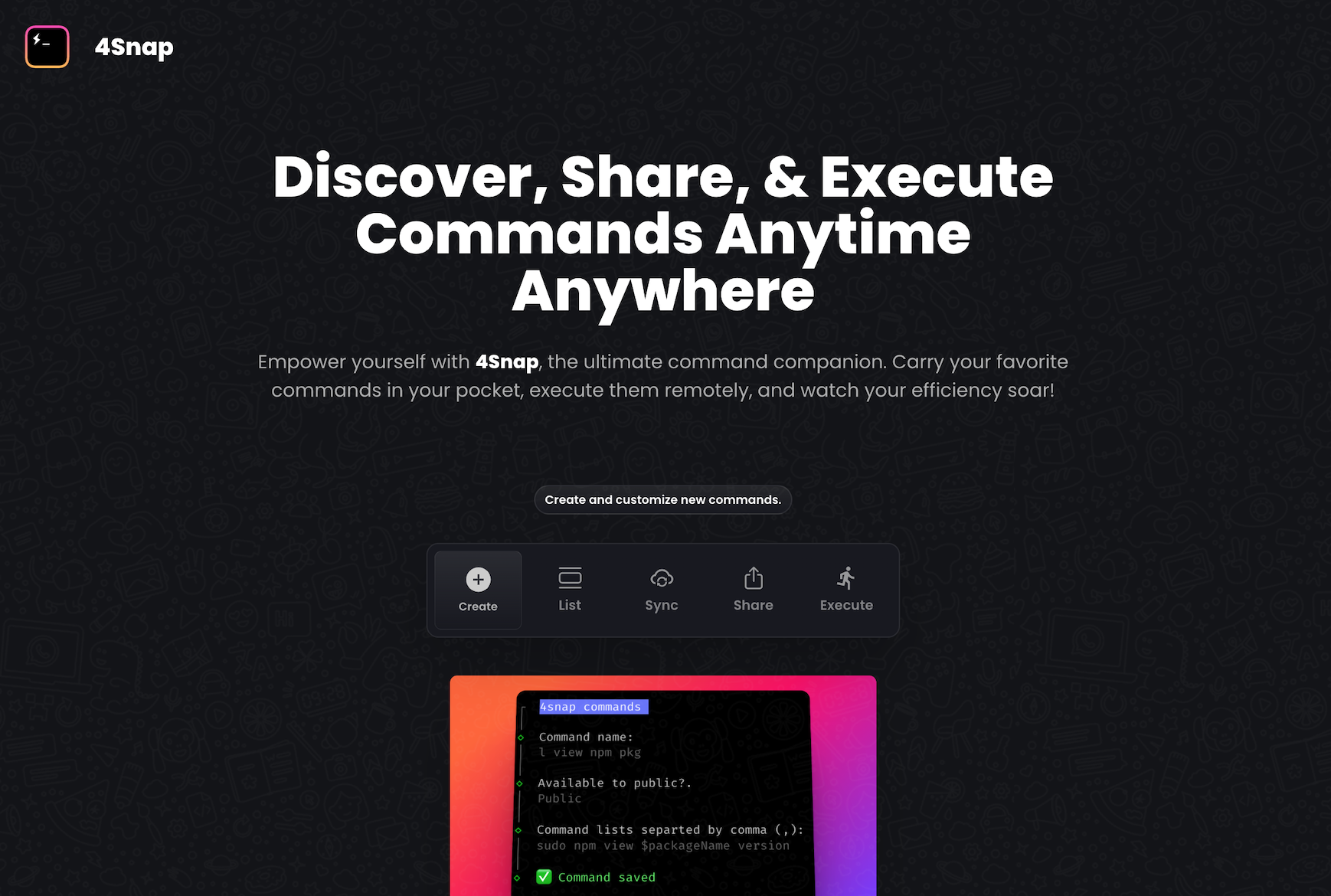
4SNAP is a command snippet manager designed to simplify and streamline your development workflow. It allows you to save and organize your frequently used command snippets, making it easy to retrieve and execute them whenever needed. With 4SNAP, you can increase your productivity, reduce repetitive typing, and improve code consistency.
Follow the steps below to get started with 4Snap.
Get started by creating an account on 4Snap using this LINK. This will allow you to access and manage your commands.
After creating an account on 4Snap, you need to install the 4Snap CLI npm package. Use the following command to install it:
# npm users
$ npm install 4snap

# yarn users
$ yarn add 4snap
Before you can execute any command, you need to authenticate the 4Snap CLI. Use the following command to authenticate:
$ 4snap login
This command will prompt you for a 4Snap token, which can be obtained from your settings page on 4Snap if you are currently logged in.
You can create commands or collections of commands either using the web interface or the CLI. To create a command using the CLI, run the following command:
$ 4snap create
This command will guide you through the steps needed to create your favorite command or collections of commands. Collections of commands are created by separating them with a comma (,).
You can execute both local and public commands using the 4Snap CLI. To execute a local command, use the following command:
$ 4snap run [COMMAND_NAME]
For executing a public command, use the following command:
$ 4snap run -p [COMMAND_NAME]
Replace [COMMAND_NAME] with the name of the command you want to execute.
Sometimes, the commands created via the web interface may not be available on your local machine. To synchronize all created collections of commands and make them available on your local machine, use the following command:
$ 4snap sync
This command will ensure that all your created commands are synchronized.
To view your saved commands or collections of commands locally, use the following command:
$ 4snap list
This command will print out all available saved commands in a table format on your terminal.
If you want to share your saved commands with others, whether publicly or privately, you can do so using the following command:
$ 4snap share -u [USER_NAME] [COMMAND_NAME]
Replace [USER_NAME] with the recipient's username and [COMMAND_NAME] with the name of the command you want to share.
mkdir project_name, cd project_name, touch file_name can be shorten into 4snap run setup.Here are lists of commands you could try out with 4snap.
mkdir $project_name,cd $project_name,touch $file_namenpm list -gyarn create vite $appName --template $templateNameDownload counts and popularity will appear here as the collector receives them.
| Package / target | Requirement | Relationship |
|---|---|---|
@clack/promptsEnvironment{
"local_name": "@clack/prompts",
"alias": false,
"peer_metadata": null
} | ^0.6.3 | runtime |
axiosEnvironment{
"local_name": "axios",
"alias": false,
"peer_metadata": null
} | ^1.4.0 | runtime |
chalkEnvironment{
"local_name": "chalk",
"alias": false,
"peer_metadata": null
} | ^5.2.0 | runtime |
cli-tableEnvironment{
"local_name": "cli-table",
"alias": false,
"peer_metadata": null
} | ^0.3.11 | runtime |
commanderEnvironment{
"local_name": "commander",
"alias": false,
"peer_metadata": null
} | ^11.0.0 | runtime |
confEnvironment{
"local_name": "conf",
"alias": false,
"peer_metadata": null
} | ^11.0.1 | runtime |
cross-spawnEnvironment{
"local_name": "cross-spawn",
"alias": false,
"peer_metadata": null
} | ^7.0.3 | runtime |
dotenvEnvironment{
"local_name": "dotenv",
"alias": false,
"peer_metadata": null
} | ^16.3.1 | runtime |
execaEnvironment{
"local_name": "execa",
"alias": false,
"peer_metadata": null
} | ^7.1.1 | runtime |
fs-extraEnvironment{
"local_name": "fs-extra",
"alias": false,
"peer_metadata": null
} | ^11.1.1 | runtime |
inquirerEnvironment{
"local_name": "inquirer",
"alias": false,
"peer_metadata": null
} | ^9.2.7 | runtime |
oraEnvironment{
"local_name": "ora",
"alias": false,
"peer_metadata": null
} | ^6.3.1 | runtime |
shelljsEnvironment{
"local_name": "shelljs",
"alias": false,
"peer_metadata": null
} | ^0.8.5 | runtime |
slugifyEnvironment{
"local_name": "slugify",
"alias": false,
"peer_metadata": null
} | ^1.6.6 | runtime |
@types/axiosEnvironment{
"local_name": "@types/axios",
"alias": false,
"peer_metadata": null
} | ^0.14.0 | development |
@types/inquirerEnvironment{
"local_name": "@types/inquirer",
"alias": false,
"peer_metadata": null
} | ^9.0.3 | development |
@types/nodeEnvironment{
"local_name": "@types/node",
"alias": false,
"peer_metadata": null
} | ^20.3.1 | development |
@types/shelljsEnvironment{
"local_name": "@types/shelljs",
"alias": false,
"peer_metadata": null
} | ^0.8.12 | development |
typescriptEnvironment{
"local_name": "typescript",
"alias": false,
"peer_metadata": null
} | ^5.1.3 | development |
Source distribution
{
  "integrity": "sha512-KagnBQrl6A3jNstoidl4/csYS++Ss78ytzM7xSnYrXVJyJMQd8srP531oWBaWR6NMIpL3pnFdVn1FckHtpa9Ew==",
  "shasum": "0b5dab0b9b40efb15a853b83e602e77f568a6e4a",
  "tarball": "https://registry.npmjs.org/4snap/-/4snap-1.0.6.tgz",
  "fileCount": 42,
  "unpackedSize": 55869,
  "signatures": [
    {
      "keyid": "SHA256:jl3bwswu80PjjokCgh0o2w5c2U4LhQAE57gj9cz1kzA",
      "sig": "MEYCIQDb2BJODlj23zYprEtoJCo6flohBqQAiKumBKpaB803dwIhALnJegmHu34S/yA17wYf9ER/UlX/CoRIb0dpvx+vXqKg"
    }
  ]
}Observed since 20 Oct, 20:18 UTC
No superseded metadata states collected. Unchanged observations do not create new revisions.
package_version:0d1ecaef0c8e045ad237ff6aedf7dab07b742b7e9ee706f398a616f9ffd2e29e