
 Repository
Current collected state Current
Observed since 21 Oct, 09:28 UTC
No superseded metadata states collected. Unchanged observations do not create new revisions.
Agrothon
A Farm Monitoring Bot









This project has three parts
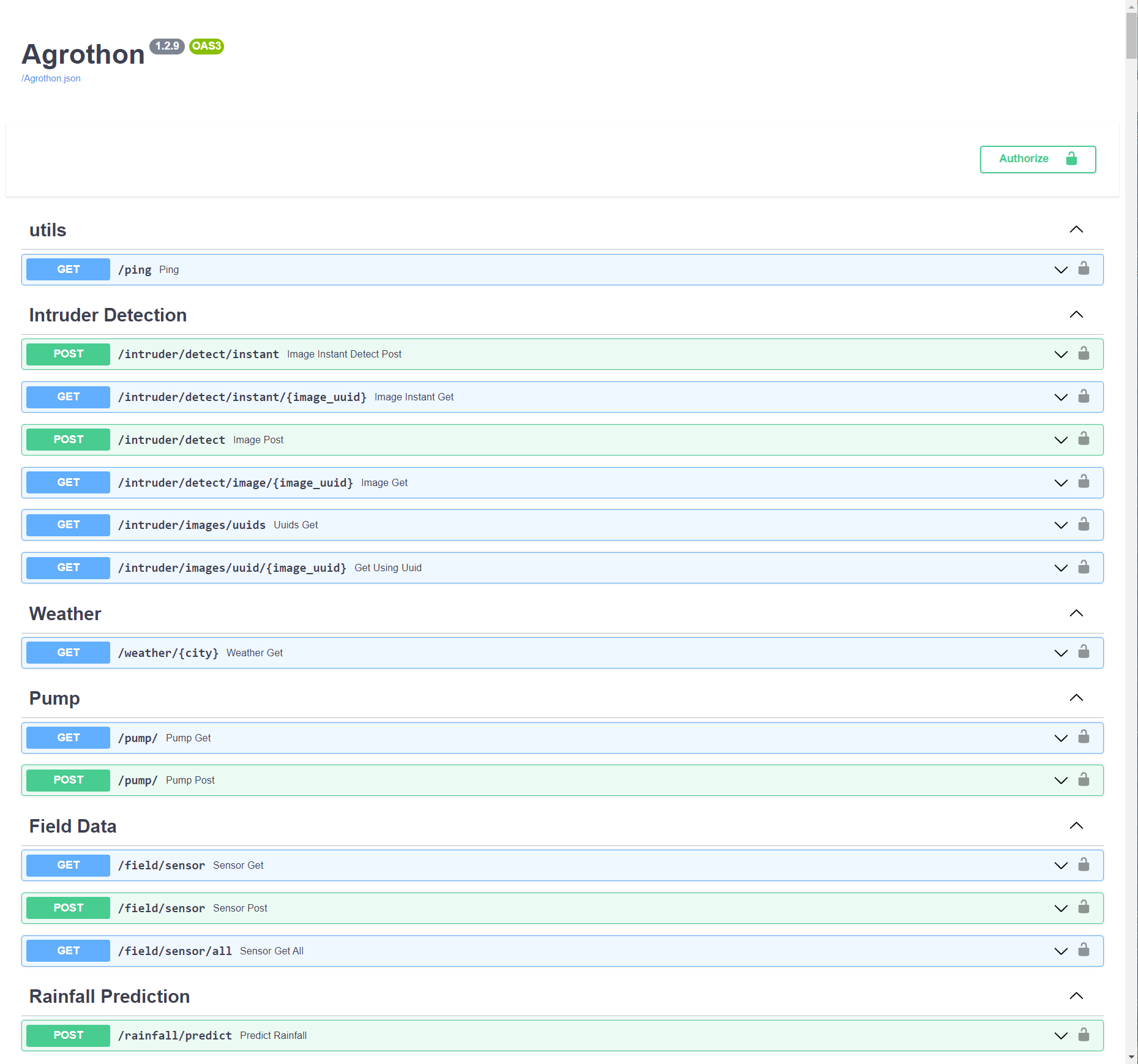
API Server handles Everything, All the routes are shown below
Telegram bot is just a frontend for the whole Project
Agrothon-Client Sends Sensor data, Intruder images to the API Server which will be analysed there and Stored in the Database
Via pip
Install Dependencies
mkdir agrothon && cd agrothon
sudo add-apt-repository ppa:deadsnakes/ppa
sudo apt-get install python3.8 wget
wget -q https://github.com/caddyserver/caddy/releases/download/v2.4.1/caddy_2.4.1_linux_amd64.tar.gz
tar xzf caddy_2.4.1_linux_amd64.tar.gz
rm -rf caddy_2.4.1_linux_amd64.tar.gz
chmod a+x caddy
mv caddy /usr/local/bin/caddy
wget -q https://github.com/viswanathbalusu/Agrothon/raw/main/Caddyfile -O Caddyfile
First fill the variables in agrothon-sample.env and rename it to agrothon.env
wget -q https://github.com/viswanathbalusu/Agrothon/raw/main/agrothon-sample.env -O agrothon.env
you can extend all tha variables from Base Config
Get the latest Release of data directory and untar in it the same directory where you placed agrothon.env
wget -q https://github.com/viswanathbalusu/Agrothon/releases/latest/download/Agrothon-Data.tar.gz
tar -xzf Agrothon-Data.tar.gz && rm -rf Agrothon-Data.tar.gz
Edit the $API_PORT in Caddyfile or Just Set $API_PORT in your Shell Environment.
Then Create a Virtual Environment (Optional but Recommended) and then install Agrothon with
python3.8 -m virtualenv venv
source venv/bin/activate
pip install Agrothon
There are two commands in Agrothon
agroserver - Which actually starts the Uvicorn Server on a Unix Domain Socket at /usr/agrothon.sock, So you should use a Reverse proxy (Preferably Caddy)agrobot - Which starts the telegram botagrothon - Starts Both agroserver and agrobot with caddy reverse proxyVia Docker
wget -q https://viswanathbalusu.github.io/Agrothon/docker-compose.ymlwget -q https://viswanathbalusu.github.io/Agrothon/agrothon-sample.env -O agrothon.envdocker-compose up it will pull the image from container registry and run the servicesagrothon.env| Variable | Value | Example | Required | Description |
|---|---|---|---|---|
| - | - | Bot Configuration | - | - |
| TELEGRAM_APP_ID | Telegram API APP ID | 1234567 | True | Can be obtained from Telegram |
| TELEGRAM_API_HASH | Telegram API Hash | 022d29afxxxxxxxxf825980a7974ec42 | True | Can be obtained from Telegram |
| BOT_TOKEN | Telegram Bot Token | 123456:abcdefghij | True | Can be obtained from Bot Father |
| API_BASE_URL | Api base Host URL | https://mysite.com/ | True | Must be host Without port (i.e Port 80/443* only) |
| ALERT_CHANNEL_ID | Alert channel ID | -100123456789 | True | Intruder Alerts will be posted to this channel |
| STATE | name of the state | Andhra Pradesh | True | Must be a state in India 🤔 |
| DISTRICT | name of the district | East Godavari | True | name of your district |
| DEF_LANG | Default Language | english | False | Can be choosen from english, telugu, tamil, hindi (Default is english) |
| DEF_CITY | Default City | Vijayawada | True | City from which weather should be fetched |
| - | - | Server Configuration | - | - |
| OPEN_WEATHER_API | Open weather API Key | d6778a1acdd67c4xxxxxxe500e81987d | True | API to get the weather data of a particular region, Get this from OpenWeather |
| API_KEY | An API Key for your Server | Agrothon | True | This is like a Password for your API Server, So choose Wisely (Alphanumeric only) |
| DB_URL | MongoDB URL | mongodb+srv://xxx:xxx@hmmm.mongodb.net | True | Database to Store All the data, get this from MongoDB |
| SENSOR_PRIORITY_INDEX | Moisture sensor priority | 2 | True | Which moisture sensor to use for predicting on/off the pump |
| AUTH_ID | Telegram user ID | 12345678 | False | If this is not provided, Bot access is given to all the telegram users ⚠️ |
* if there are Other ports too the Bot will Work but it may not be able to post images
caddy,xz-utils, all OpenCV Dependencies must be installed if you are choosing non Docker method.Python3.8 is compulsoryTelegram Bot Start
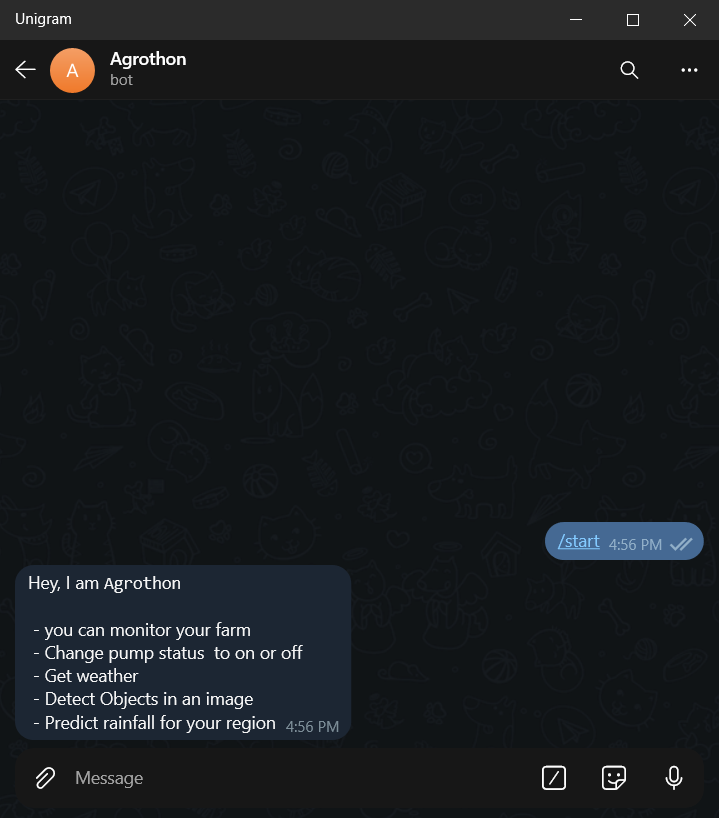
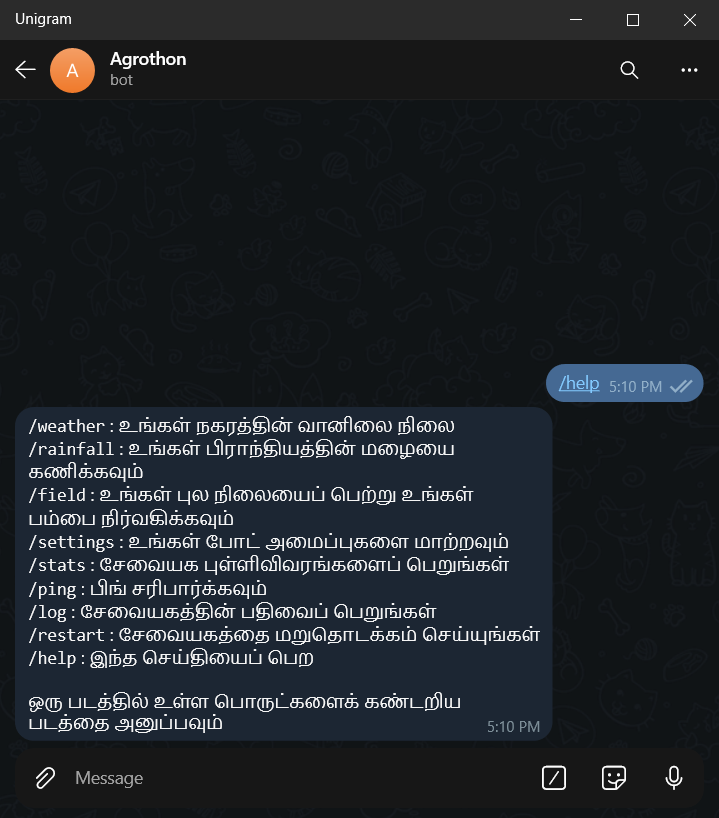
Bot Commands
  start - start command
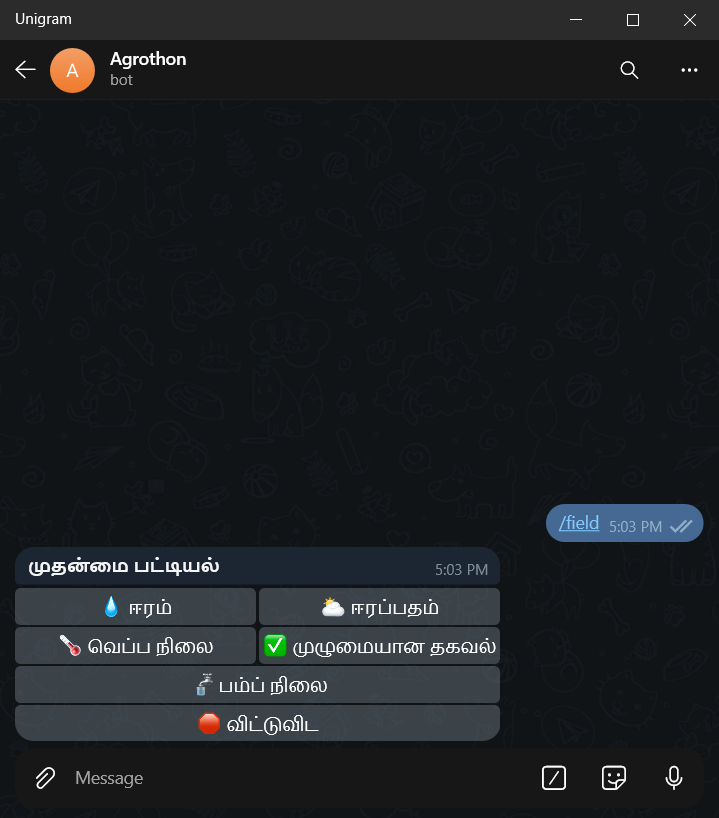
  field - get field status
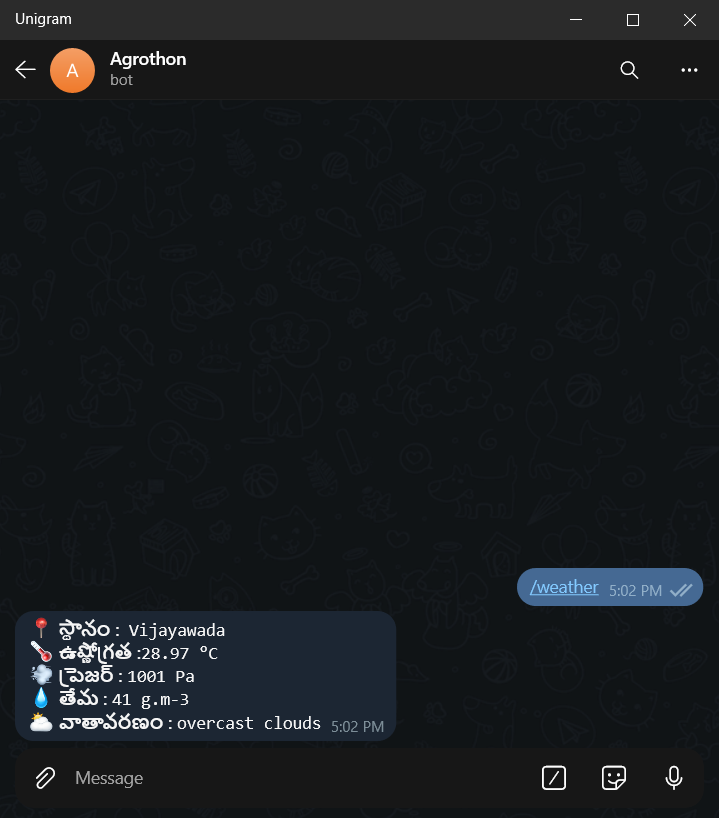
  weather - get weather status
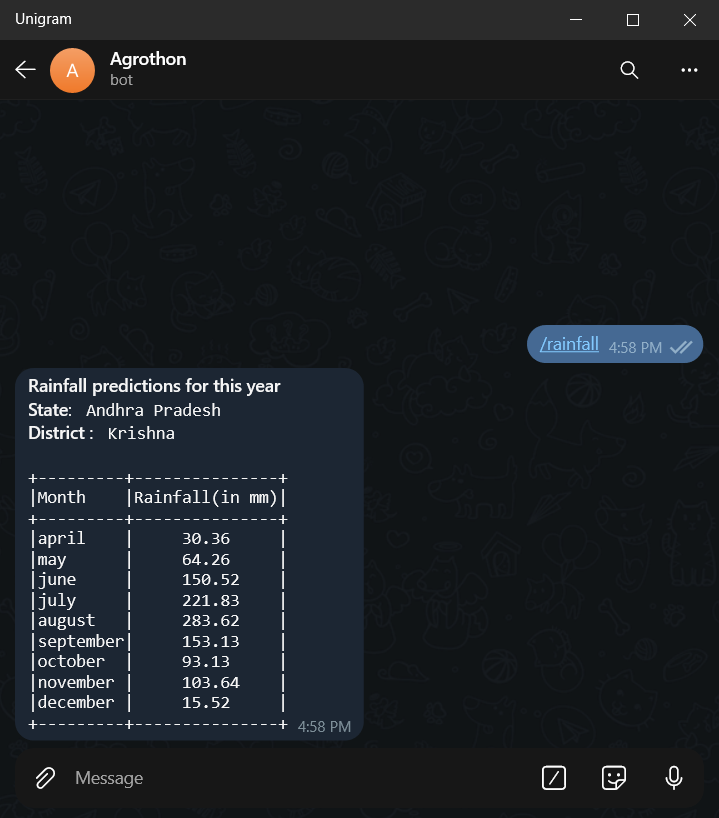
  rainfall - get predictions of rainfall for your region
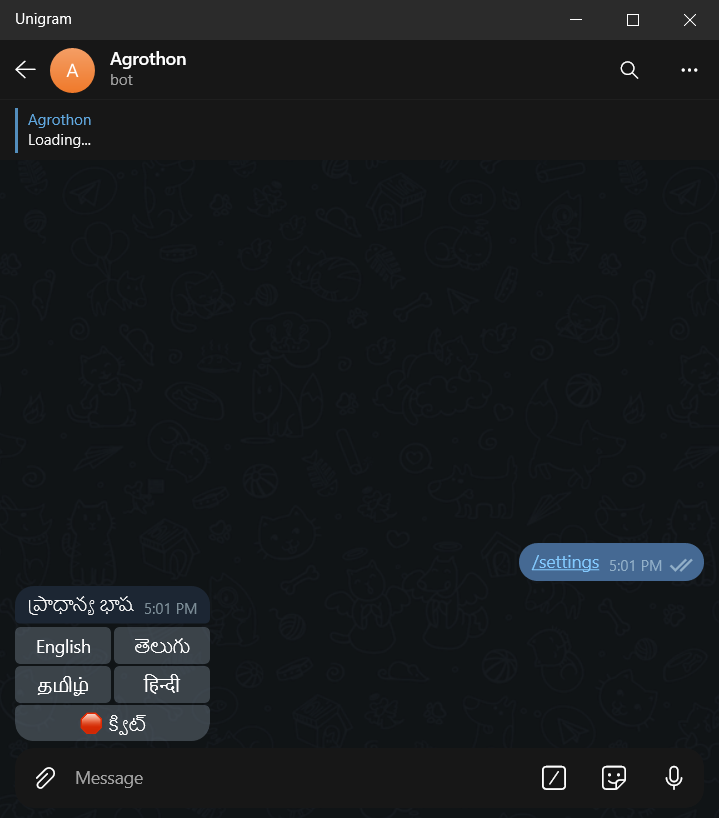
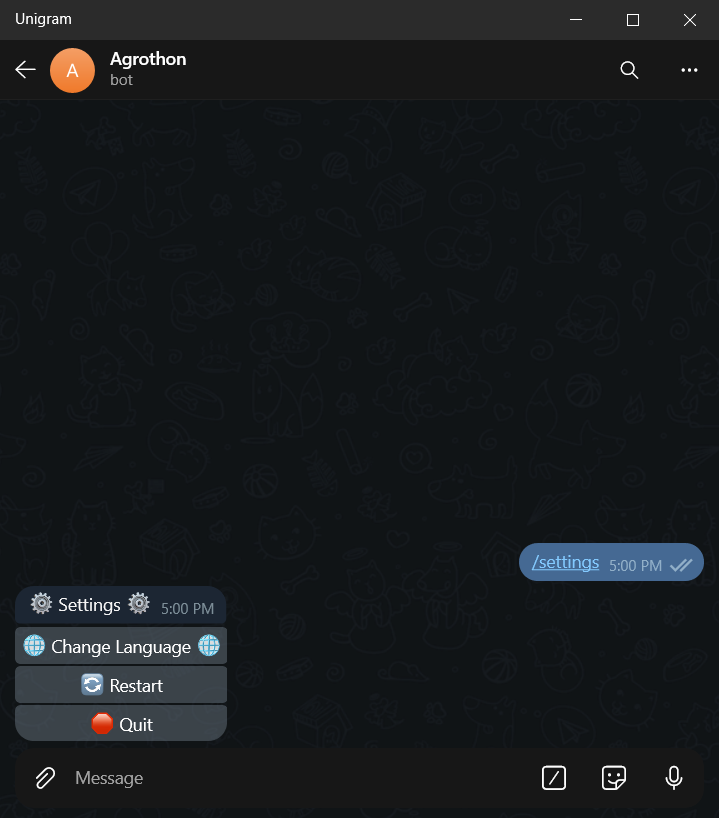
  settings - change settings of the bot
  restart - restart the bot
  log - get the log files
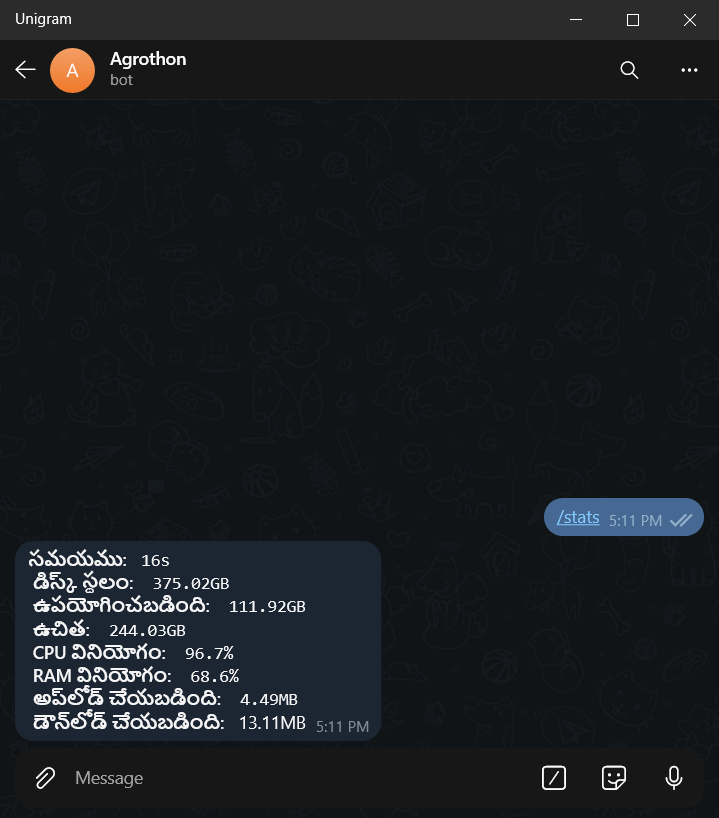
  stats - get the server stats
  ping - check ping of server
  help - to get help message
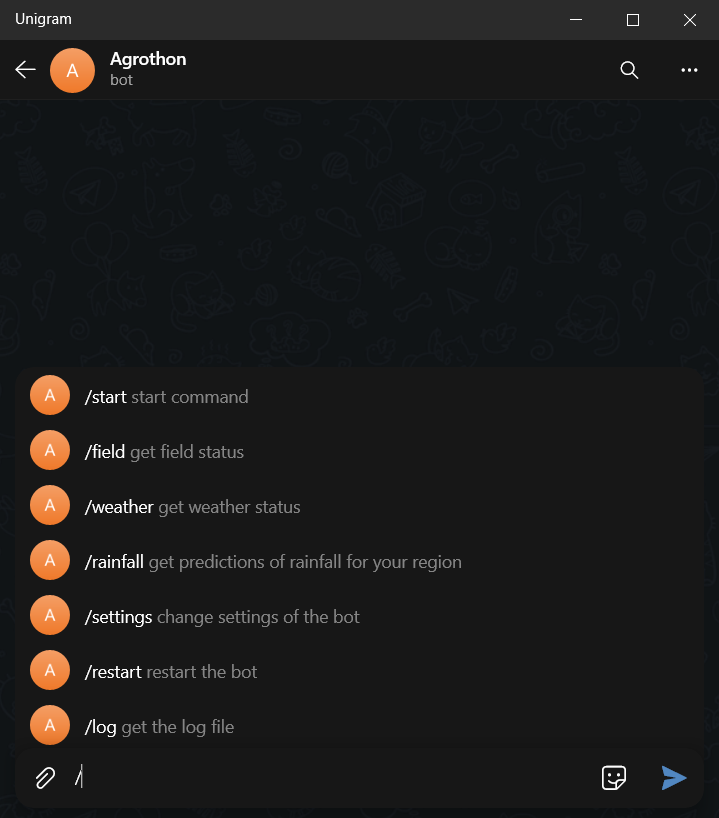
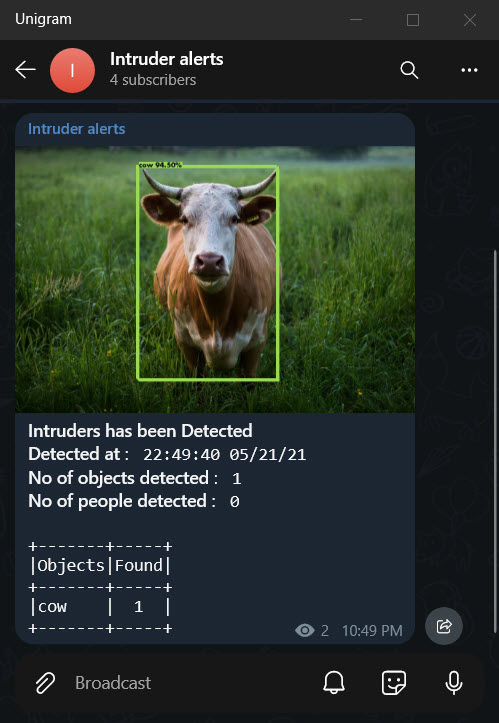
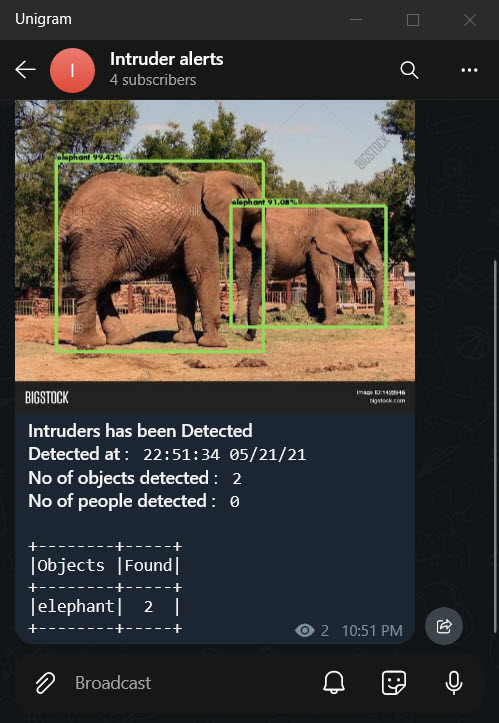
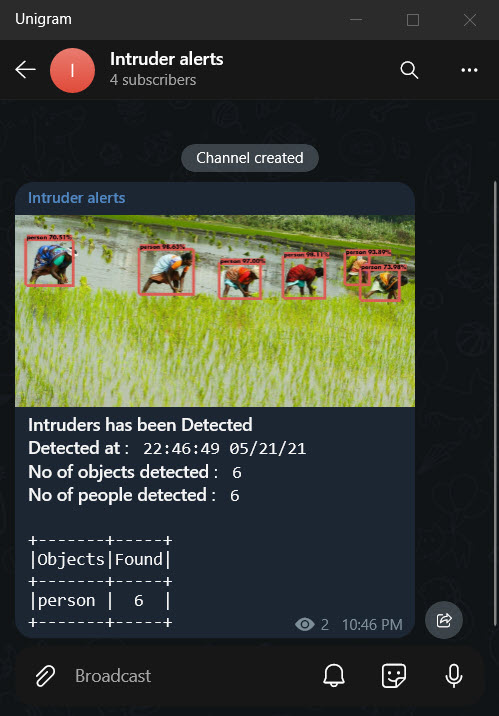
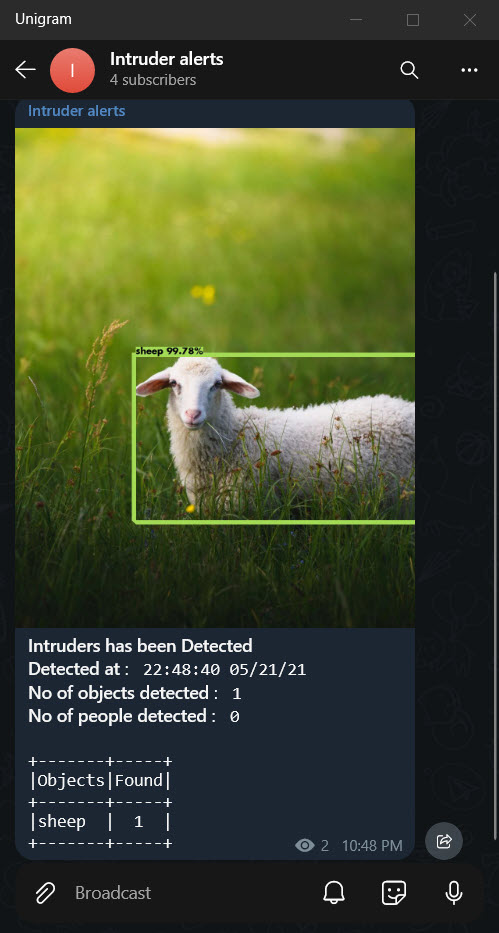
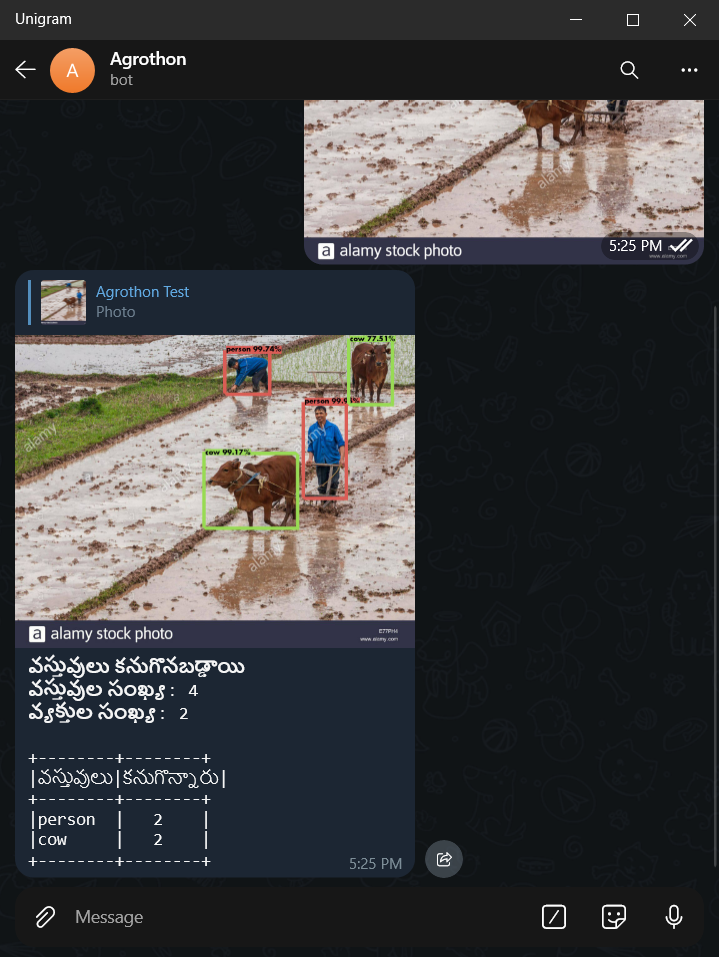
Object Detection
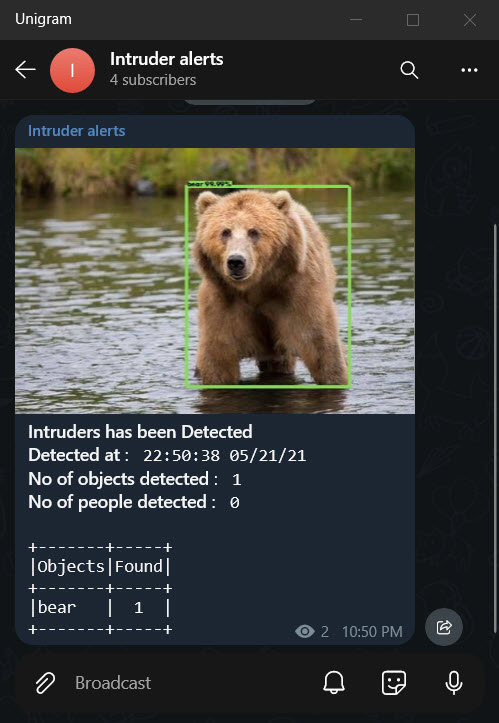
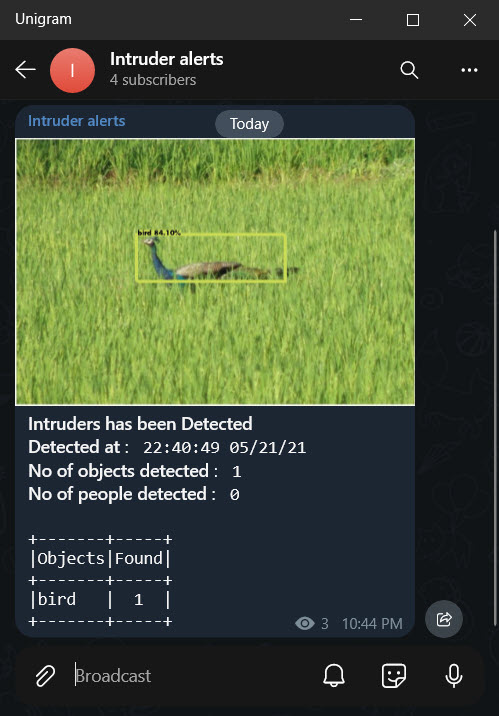
Bot Commands Usage
Pump Prediction
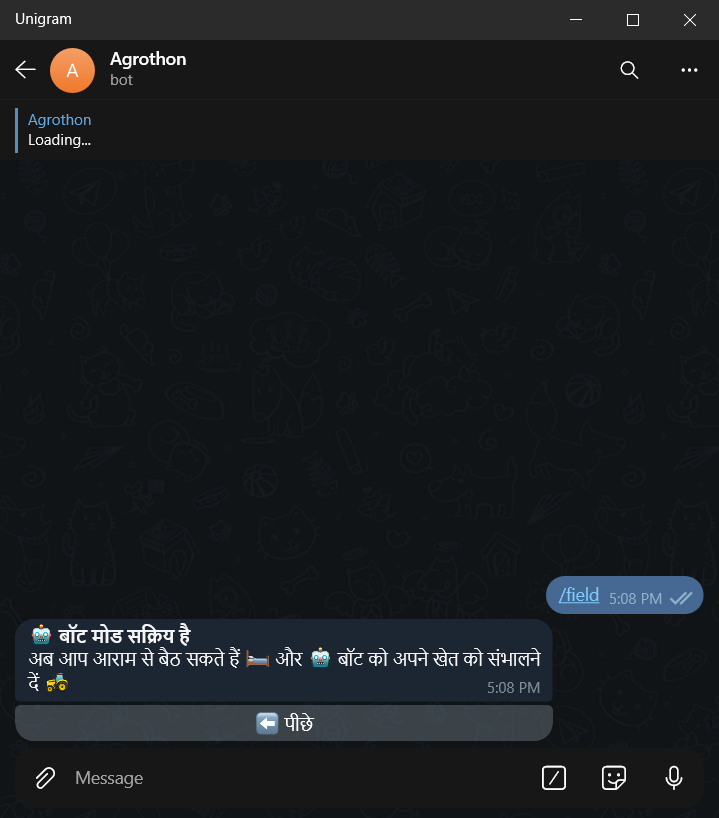
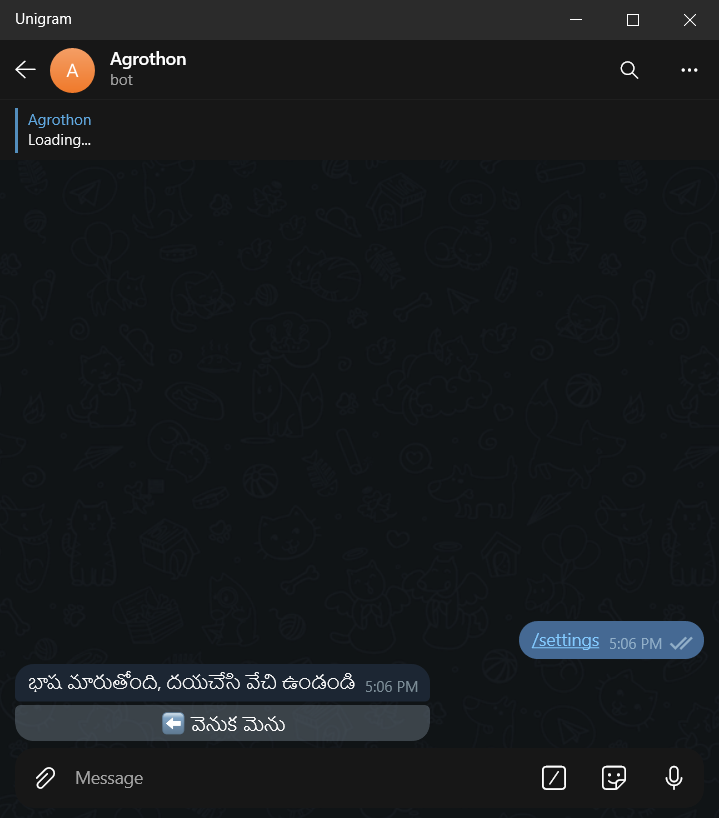
Language Change
Complete info
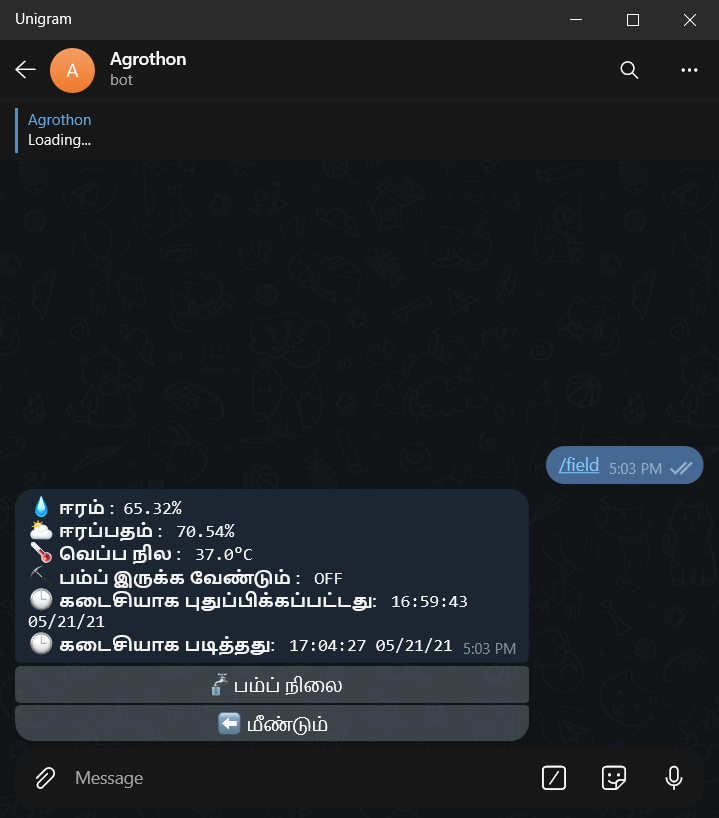
Field Command
Help Command
Object Detection by sending an Image to Bot
Language Menu
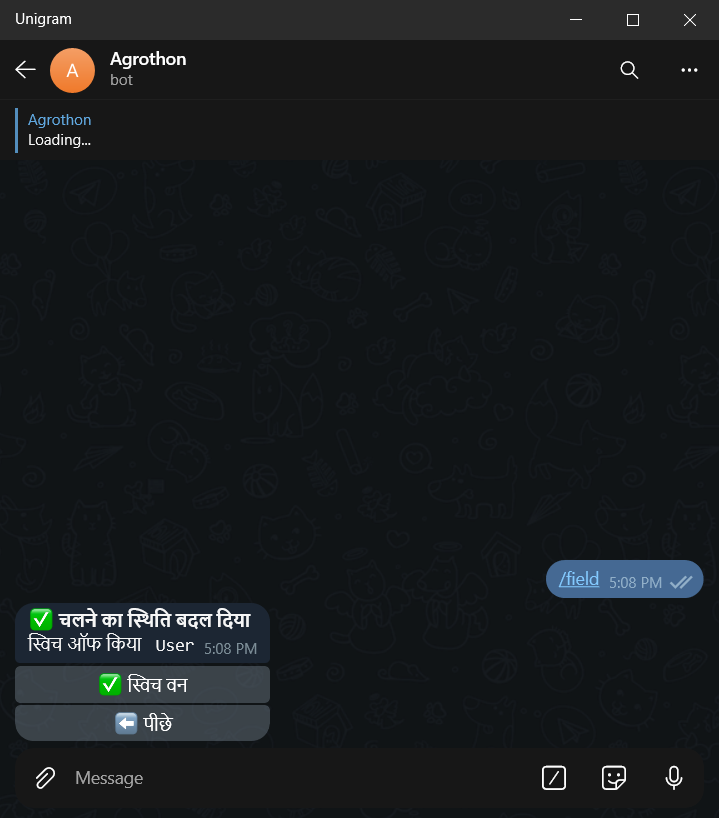
Pump Keyboard
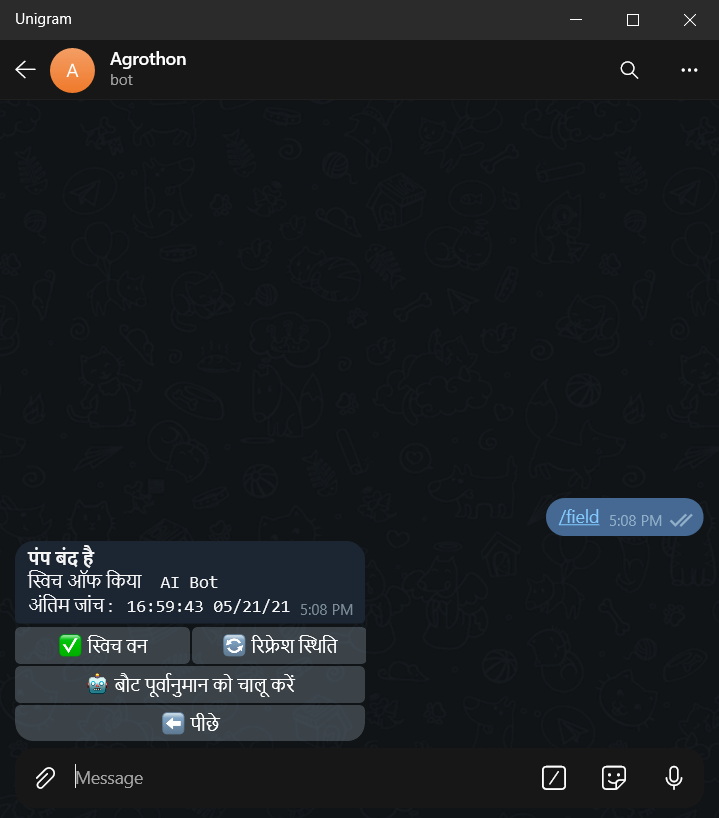
Pump on/off
Rainfall Prediction
Settings Keyboard
Server Stats
Weather Data
Download counts and popularity will appear here as the collector receives them.
| Package / target | Requirement | Relationship |
|---|---|---|
pyrogramEnvironment{
"extras": "",
"marker": null,
"requires_python": ">=3.8",
"evaluation": "NOT_EVALUATED"
} | pyrogram (==1.2.9) | runtime |
tgcryptoEnvironment{
"extras": "",
"marker": null,
"requires_python": ">=3.8",
"evaluation": "NOT_EVALUATED"
} | tgcrypto (==1.2.2) | runtime |
motorEnvironment{
"extras": "",
"marker": null,
"requires_python": ">=3.8",
"evaluation": "NOT_EVALUATED"
} | motor (==2.4.0) | runtime |
fastapiEnvironment{
"extras": "all",
"marker": null,
"requires_python": ">=3.8",
"evaluation": "NOT_EVALUATED"
} | fastapi[all] (==0.64.0) | runtime |
requestsEnvironment{
"extras": "",
"marker": null,
"requires_python": ">=3.8",
"evaluation": "NOT_EVALUATED"
} | requests (==2.25.1) | runtime |
python-dotenvEnvironment{
"extras": "",
"marker": null,
"requires_python": ">=3.8",
"evaluation": "NOT_EVALUATED"
} | python-dotenv (==0.17.0) | runtime |
aiohttpEnvironment{
"extras": "",
"marker": null,
"requires_python": ">=3.8",
"evaluation": "NOT_EVALUATED"
} | aiohttp (==3.7.4.post0) | runtime |
python-telegram-botEnvironment{
"extras": "",
"marker": null,
"requires_python": ">=3.8",
"evaluation": "NOT_EVALUATED"
} | python-telegram-bot (==13.5) | runtime |
pandasEnvironment{
"extras": "",
"marker": null,
"requires_python": ">=3.8",
"evaluation": "NOT_EVALUATED"
} | pandas (==1.2.4) | runtime |
numpyEnvironment{
"extras": "",
"marker": null,
"requires_python": ">=3.8",
"evaluation": "NOT_EVALUATED"
} | numpy (==1.19.5) | runtime |
tensorflowEnvironment{
"extras": "",
"marker": null,
"requires_python": ">=3.8",
"evaluation": "NOT_EVALUATED"
} | tensorflow (==2.4.1) | runtime |
prettytableEnvironment{
"extras": "",
"marker": null,
"requires_python": ">=3.8",
"evaluation": "NOT_EVALUATED"
} | prettytable (==2.1.0) | runtime |
opencv-pythonEnvironment{
"extras": "",
"marker": null,
"requires_python": ">=3.8",
"evaluation": "NOT_EVALUATED"
} | opencv-python (==4.5.1.48) | runtime |
pillowEnvironment{
"extras": "",
"marker": null,
"requires_python": ">=3.8",
"evaluation": "NOT_EVALUATED"
} | pillow (==8.2.0) | runtime |
seabornEnvironment{
"extras": "",
"marker": null,
"requires_python": ">=3.8",
"evaluation": "NOT_EVALUATED"
} | seaborn (==0.11.1) | runtime |
KerasEnvironment{
"extras": "",
"marker": null,
"requires_python": ">=3.8",
"evaluation": "NOT_EVALUATED"
} | Keras (==2.4.3) | runtime |
scikit-learnEnvironment{
"extras": "",
"marker": null,
"requires_python": ">=3.8",
"evaluation": "NOT_EVALUATED"
} | scikit-learn (==0.22.2.post1) | runtime |
telegraphEnvironment{
"extras": "",
"marker": null,
"requires_python": ">=3.8",
"evaluation": "NOT_EVALUATED"
} | telegraph (==1.4.1) | runtime |
psutilEnvironment{
"extras": "",
"marker": null,
"requires_python": ">=3.8",
"evaluation": "NOT_EVALUATED"
} | psutil (==5.8.0) | runtime |
bdist_wheel · 60.71 KB · Python py3
sdist · 47.37 KB · Python source
Observed since 21 Oct, 09:28 UTC
No superseded metadata states collected. Unchanged observations do not create new revisions.
package_version:1d3a9081e4b99f2cf5168a7fc266b0bcfff43adeb36dd13ec2177311d6ed66cb