

 Repository
Current collected state Current
Observed since 20 Oct, 19:37 UTC
No superseded metadata states collected. Unchanged observations do not create new revisions.
3d-spinner
A lightweight, zero-dependency 3D spinner, loader, and progress indicator for JavaScript.



Real 3D spinners, loaders, and progress indicators for the browser - in one line, configuration optional:
import { createSpinner } from "3d-spinner";
import { starSwarm } from "3d-spinner/prefabs";

createSpinner(document.getElementById("app"), starSwarm());
<script> tag; TypeScript types
included. See Module formats.starSwarm with custom HTML | pulsingStarfield | chargedOrb at 74% |
|---|---|---|
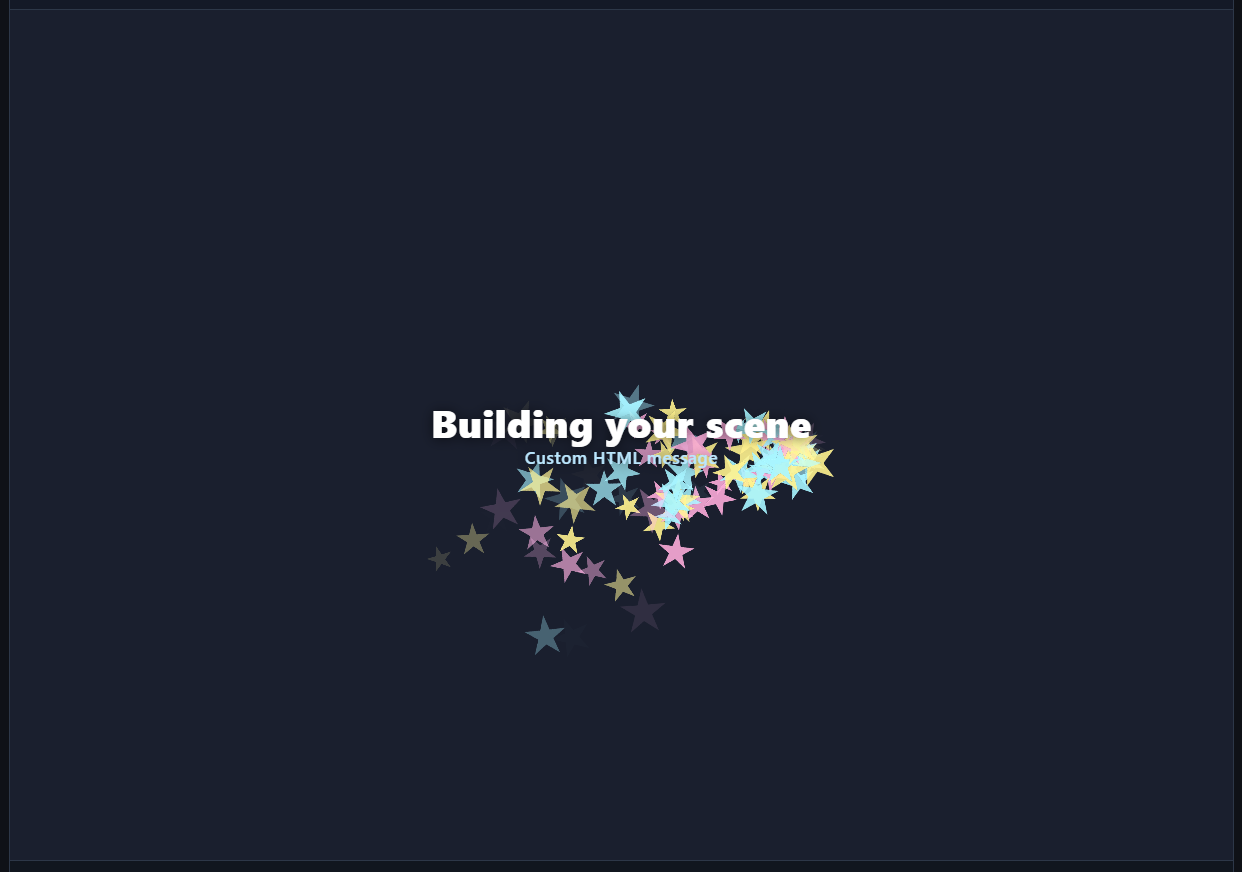 | 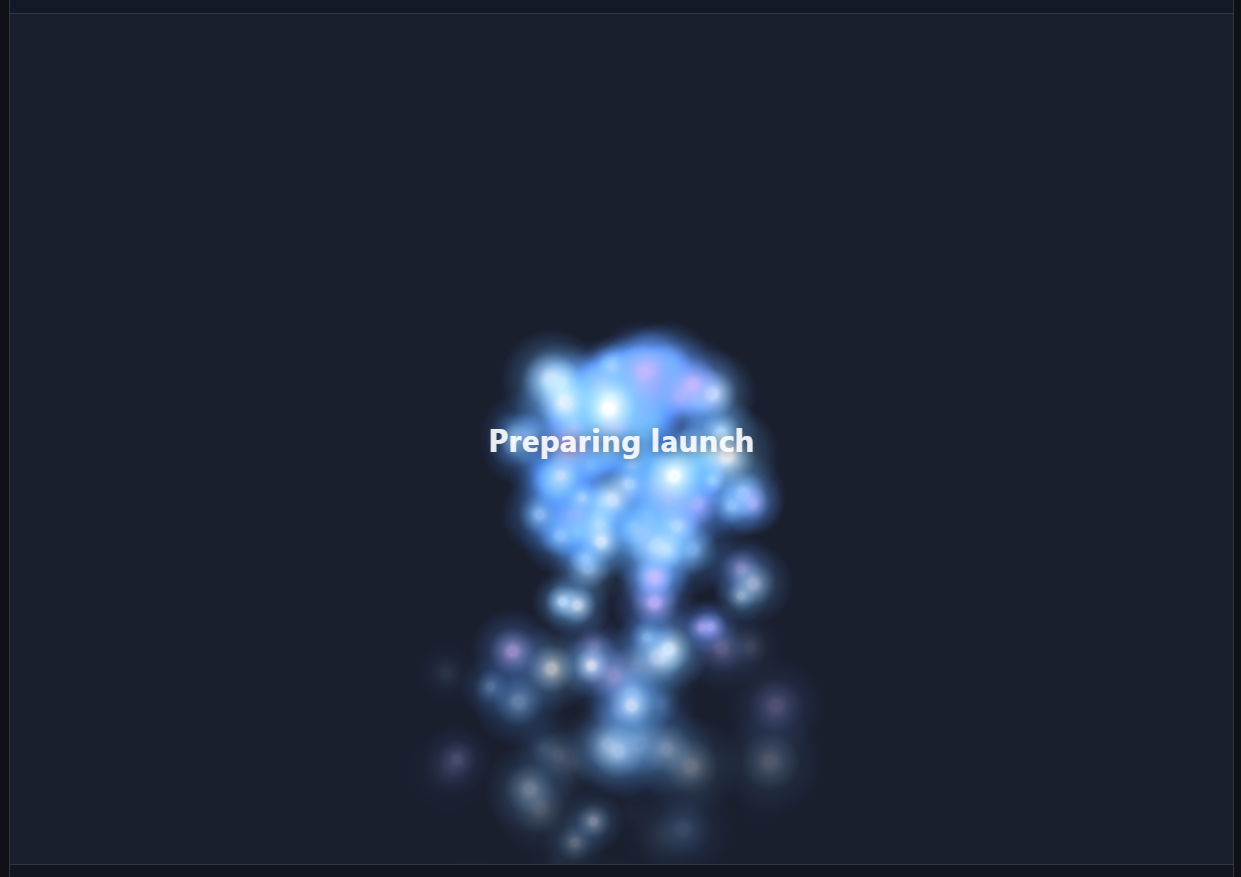 | 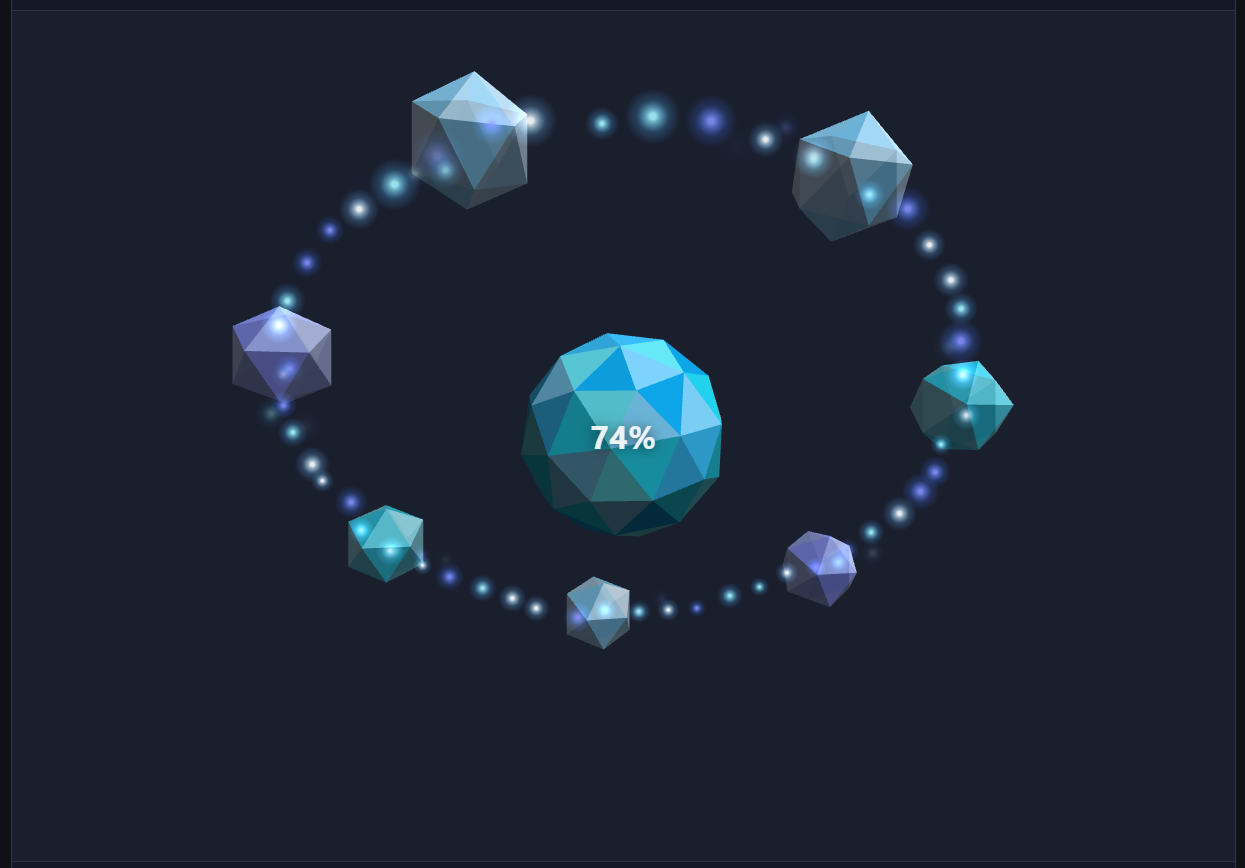 |
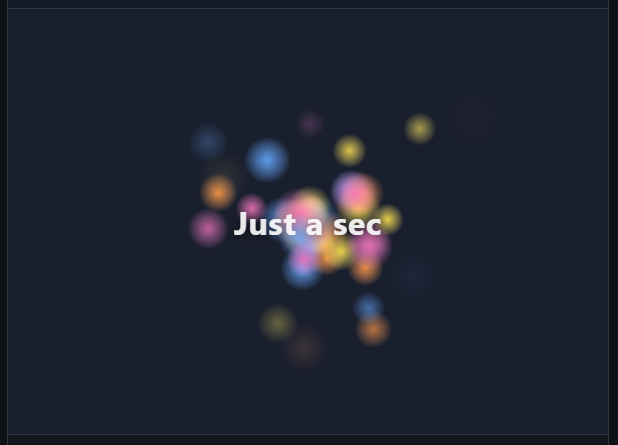
ghostTrain progress prefab | ParticlesAnimation with glow texture |
|---|---|
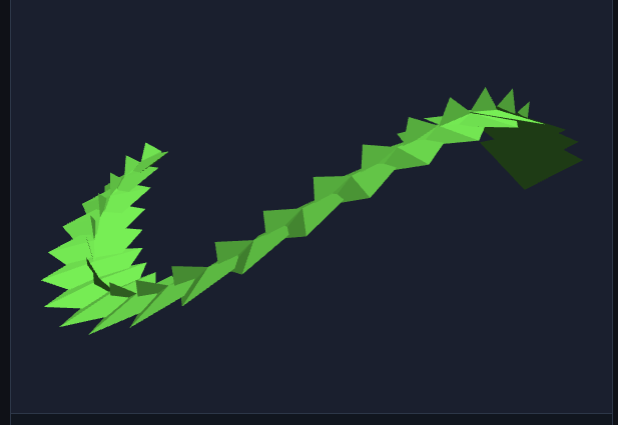 |  |
npm install 3d-spinner
A spinner is a renderer (the animation) plus a mode. The simplest case is an indeterminate
spinner that runs until you stop it:
import { createSpinner } from "3d-spinner";
import { SpinAnimation } from "3d-spinner/animations/spin";

const spinner = createSpinner(document.getElementById("app"), {
  type: "indeterminate",
  animation: new SpinAnimation(),
});

// When the work is done:
spinner.stop();    // play the outro, then stop (leaves the element in place)
spinner.destroy(); // stop now and remove the element

// Or play the outro first, then remove the element:
spinner.stop();
await spinner.finished;
spinner.destroy();
Drop the type (it defaults to "progress") and report progress yourself as work completes.
Give SpinAnimation a progressAnimation to make it pop in, scale with progress, and show a
label:
import { createSpinner } from "3d-spinner";
import { SpinAnimation } from "3d-spinner/animations/spin";

const spinner = createSpinner(document.getElementById("app"), {
  animation: new SpinAnimation({ progressAnimation: {} }),
});

spinner.setProgress(0.4); // smoothly advances toward 40%
spinner.setProgress(1);   // reaching 1 plays the outro
SpinAnimation spins a cube by default. Pass any built-in shape, or your own mesh:
import { SpinAnimation } from "3d-spinner/animations/spin";
import { tetrahedron } from "3d-spinner/engines/little-3d-engine";

new SpinAnimation({ shape: tetrahedron(), color: "#3b82f6" });
Shapes exported from 3d-spinner/engines/little-3d-engine include cube, tetrahedron,
octahedron, pyramid, quad, and several spheres (uvSphere, icosphere, octaSphere,
cubeSphere).
Mesh and particle colors are hex strings (#rgb or #rrggbb). Any other value makes the spinner's
ready promise reject with a RangeError.
Faces are flat-shaded from their color by default. A Material adds ambient scaling, a specular
highlight, and self-illumination on top, using the Wavefront MTL properties of the same names:
| Field | MTL | Type | Description |
|---|---|---|---|
ambient | Ka | [r, g, b] | Scales the scene ambient fill per channel, linear 0..1. Omit or [1,1,1] for the full ambient (the engine default). |
specular | Ks | [r, g, b] | Highlight color and strength, linear 0..1. Omit for a matte surface. |
shininess | Ns | number | Highlight tightness, 0..1000. Higher is smaller and glossier. Defaults to 32 when specular is set. Ignored without specular. |
emissive | Ke | [r, g, b] | Color added after shading, linear 0..1, so the face reads as self-lit. |
opacity | d (1 - Tr) | number | Face dissolve, linear 0..1. 1 is opaque. Omit or 1 for an opaque face. Multiplies with instance transparency. Canvas 2D applies it; WebGL and WebGPU still use instance transparency only. |
SpinAnimation takes a material that applies to every face, alongside color:
import { SpinAnimation } from "3d-spinner/animations/spin";

new SpinAnimation({
  color: "#3b82f6",
  material: { specular: [1, 1, 1], shininess: 64 },
});
Every shape builder also takes an optional trailing material, after its colors, for when you
build the mesh yourself:
import { cube, icosphere } from "3d-spinner/engines/little-3d-engine";

cube(1, ["#3b82f6"], { specular: [1, 0.9, 0.6], shininess: 120 }); // (size, colors, material)
icosphere(1, 2, ["#111827"], { emissive: [0.1, 0.2, 0.3] });       // (size, detail, colors, material)
To apply one to a mesh from elsewhere, attachMaterial(mesh, material) sets it on every face in
place.
Meshes loaded through the OBJ loader pick their materials up from the accompanying MTL file when
useMtlColors is set - Kd becomes the face color, and Ka/Ks/Ns/Ke/d/Tr become the
face material:
import { parseObj } from "3d-spinner/engines/little-3d-engine/loaders/obj";

const mesh = parseObj(objText, { mtl: mtlText, useMtlColors: true });
parseObj throws an error naming the line when the geometry is malformed: a vertex without three
numeric coordinates, a face with fewer than three vertices, or a face index that points at a vertex
not defined before it.
Materials work on all three backends. Canvas 2D computes the highlight once per face, so it lands
flat, while WebGL and WebGPU compute it per pixel and produce a gradient across the face. Per-face
opacity is applied on Canvas 2D; WebGL and WebGPU still use instance transparency only. The
textured renderer variants do not apply materials.
A spinner is assembled from a few independent pieces, so you can swap one without touching the others:
createSpinner mounts the spinner into an element and runs a single animation loop.progress is determinate - you report a value
from 0 to 1 with setProgress. indeterminate is self-driving - it loops a synthetic progress
on a timer until you stop(). Any animation works with either type.stop(). destroy() skips the
outro and removes the element immediately.ObjectMotionAnimation) is a small, separate object that decides
how a thing moves - a circle, square, figure-8, or wander. Swap the controller to change the
path without changing the animation.ObjectMotionAnimation) is the intro/outro effect - by default the object
flies in and out along the path; grow or shrink in place is available as an option.Each animation is imported from its own subpath, so you only pull in the one you use.
| Import | Class | Description |
|---|---|---|
3d-spinner/animations/spin | SpinAnimation | A spinning 3D shape, a cube by default. |
3d-spinner/animations/object-motion | ObjectMotionAnimation | A mesh that follows a motion path, with an intro/outro you choose. |
3d-spinner/animations/particles | ParticlesAnimation | A stream of camera-facing billboard particles: a burst, a fountain, snow, confetti. |
3d-spinner/animations/charged-orb | ChargedOrbAnimation | A progress story: a center orb pops out a ring of spark-trailing satellites as progress climbs. |
3d-spinner/animations/ghost-train | GhostTrainAnimation | A progress story: a translucent train gains a car per 2% of progress, then blasts off at 100%. |
3d-spinner/animations/grid-assembly | GridAssemblyAnimation | A progress story: 25 cubes circle the view edge and dock into a 5x5 grid as progress climbs. |
3d-spinner/animations/rocket-launch | RocketLaunchAnimation | A progress story: a rocket lines up on the pad every 5% of progress; the row blasts off at 100%. |
3d-spinner/composite-animation | CompositeAnimation | Plays several animations as layers of one spinner (how the prefabs combine effects). |
Prefabs provide complete spinner options, including layered animation. They need no configuration and accept an optional override object.
| Prefab | Mode | Description |
|---|---|---|
crystalComet | indeterminate | A spinning crystal primitive with a luminous comet trail. |
monochromeStreak | indeterminate | A fountain of black and white streaks that turn with their travel direction. |
planeStarTrail | indeterminate | A small plane looping through a stream of colorful star particles. |
pulsingStarfield | indeterminate | High-shine particles drifting around a slowly pulsing HTML message. |
starSwarm | indeterminate | Bright star particles wandering around a centered loading message. |
chargedOrb | progress | A center orb pops out spark-trailing satellites as progress climbs. |
ghostTrain | progress | A translucent ice-cube train gains cars with progress and blasts off at 100%. |
gridAssembly | progress | 25 shapes fly in, circle the view edge, and dock into a 5x5 grid. |
rocketLaunch | progress | Rockets line up on a launch pad and blast off in a loose stagger at 100%. |
import { createSpinner } from "3d-spinner";
import { planeStarTrail } from "3d-spinner/prefabs";

const spinner = createSpinner(document.getElementById("app"), planeStarTrail());
Common overrides include backend, label, fadeLabel, and periodMs. Labels fade with the
intro and outro by default; set fadeLabel: false to keep one fully visible. Motion prefabs also accept
object and particles option objects, and the progress stories take their own layer overrides
(orb, train, assembly). A label can be text or any HTMLElement.
const message = document.createElement("div");
message.innerHTML = "<strong>Preparing preview</strong>";

createSpinner(document.getElementById("app"), planeStarTrail({
  label: message,
  particles: { rate: 48 },
}));
ObjectMotionAnimation takes a motion controller from 3d-spinner/motion (circleMotion,
squareMotion, figureEightMotion, wanderMotion) and optional entrance/exit transitions from
3d-spinner/motion/transitions (grow, shrink, enterFromObjectDirection,
leaveInObjectDirection) - for example a figure-8 path with a fly-in and fly-out.
ParticlesAnimation emits fading billboard quads from the center. The emission options shape the
effect: direction and spread aim it, gravity bends it, and rate, lifeMs, speed,
size, spin, and colors style it. The stream is deterministic for a given seed. Emission
starts on enter and stops on exit; the live particles fading out is the outro.
A texture option (an image URL or a drawable element such as a canvas) puts an image on every
particle, tinted by the particle color, with the image's alpha shaping the particle. Textures
render through a backend-specific textured renderer fetched on demand for Canvas 2D, WebGL, or
WebGPU. Canvas 2D texture mapping is limited to planar four-vertex billboards.
import { createSpinner } from "3d-spinner";
import { ParticlesAnimation } from "3d-spinner/animations/particles";

const spinner = createSpinner(document.getElementById("app"), {
  type: "indeterminate",
  animation: new ParticlesAnimation({
    direction: { x: 0, y: 1, z: 0 },
    gravity: { x: 0, y: -1.6, z: 0 },
    speed: 1.5,
  }),
});
createSpinner(target, options)Mounts a spinner inside target (an HTMLElement) and returns a Spinner. The options depend
on the mode.
Progress (the default, type: "progress"):
| Option | Type | Description |
|---|---|---|
animation | SpinnerAnimation | The renderer to play. Required. |
progress | number | Initial progress 0..1. A value above 0 plays the intro immediately. |
timeoutMs | number | Auto-complete after this many milliseconds. NaN throws a RangeError. (timeout is the deprecated older name.) |
until | Date | Auto-complete at this time. If both are set, the earlier wins. |
ariaLabel | string | Accessible name of the hidden progress bar. Default "Loading". |
Indeterminate (type: "indeterminate"):
| Option | Type | Description |
|---|---|---|
animation | SpinnerAnimation | The renderer to play. Required. |
loop | "bounce" | "restart" | "bounce" ramps 0 to 1 and back; "restart" repeats 0 to 1. Default "bounce". |
periodMs | number | Milliseconds for one sweep. Must be finite and greater than zero. Default 2000. |
ariaLabel | string | Accessible name of the hidden progress bar. Default "Loading". |
Spinner| Member | Description |
|---|---|
ready | Promise that resolves once the animation can draw, and rejects with the error when it cannot (for example a pinned backend the browser lacks). On rejection the spinner stops animating and leaves the page as it is. |
finished | Promise that resolves once the spinner has stopped animating: its outro finished (after stop(), progress reaching 1, timeoutMs, or until), it was stopped before its intro, it was destroyed, or its setup failed. Never rejects. |
setProgress(target) | Advance progress toward target (0..1). No-op for an indeterminate spinner. |
stop() | Play the outro, then stop animating. Keeps the injected element. Await finished to know when the outro is done. |
destroy() | Stop immediately and remove the injected element. Safe to call more than once. |
The spinner renders straight into target, so its size and placement come from your own CSS. It
adds a canvas and a label and never replaces what is already inside. A static target becomes
position: relative so the overlays have a positioning context; any other position is kept.
An animation instance drives one spinner: passing the same instance to a second createSpinner
throws. Prefab functions return a fresh animation on every call.
const spinner = createSpinner(target, gridAssembly({ backend: "webgpu" }));
spinner.ready.catch((error) => showFallback(error.message));
Every spinner adds one visually hidden ARIA progressbar to its target. A progress spinner keeps
aria-valuenow at the rounded percentage (written only when it changes); an indeterminate one has
no value, which is how ARIA marks indeterminate progress. Its name comes from the ariaLabel
option, default "Loading", also accepted by every prefab:
createSpinner(target, gridAssembly({ ariaLabel: "Uploading photos" }));
The overlay text drawn over the animation is hidden from assistive technology, so progress is
announced once even when layers stack labels. A custom HTMLElement label keeps its own semantics.
The spinner does not change its motion on its own when the system asks for reduced motion.
prefersReducedMotion() reads that setting, for picking a calmer visual or none:
import { createSpinner, prefersReducedMotion } from "3d-spinner";
import { SpinAnimation } from "3d-spinner/animations/spin";

createSpinner(target, {
  type: "indeterminate",
  animation: prefersReducedMotion()
    ? new SpinAnimation({ spinX: 0.0002, spinY: 0.0003 })
    : new SpinAnimation(),
});
By default the backend is "auto": the spinner picks the best renderer the browser supports -
WebGPU, then WebGL, then the Canvas 2D software renderer, which needs no GPU and runs anywhere a
canvas does. Nothing to configure, and no capability checks to write.
createSpinner(el, starSwarm()); // auto: WebGPU -> WebGL -> Canvas 2D
Name a backend to pin it:
new SpinAnimation({ backend: "webgl" }); // "auto" (default), "canvas2d", "webgl", or "webgpu"
Every prefab, animation, and the engine itself takes the same backend option:
starSwarm({ backend: "webgpu" });             // a prefab
new ParticlesAnimation({ backend: "webgl" }); // an animation
new Little3dEngine({ backend: "canvas2d" });  // the engine directly
Before 0.9.9 the default was "canvas2d"; pass backend: "canvas2d" to keep that behavior.
Backends are loaded on demand, and "auto" decides before it imports anything: it probes for a
WebGPU adapter and a WebGL2 context directly, so the code for a backend it rejects is never
fetched. If the chosen backend still fails to start, "auto" moves on to the next one. Pinning a
backend the browser cannot run rejects spinner.ready rather than falling back - "auto" is the
resilient choice. To decide yourself, detectBackendSupport() and chooseBackend() are
exported from the engine.
The same fallback covers a renderer that stops working after it started: if the GPU device or the
WebGL context is lost (a driver reset, or the browser reclaiming contexts), "auto" switches to
the next backend and keeps animating. A pinned backend has nothing to switch to, so its canvas is
removed and a console warning says why.
Renderer-specific features can look different between Canvas 2D, WebGL, and WebGPU. In particular, transparent shapes are an approximate visual effect rather than a pixel-identical cross-renderer result.
Use transparency.mode to choose visible-front-face transparency or a two-pass transparent-solid
effect. Opacity defaults to 0.35 for one-sided rendering. Two-sided rendering defaults to
front 0.56 and back 0.84.
new SpinAnimation({
  backend: "webgl",
  transparency: { mode: "two-sided", opacity: 0.6 }, // front 0.6, back 0.4
});
For two-sided rendering, explicit frontOpacity and backOpacity values override the shorthand
for their respective sides.
The renderer is a small, self-contained 3D engine, exported on its own in case you want it directly:
3d-spinner/engines/little-3d-engine - the engine (Little3dEngine), shapes, and textures.3d-spinner/engines/little-3d-engine/loaders/obj - a minimal OBJ loader (parseObj).3d-spinner/engines/little-tween-engine - a standalone tween and easing engine
(LittleTweenEngine).Each has no dependencies of its own.
Every example above is ES modules - the primary, tree-shakeable format. Use a bundler or native <script type="module">; the engine draws to a canvas, so
there is no server-side rendering. ES modules do not load over file://, so serve the page over
HTTP rather than opening the file directly.
Two other formats are published for cases where ESM isn't an option:
CommonJS (require), for older Node tooling:
const { createSpinner } = require("3d-spinner");
const { SpinAnimation } = require("3d-spinner/animations/spin");
Browser global (IIFE), for a plain <script> tag with no bundler or module loader. This build
bundles the whole public API onto one window.Spinner3D object:
<script src="https://unpkg.com/3d-spinner"></script>
<script>
  const spinner = Spinner3D.createSpinner(document.getElementById("app"), {
    type: "indeterminate",
    animation: new Spinner3D.SpinAnimation(),
  });
</script>
npm install
npm run build   # compile src/ to dist/ (ESM + type declarations, CJS, and a browser-global build)
npm test        # build, then run the unit tests and the consumer type check
npm run test:browser  # real rendering in headless Chromium (npx playwright install chromium first)
npm run lint    # type-aware ESLint over src/
npm run format  # Prettier (format:check is what CI runs)
npm run dev     # serve this folder; open /examples/ or /examples/prefabs-progress.html
MIT (c) RuneL
Download counts and popularity will appear here as the collector receives them.
| Package / target | Requirement | Relationship |
|---|---|---|
esbuildEnvironment{
"local_name": "esbuild",
"alias": false,
"peer_metadata": null
} | ^0.28.1 | development |
typescriptEnvironment{
"local_name": "typescript",
"alias": false,
"peer_metadata": null
} | ^5.7.0 | development |
Source distribution
{
  "shasum": "73abc255bdb3dad120fe3e7b83370fb44655179d",
  "tarball": "https://registry.npmjs.org/3d-spinner/-/3d-spinner-0.9.5.tgz",
  "fileCount": 145,
  "integrity": "sha512-a8yaVMM2bILRzxOxY2tlda8RsP5cL7umfNQ8w23rP6R33tUQ+jfe9oKs18c2IS2RXcHp1xvbLbASBrUpMemVWg==",
  "signatures": [
    {
      "sig": "MEUCIFK4daXFCYWUMnlN/J32S2b+oRp3wD75d2+xyOrLBRymAiEA/qO2D6v58WXKHerfoL9UnYmgJVawgeb0NmVwJ1eq5T8=",
      "keyid": "SHA256:DhQ8wR5APBvFHLF/+Tc+AYvPOdTpcIDqOhxsBHRwC7U"
    }
  ],
  "unpackedSize": 1148243
}Observed since 20 Oct, 19:37 UTC
No superseded metadata states collected. Unchanged observations do not create new revisions.
package_version:c86f2cf2697a1dd8a771b3198dfede33fd7c5ab4304d8b95172031fd2e277fb3