
 Repository
Current collected state Current
Observed since 20 Oct, 19:02 UTC
No superseded metadata states collected. Unchanged observations do not create new revisions.
cross platform picker for Ios and Android





Cross platform picker for IOS and Android. It is based on PickerIOS for IOS while react-native-wheel for android.
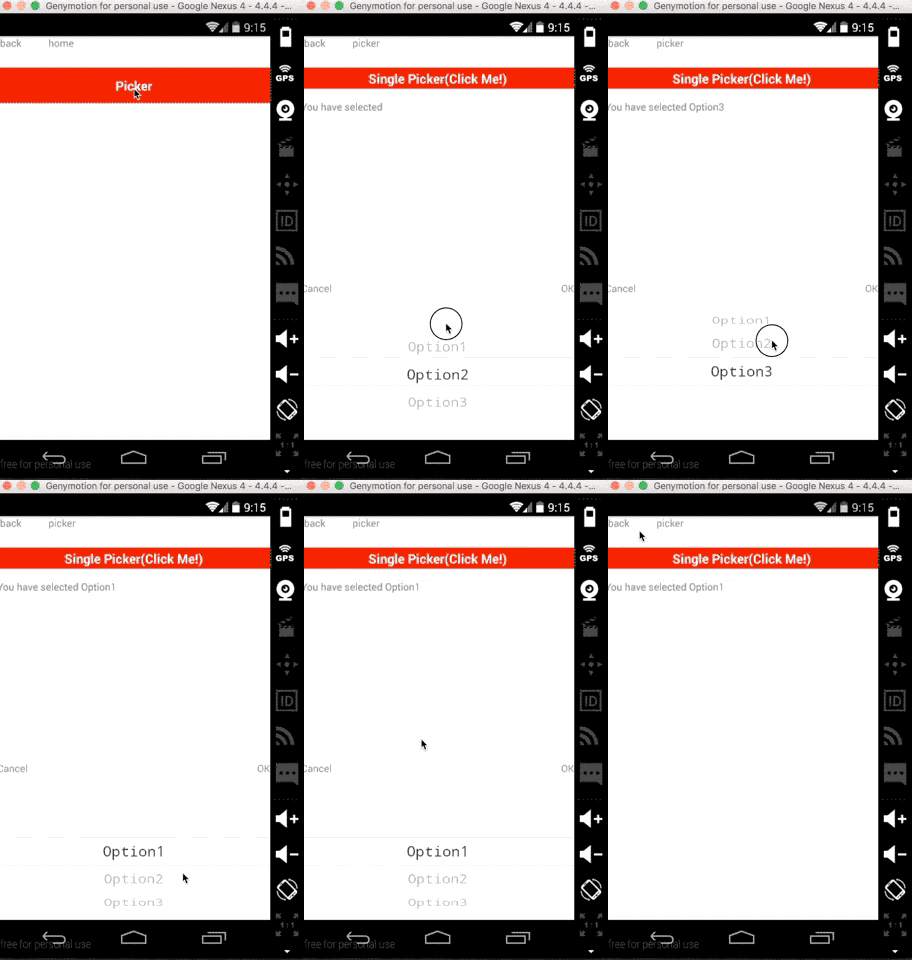
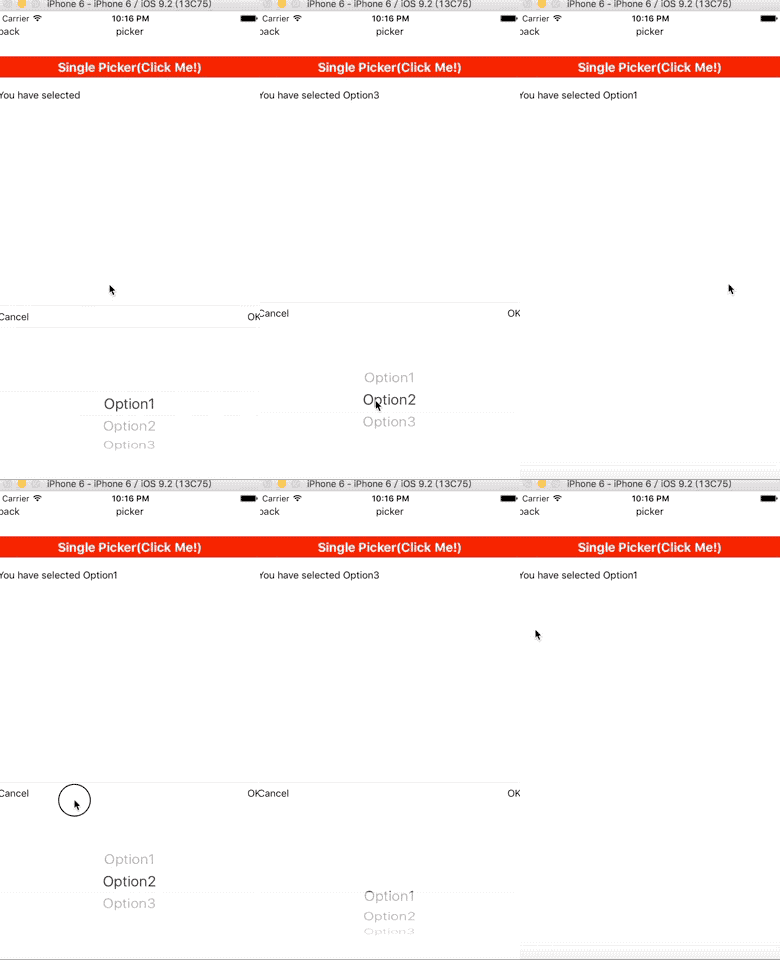
$ npm i mkp-react-native-picker --save
// file: android/settings.gradle
...
include ':react-native-wheel'
project(':react-native-wheel').projectDir = new File(rootProject.projectDir, '../node_modules/react-native-wheel/android')
// file: android/app/build.gradle
...

dependencies {
  ...
  compile project(':react-native-wheel')
}
// file: android/src/main/java/com.xx/MainApplication.java
...

private final ReactNativeHost mReactNativeHost = new ReactNativeHost(this) {
    @Override
        protected boolean getUseDeveloperSupport() {
            return BuildConfig.DEBUG;
        }

        @Override
        protected List<ReactPackage> getPackages() {
            return Arrays.<ReactPackage>asList(
                new MainReactPackage(),
                new WheelPackage()          // Added there
            );
        }
    };
import React ,{Component}from 'react';
import {
    StyleSheet,
    Text,
    View,
    TouchableOpacity,
    Platform
} from 'react-native';

import BaseComponent from './baseComponent';
import SinglePicker from 'mkp-react-native-picker';

import {viewStyles} from '../themes/default';

const options = [{
    key: 1,
    value: "Option1"
}, {
    key: 2,
    value: "Option2"
}, {
    key: 3,
    value: "Option3"
}]

const another_options = [{
    key: 1,
    value: "OptionA"
}, {
    key: 2,
    value: "OptionB"
}, {
    key: 3,
    value: "OptionC"
}];

const optionsGroup = [options, another_options]

export default class Picker extends BaseComponent {
    constructor(props) {
        super(props);
        this.state = {
            selected: ''
        }
        this.optionsGroupIndex = 0
    }

    render() {
        return <View style={viewStyles.main}>
            <TouchableOpacity
                style={{height:30,flexDirection:'row',justifyContent:'center',alignItems:'center',backgroundColor:'red'}}
                onPress={()=>{
                    this.singlePicker.show();
                }}>
                <Text style={{fontSize:18,color:'white',fontWeight:'bold'}}>Single Picker(Click Me!)</Text>
            </TouchableOpacity>

            <View style={{height:50,justifyContent:'center'}}><Text>You have
                selected {this.state.selected}</Text></View>

            <TouchableOpacity
                style={{height:30,flexDirection:'row',justifyContent:'center',alignItems:'center',backgroundColor:'red'}}
                onPress={()=>{
                    this.optionsGroupIndex = Math.abs(this.optionsGroupIndex - 1)
                    this.singlePicker.setOption(optionsGroup[this.optionsGroupIndex]);
                }}>
                <Text>Switch Options</Text>
            </TouchableOpacity>

            <SinglePicker
                lang="en-US"
                ref={ref=>this.singlePicker=ref}
                onConfirm={(option)=>{
                    //this.setState({selected:option.value})
                }}
                onSelect={(option)=>{
                    this.setState({selected:option.value})
                }}
                options={options}
            >

            </SinglePicker>
        </View>
    }
}
| Key | Type | Required | Default | Description |
|---|---|---|---|---|
| options | array | yes | must be an array of key-value pairs,like {key:1,value:'option'} | |
| lang | string | no | 'zh-CN' | enums:'zh-CN','en-US','es-AR',indicate the language of the text in buttons |
| style | object | no | {backgroundColor: "white"} | |
| defaultSelectedValue | any | no | key of each option,if undefined, the first option will be selected | |
| onConfirm | function | no | option that be selected as the parameter | |
| onSelect | function | no | option that be selected as the parameter | |
| onCancel | function | no |
| Name | Description |
|---|---|
| show | show the Picker |
| hide | hide the Picker |
| setOption(options,defaultSelectedValue) | change options of the Picker |
Download counts and popularity will appear here as the collector receives them.
This describes our collected data; it is not a security assessment.
Shared repository data · GitHub
Observed since 20 Oct, 19:02 UTC
No superseded metadata states collected. Unchanged observations do not create new revisions.
package:cf04cb95b8c379481e8c8a28371540de80bd844842027c4ec486277f8cab94d3